Windows Services & SCM Internals
Objective: Understand the architecture and functioning of Windows services, how the Service Control Manager (SCM) manages service lifecycles, service types, and dependencies, and how services can be created via the Windows API or directly through the registry. This is essential for both system developers and security professionals analyzing persistence or privilege escalation mechanisms.
Introduction
Windows services are background processes that operate independently of user logins, often running with high privileges. They’re essential for system functionality and are managed by the Service Control Manager (SCM). Many malware families and red teamers leverage Windows services for stealthy persistence, elevated execution, or lateral movement.
Core Concepts
What is a Windows Service?
A service is a long-running executable that performs system-level tasks, often without user interaction.
Examples:
Spooler(print services)WinDefend(Windows Defender)LanmanServer(file sharing)
What is SCM?
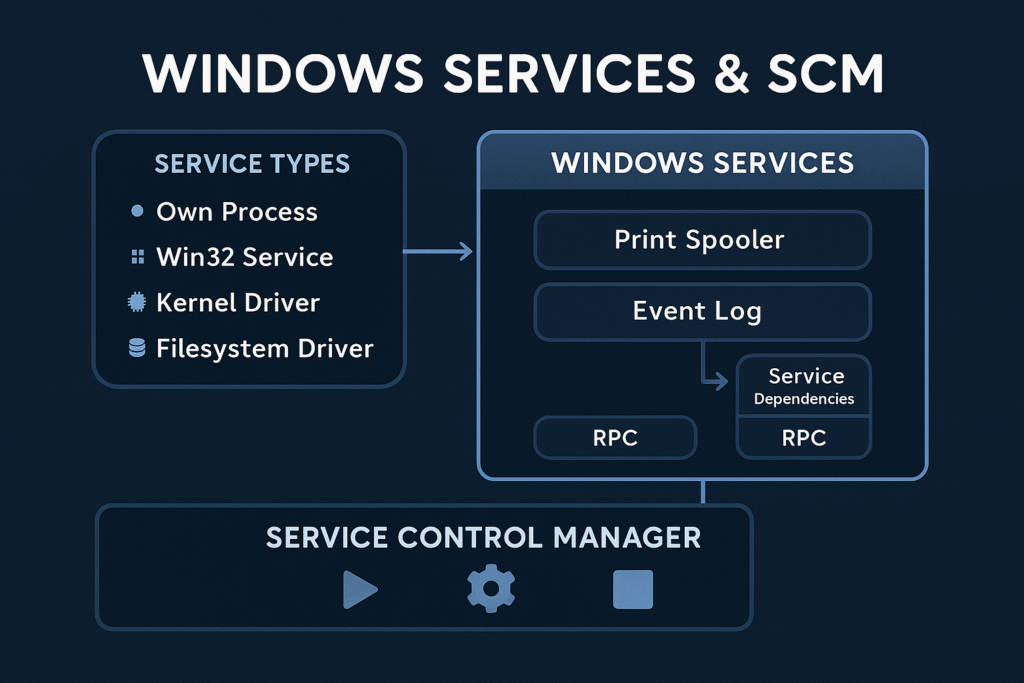
The Service Control Manager (services.exe) is a user-mode process that:
- Loads service configurations from the registry
- Starts, stops, and monitors services
- Handles inter-service dependencies
- Logs events to the Event Log
SCM Boot Flow
services.exeis launched during Session 0 startup- SCM reads the list of services from:
HKLM\SYSTEM\CurrentControlSet\Services\ - It initializes service objects and sorts them by dependencies
- SCM launches services in the required order
Registry Structure for Services
Services are configured in the registry under:
HKLM\SYSTEM\CurrentControlSet\Services\<ServiceName>Common Values in a Service Key:
| Value | Type | Description |
|---|---|---|
ImagePath | REG_EXPAND_SZ | Path to the executable |
Type | REG_DWORD | Service type |
Start | REG_DWORD | Startup type |
ErrorControl | REG_DWORD | Boot error handling |
DisplayName | REG_SZ | Friendly name |
Description | REG_SZ | Service description |
DependOnService | REG_MULTI_SZ | Services that must start before this one |
Service Startup Types
| Value | Meaning |
|---|---|
0x0 | Boot (loaded by boot loader) |
0x1 | System (loaded by kernel, like file systems) |
0x2 | Automatic |
0x3 | Manual |
0x4 | Disabled |
0x5 | Delayed Auto-start (with DelayedAutoStart=1) |
Service Types
| Type Value | Description |
|---|---|
0x10 | Own process (most common) |
0x20 | Share process (shared svchost.exe) |
0x1 | Kernel driver |
0x2 | File system driver |
0x100 | Interactive process (legacy; rarely used now) |
You can view this with:
Get-Service | Select-Object Name, StartType, Status, DependentServicesHow Services Launch
Own Process
ImagePath directly points to an EXE that runs under services.exe.
Example:
ImagePath: C:\Program Files\MyService\service.exeMany Microsoft services use svchost.exe with a -k switch to define the group.
Example:
ImagePath: %SystemRoot%\System32\svchost.exe -k netsvcsGrouped service DLLs are defined in:
HKLM\SOFTWARE\Microsoft\Windows NT\CurrentVersion\SvchostAnd their DLL paths are in:
HKLM\SYSTEM\CurrentControlSet\Services\<ServiceName>\Parameters\ServiceDllDependency Handling
Services can declare dependencies:
- Service-level (
DependOnService) - Group-level (
DependOnGroup)
This forces SCM to order service startup so that dependencies are satisfied before launching a given service.
Creating a Service (API Method)
You can create services with the Windows API using CreateService() via C++, PowerShell, or .NET.
C++ Example
SC_HANDLE schSCManager = OpenSCManager(NULL, NULL, SC_MANAGER_CREATE_SERVICE);

SC_HANDLE schService = CreateService(
 schSCManager, "MySvc", "My Service",
 SERVICE_ALL_ACCESS, SERVICE_WIN32_OWN_PROCESS,
 SERVICE_AUTO_START, SERVICE_ERROR_NORMAL,
 "C:\\malware\\evil.exe", NULL, NULL, NULL, NULL, NULL);
PowerShell Equivalent
New-Service -Name "MySvc" -BinaryPathName "C:\malware\evil.exe" -DisplayName "My Service" -StartupType AutomaticThis will appear under services.msc and persist across reboots.
Creating a Service (Registry Method)
You can also create services directly through the registry, often used by malware:
Manual Registry Entry
[HKEY_LOCAL_MACHINE\SYSTEM\CurrentControlSet\Services\Backdoor]
"ImagePath"="C:\\ProgramData\\backdoor.exe"
"Start"=dword:00000002
"Type"=dword:00000010
"ErrorControl"=dword:00000001
"DisplayName"="Windows Network Helper"
After writing this, start the service via:
sc start BackdoorService Abuse Scenarios
| Tactic | Description |
|---|---|
| Persistence | Create a new service that runs on every boot |
| Privilege Escalation | Replace an existing service binary if writable |
| DLL Hijacking | Replace ServiceDll in svchost group or use path search hijack |
| COM Hijack in service | Modify CLSID called by service |
| Execute as SYSTEM | Any service started with LocalSystem can execute payloads with full privileges |
Detecting Malicious Services
- Check startup entries:
Get-WmiObject win32_service | Where { $_.StartMode -eq "Auto" -and $_.StartName -eq "LocalSystem" }- Look for unsigned binaries: Use
sigcheck.exefrom Sysinternals - Audit unusual service names or paths: Look for non-standard install directories:
Get-WmiObject win32_service | Select Name, PathName | Where { $_.PathName -like "*AppData*" }- Check registry manually: Explore:
HKLM\SYSTEM\CurrentControlSet\Services\Summary
- Services are critical Windows components controlled by the SCM.
- The registry defines everything about a service: its path, type, startup behavior, and more.
- Services can run as SYSTEM or other users, making them powerful for persistence or escalation.
- They can be created via API or registry manipulation, and abuse is common in both malware and red teaming scenarios.
- Defender strategies include signature verification, ACL hardening, AppLocker enforcement, and behavior monitoring.
Related Tutorials
- Access Tokens and Privileges: The Kernel’s Security Context
- SIDs and Security Descriptors: Identity in Windows Security
- Fibers: User-Mode Cooperative Threads
- Jobs and Silos: Process Grouping and Resource Limits
- Windows Scheduler Internals: Priority Levels, Quantum, and Thread Selection
References
- Service Control Manager – Win32 Apps | Microsoft Learn
- [MS-SCMR]: Service Control Manager Remote Protocol | Microsoft Learn
- CreateService function (winsvc.h) – Win32 Apps | Microsoft Learn
- MITRE ATT&CK T1543.003 – Create or Modify System Process: Windows Service
- MITRE ATT&CK T1569.002 – System Services: Service Execution
- [MS-SCMR]: Overview – Service Control Manager Remote Protocol Internals | Microsoft Learn
Get new drops in your inbox
Windows internals, exploit dev, and red-team write-ups - no spam, unsubscribe anytime.